

















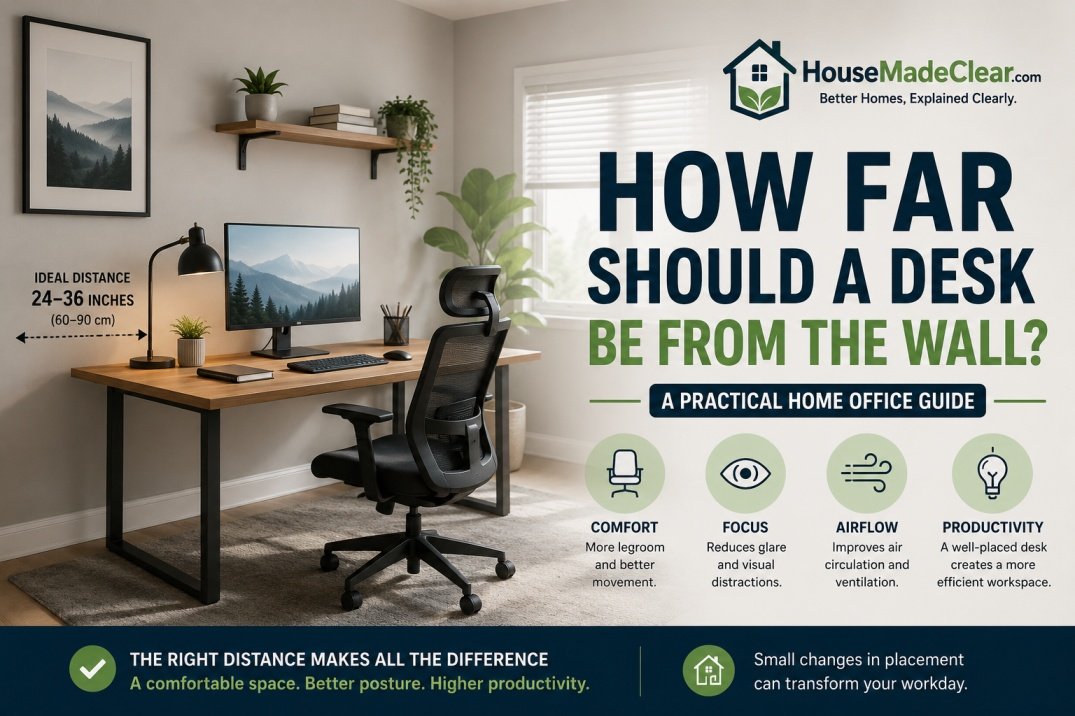
A desk does not always need to sit directly against a wall.
In some home offices, pushing the desk completely back works perfectly well. In others, leaving a few inches—or considerably more—between the desk and wall makes it easier to position a monitor, manage cables, improve airflow and create a more comfortable workstation.
The right distance depends on what is behind the desk, how deep the desk is, what equipment you use and whether the chair or person needs to move behind it.
Quick Answer
If the desk faces a wall, you often need only enough space behind it for:
- Cables and plugs
- Monitor arms or stands
- Ventilation around equipment
- Baseboards or wall trim
A small gap of a few inches may be enough for a simple laptop setup.
If the desk is floating in the room and someone needs to walk behind the chair, leave substantially more space and test the actual chair movement rather than relying on one universal number.
For computer work, desk depth matters too. OSHA recommends enough work-surface depth to position the monitor at least 20 inches from your eyes, with a generally preferred viewing distance of about 20–40 inches.
The most important rule is this:
Do not choose the desk-to-wall distance by appearance alone.
Set up the:
- Chair
- Monitor
- Keyboard
- Cables
- Door
- Walkway
and make sure the entire workstation functions together.
If you are still deciding which direction the desk should face, start with House Made Clear’s guide to where a desk should face in a home office.
Does a Desk Need Space Between It and the Wall?
Not always.
A desk can sit close to a wall if:
- Cables fit comfortably
- Plugs are not crushed
- Monitor placement works
- Equipment has enough ventilation
- Baseboards do not prevent the desk from sitting correctly
- You do not need access behind it
But leaving some space can make the workstation easier to use.
A small gap may help accommodate:
- Power cords
- HDMI cables
- Ethernet
- Monitor-arm clamps
- Cable trays
- Wall outlets
- Surge protectors
The correct amount depends on the actual hardware.
How Close Can a Desk Be to the Wall?
For a basic desk with:
- Laptop
- Small lamp
- Minimal cabling
the desk may be able to sit very close to the wall.
There is no universal rule saying that every desk must be a specific number of inches away.
What matters is that you do not:
- Crush plugs
- Bend cables sharply
- Block equipment ventilation
- Force the monitor too close to your eyes
If a plug projects several inches from the wall, pushing the desk tightly against it may damage:
- Plug
- Cable
- Outlet
- Furniture
So measure what actually sits behind the desk.
A Simple Desk-to-Wall Starting Guide
| Desk Situation | Practical Starting Approach |
|---|---|
| Laptop-only desk | Close to wall if cables fit safely |
| Desktop monitor | Leave enough room for monitor/cables |
| Monitor arm | Allow for clamp and arm movement |
| Wall outlet behind desk | Keep plugs accessible and uncrushed |
| Cable tray behind desk | Allow tray depth |
| Floating desk | Plan walkway behind chair separately |
| Desk near radiator/vent | Maintain equipment-specific clearance |
| Sit-stand desk | Test cables at full height |
This table is intentionally flexible.
The correct distance should come from the workstation rather than an arbitrary decorating rule.
Why Desk Depth Matters More Than Wall Gap
A common mistake is focusing only on the gap behind the desk.
For computer work, desk depth may matter more.
OSHA recommends that the work surface be deep enough to allow the monitor to sit at least 20 inches from the user’s eyes. OSHA’s monitor guidance describes a generally preferred eye-to-screen distance of approximately 20–40 inches.
That means a very shallow desk can create problems even if it is several inches away from the wall.
Example
Suppose you have:
- 18-inch-deep desk
- Large monitor
- Monitor stand taking several inches
- Keyboard near front edge
You may have difficulty getting enough viewing distance.
In that case, pulling the desk slightly away from the wall may allow the monitor to sit farther back.
OSHA specifically lists pulling a desk away from a wall or divider as one possible way to create additional monitor depth when desk space is limited.
How Far Should Your Monitor Be From Your Eyes?
For most computer work, monitor position should be determined by comfortable viewing rather than by the wall.
OSHA states that the preferred viewing distance is generally:
20–40 inches (50–100 cm)
from the eyes to the front of the screen.
The monitor should also generally be:
- Directly in front of you
- At a comfortable viewing distance
- Positioned so the top of the screen is at or below eye level
This means the desk-to-wall gap may need to increase if:
- Monitor is very large
- Desk is shallow
- Monitor stand is deep
- Monitor arm extends backward
Should the Desk Touch the Wall?
It can, but it does not have to.
A desk touching the wall may work if there is:
- No outlet behind it
- No cable pressure
- No ventilation issue
- No monitor-arm conflict
However, there are several reasons to leave a gap.
Cable Access
A small gap makes it easier to route:
- Power cords
- HDMI
- USB
- Ethernet
Wall Protection
Furniture rubbing directly against painted drywall can leave marks.
Baseboard Clearance
Baseboards may stop the desk legs from reaching the wall even when the desktop appears close.
Monitor Placement
Some monitor stands or arms extend behind the rear edge of the desk.
How Much Space Do You Need for Cables Behind a Desk?
There is no fixed number because cable hardware differs.
Instead, measure:
- Largest plug depth
- Power-strip position
- Cable tray depth
- Monitor arm
- Cable bend radius
Then add enough room so none of the cables are:
- Crushed
- Tightly folded
- Pinched
- Pulled under tension
Cable Rule
If you have to force the desk against the wall to hide the cables, the desk is probably too close.
Cables should have enough room to curve naturally and remain accessible.
Should a Desk Cover a Wall Outlet?
It can sit in front of an outlet, but the outlet should remain usable and the plug should not be crushed.
Check whether the plug sticks straight outward.
Some power adapters are particularly bulky.
If the desk pushes against the adapter, you may create:
- Pressure on outlet
- Damaged cable insulation
- Loose connection
- Bent plug
A better option may be to leave enough space for the plug or reposition the desk slightly.
How Much Space Should Be Behind a Desk Chair?
This is a different question from desk-to-wall clearance.
If a desk is pushed against one wall and the chair faces it, you need room behind the chair for:
- Sitting down
- Rolling backward
- Standing
- Walking past
This becomes especially important in small home offices.
There is no one perfect number because:
- Chairs have different depths
- People sit differently
- Some rooms need a walkway behind the chair
- Some desks are used occasionally rather than all day
The most accurate method is to test the actual chair.
The Chair Test
Set up the desk and chair.
Then:
- Sit normally.
- Roll backward as you would to stand.
- Stand up.
- Walk behind the chair if the room requires it.
- Check whether a door or cabinet still opens.
If you repeatedly hit the wall or furniture, the layout needs more room.
Desk Against Wall vs Floating Desk
Both arrangements can work.
Desk Against the Wall
Best when:
- Room is small
- You want to preserve floor space
- You need wall storage
- Cables can be concealed easily
Advantages:
- Efficient
- Easy to organize
- Keeps center of room open
Potential drawbacks:
- Less access behind desk
- Can feel visually closed in
- Monitor may be too close on a shallow desk
Floating Desk
A floating desk sits away from the wall, often with the user facing into the room.
Advantages:
- Can face doorway
- More flexible room layout
- Easier access to rear of desk
Potential drawbacks:
- Requires more floor space
- Cables become more visible
- Need circulation behind chair
How Far Should a Floating Desk Be From the Wall?
A floating desk needs two different clearances.
Behind the Desk
This depends on:
- Cable routing
- Visitor seating
- Storage
- Wall décor
Behind the Chair
This is usually more important.
You need enough room for the chair to move and, if required, for someone to pass behind it.
Rather than using one generic dimension, mark the proposed layout with tape and test it using the actual chair.
Desk Facing a Wall: Best Setup
If your desk faces a wall, begin by placing it where:
- Monitor can remain at a comfortable distance
- Chair sits naturally
- Cables are not crushed
- Wall does not dominate your view unnecessarily
A wall-facing desk works particularly well in:
- Small bedrooms
- Alcoves
- Narrow offices
If the desk is shallow, a monitor arm can sometimes help reposition the screen, but the arm itself may require space behind the desk.
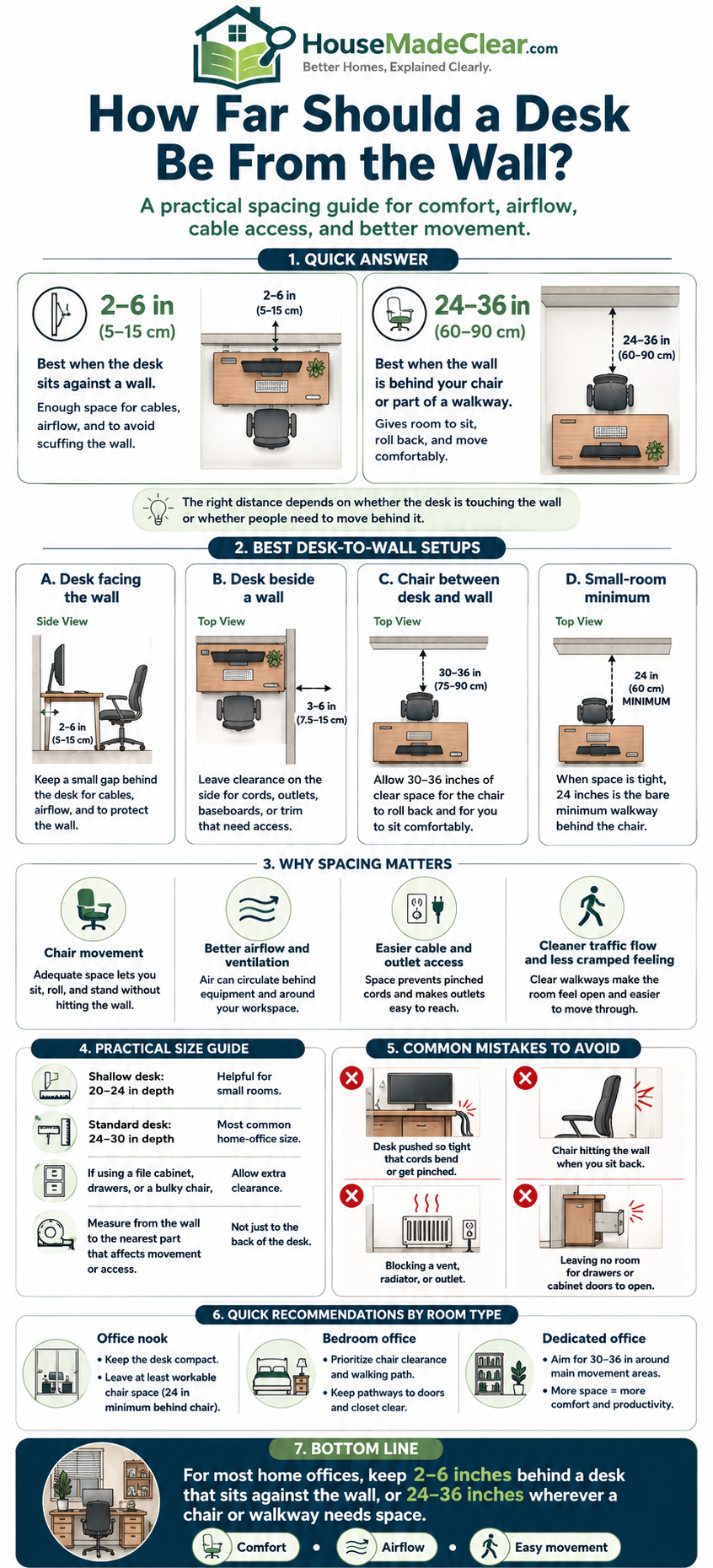
Desk Facing a Window: Wall Clearance Is Different
If the desk faces a window, wall gap may not be the main issue.
Instead check:
- Window sill
- Curtain movement
- Blinds
- Heat
- Glare
OSHA recommends positioning computer monitors at right angles to windows where practical to reduce glare.
That is one reason House Made Clear generally treats a desk perpendicular to a window as a strong starting position for computer work rather than automatically facing the window.
See the full comparison in Where Should a Desk Face in a Home Office?.
Desk Perpendicular to a Window
This is often a practical arrangement because:
- Daylight comes from the side
- Monitor glare may be easier to manage
- Desk can still sit near a wall
OSHA recommends placing the screen at right angles to windows and light sources to help reduce reflected glare.
When using this layout, check that the wall-facing side of the desk still leaves room for:
- Monitor arm
- Cables
- Lamp
- Curtains
How Far Should a Desk Be From a Window?
There is no universal desk-to-window distance.
Instead consider:
- Direct sunlight
- Screen glare
- Heat gain
- Curtain operation
- Window opening
- HVAC vents
A desk can sit near a window if these functions remain usable.
Do not block:
- Window handles
- Emergency egress where applicable
- Curtains
- Blinds
- Radiators
Keep Desk Clear of Curtains
Curtains can require substantial stack-back space.
If your desk sits directly beneath or beside them, check the curtains fully open and fully closed.
A desk that is too close may:
- Crush fabric
- Stop panels opening fully
- Reduce daylight
If you are still planning the curtains, House Made Clear’s guides to how high to hang curtains and how wide curtains should be can help you plan the window wall before placing furniture.
How Far Should a Desk Be From a Radiator?
Do not use a generic distance without checking the equipment.
Radiators and heating systems vary.
Your priority should be:
- Manufacturer guidance
- Heat output
- Airflow
- Furniture material
- Cable exposure
Avoid blocking a radiator or placing sensitive electronics where they are exposed to excessive heat.
If the room is small and the only available desk wall contains heating equipment, consider:
- Shallower desk
- Different desk orientation
- Floating layout
How Far Should a Desk Be From an HVAC Vent?
Keep supply and return vents unobstructed.
OSHA notes that airflow and ventilation affect workstation comfort and specifically advises avoiding positions where air-conditioning vents blow directly onto the user.
So check both:
- Whether furniture blocks airflow
- Whether the person is sitting directly in a strong draft
A layout can be technically spacious but still uncomfortable if cold air blows directly at the desk all day.
Wall-Mounted Monitor vs Desk Monitor
A wall-mounted monitor changes the desk-spacing equation.
Benefits
It can:
- Free desk depth
- Reduce stand footprint
- Allow screen farther back
Considerations
You need to plan:
- Mounting height
- Cable path
- Viewing distance
- Wall construction
Do not mount the monitor simply because the wall is available.
The screen still needs to sit at a comfortable distance and height.
Monitor Arm Clearance Behind the Desk
Monitor arms can save surface space but often extend behind the desk.
Before pushing the desk toward a wall:
- Install the arm.
- Position monitor where you want it.
- Move arm through its normal range.
- Measure rear projection.
- Set wall clearance accordingly.
Otherwise, the wall may stop the monitor from reaching the intended position.
Dual Monitors Need More Desk Planning
Two monitors often require:
- More width
- More depth
- More cable space
If both displays are pushed too far forward because the desk is against the wall, you may end up sitting too close.
OSHA emphasizes placing monitors so the user can maintain an upright posture and comfortable viewing distance.
For dual-monitor setups, desk depth can be more important than simply buying a wider desk.
How Far Should a Laptop Desk Be From the Wall?
Laptop-only setups usually require less rear clearance than desktop-monitor setups.
You may only need space for:
- Charging cable
- Dock
- Lamp
- Phone charger
But laptop ergonomics introduce a different issue.
If you work for long periods, you may benefit from:
- External monitor
- Laptop stand
- Keyboard
- Mouse
Those additions can increase required desk depth and cable space.
Desk With a Desktop Computer Tower
If the PC tower sits on the desk, check the manufacturer’s ventilation requirements.
Do not push:
- Rear exhaust
- Intake vents
directly against a wall.
If the tower sits under the desk, OSHA advises keeping under-desk areas free enough to preserve leg and foot space.
Do not solve a wall-clearance problem by filling the entire area under the desk with equipment.
Keep Under-Desk Space Clear
A comfortable workstation needs room for:
- Knees
- Feet
- Chair movement
- Posture changes
OSHA warns that inadequate clearance under a work surface can contribute to awkward posture and discomfort.
Avoid storing:
- Computer tower
- Boxes
- Files
- Large power equipment
where your legs naturally move.
If possible, mount or relocate cable-management equipment rather than sacrificing legroom.
How Much Desk Depth Do You Need?
Desk depth should support:
- Monitor distance
- Keyboard
- Mouse
- Writing space
OSHA recommends enough depth for the monitor to sit at least 20 inches from the eyes.
A very shallow desk may be fine for:
- Occasional laptop use
- Writing
- Small spaces
but may be less suitable for a permanent monitor workstation.
20-Inch-Deep Desk
This can work for:
- Laptop
- Compact monitor
- Wall-mounted screen
but may feel tight with a large display.
Check actual eye-to-screen distance.
24-Inch-Deep Desk
This is a common compact home-office depth.
It may accommodate:
- Monitor
- Keyboard
- Mouse
depending on monitor stand depth.
30-Inch-Deep Desk
A deeper work surface gives more flexibility for:
- Larger monitors
- Dual screens
- Documents
- Equipment
But a deeper desk also occupies more floor space.
Choose based on the room and workstation rather than automatically selecting the largest size.
How Far Should a Desk Be From the Wall in a Small Bedroom?
In a bedroom office, preserving circulation is often more important than creating a large rear gap.
A wall-facing desk can usually sit fairly close to the wall if:
- Cables fit
- Monitor distance is adequate
- Curtains remain usable
- Bed pathway remains open
This is often more efficient than floating the desk.
If the bedroom is already tight on storage, House Made Clear’s guide to where to put a dresser in a small bedroom can help prevent the desk and dresser from competing for the same wall.
How Far Should a Desk Be From the Wall in a Dedicated Office?
A dedicated office gives you more flexibility.
You might:
- Float the desk
- Face the doorway
- Add guest seating
- Place storage behind the desk
In this case, circulation behind the chair matters more.
Test:
- Chair pulled in
- Chair pulled back
- Person standing
- Person walking behind
This produces a more accurate layout than relying on a generic clearance.
Desk Behind a Sofa
In a living room or multipurpose space, a desk may sit behind the sofa.
Check:
- Chair clearance
- Sofa recline if applicable
- Walking route
- Cable access
Avoid creating a narrow passage that becomes uncomfortable every time someone uses the desk.
House Made Clear’s functional living-room layout guide can help when a home office shares space with the living room.
Desk in an Alcove
An alcove can be excellent for a desk, but measure carefully.
Check:
- Alcove width
- Desk width
- Chair access
- Outlet location
- Wall depth
A desk that fits perfectly from wall to wall may leave no room for:
- Cable routing
- Clamp-on accessories
- Side access
If possible, allow at least enough flexibility for cables and equipment rather than building an excessively tight fit.
Desk in a Corner
A corner can provide extra monitor depth.
OSHA specifically notes that a corner work surface can offer additional depth for monitors and other equipment.
This can be useful if:
- Straight desk is shallow
- Monitor is large
- Dual screens are used
But corner desks also need careful cable routing.
Sit-Stand Desk Wall Clearance
Height-adjustable desks need extra attention.
A cable that is safe while seated may become:
- Stretched
- Pulled
- Disconnected
when the desk rises.
Before finalizing the wall gap:
- Lower desk fully.
- Raise desk fully.
- Test monitor arm.
- Check every cable.
- Check wall shelves.
Do not install a shelf directly above a sit-stand desk without confirming full-height clearance.
Wall Shelves Above the Desk
Shelves can add storage without consuming floor space.
But check:
- Head clearance
- Monitor height
- Sit-stand desk movement
- Access to items
Frequently used objects should not require awkward reaching.
OSHA recommends keeping commonly used workstation items within an accessible primary work zone.
Cable Management Behind a Wall-Facing Desk
A clean setup might include:
- Under-desk cable tray
- Reusable cable ties
- Raceway
- Mounted power strip where appropriate
The goal is to keep cords:
- Off the floor
- Away from chair wheels
- Uncrushed
Leave enough wall clearance so cable management does not become compressed between furniture and wall.
Should the Desk Be Centered on the Wall?
Not necessarily.
A centered desk may look balanced, but it can be less functional if it:
- Blocks outlet
- Conflicts with window
- Restricts door
- Wastes corner depth
Move the desk according to:
- Work needs
- Daylight
- Circulation
not simply symmetry.
Desk Position and Glare
Desk spacing is not only about furniture.
Lighting matters.
OSHA recommends arranging workstations to reduce glare from:
- Windows
- Overhead lights
- Desk lamps
and positioning screens at right angles to windows where practical.
So before finalizing the desk against a wall, turn the monitor on and inspect reflections at:
- Morning
- Midday
- Evening
The best physical location may still need adjustment for light.
Common Desk-to-Wall Mistakes
1. Pushing the Desk Tight Against Plugs
Problem:
Cords and adapters become compressed.
Better approach:
Leave enough space for a natural cable bend.
2. Ignoring Monitor Viewing Distance
Problem:
You sit too close to the screen.
Better approach:
Prioritize eye-to-screen distance. OSHA generally recommends around 20–40 inches.
3. Buying a Desk That Is Too Shallow
Problem:
Monitor cannot sit far enough back.
Better approach:
Choose sufficient desk depth or adjust monitor placement.
4. Leaving Too Little Space Behind the Chair
Problem:
You cannot stand up comfortably.
Better approach:
Test actual chair movement.
5. Blocking a Window
Problem:
Curtains and blinds become difficult to use.
Better approach:
Check the window wall before final placement.
6. Blocking HVAC
Problem:
Room airflow suffers.
Better approach:
Keep vents clear.
7. Ignoring Monitor-Arm Movement
Problem:
Arm hits the wall.
Better approach:
Test the monitor through its full range.
8. Filling the Under-Desk Area
Problem:
Legroom is reduced.
Better approach:
Keep the space under the work surface as clear as practical.
9. Choosing Symmetry Over Function
Problem:
Centered desk creates poor access.
Better approach:
Prioritize workstation use.
10. Forgetting Sit-Stand Cable Travel
Problem:
Cables become stretched when desk rises.
Better approach:
Test full desk height before securing cables.
Step-by-Step: Find the Right Desk-to-Wall Distance
Step 1: Put the Chair in Position
Start with how you actually sit.
Step 2: Position the Keyboard and Mouse
Your arms should not need to reach excessively forward.
Step 3: Position the Monitor
Maintain a comfortable viewing distance.
OSHA’s general preferred range is about 20–40 inches from eyes to screen.
Step 4: Check Where the Monitor Ends Up
If it needs more rear space, move the desk forward.
Step 5: Add Cables
Plug everything in normally.
Step 6: Check Cable Bends
Nothing should be compressed.
Step 7: Test Chair Movement
Sit, roll back and stand.
Step 8: Test the Walkway
If people need to pass behind you, make sure they can.
Step 9: Test Windows and Doors
Open them completely.
Step 10: Test Lighting
Look for screen glare.
Step 11: Test Sit-Stand Movement
If applicable, raise and lower the desk fully.
Step 12: Mark the Final Position
Once everything works, then finalize cable management and furniture placement.
Quick Desk Spacing Box
Do not start with a fixed wall-gap number.
Start with the workstation:
1. Place chair
2. Position keyboard
3. Put monitor at a comfortable 20–40 inch viewing distance
4. Leave enough room behind desk for cables and equipment
5. Test chair and walkway clearance
If everything works without crushed cables, restricted movement or excessive screen proximity, the wall distance is probably appropriate.
Desk Placement Checklist
Before finalizing your desk, check:
- Monitor is directly in front
- Monitor viewing distance is comfortable
- Desk depth is adequate
- Cables are not crushed
- Power adapters have room
- Monitor arm clears wall
- Chair can move backward
- You can stand comfortably
- Walkway remains usable
- Door opens fully
- Window remains accessible
- Curtains can open
- HVAC vents remain clear
- Under-desk legroom is unobstructed
- Sit-stand cables have enough slack
- Screen glare has been checked
- Wall shelves do not interfere
- Desk does not need to be forced against wall
Final Thoughts
There is no single perfect answer to how far a desk should be from the wall.
For a simple wall-facing desk, a small practical gap may be all you need.
For a more complex workstation, you may need additional room for:
- Monitor depth
- Monitor arms
- Cables
- Power adapters
- Ventilation
And if the desk floats in the room, the more important measurement may be the space behind the chair, not behind the desk.
For computer work, prioritize workstation ergonomics over visual neatness. OSHA recommends enough desk depth to keep the monitor at least 20 inches from the user, with a generally preferred viewing range of approximately 20–40 inches.
The best process is therefore:
Position the chair → position the monitor → check cables → test movement → then decide the final wall gap.
If you are still deciding which wall the desk should use, continue with House Made Clear’s Where Should a Desk Face in a Home Office? guide.
For the complete room setup, see How to Design a Functional Home Office.
Frequently Asked Questions
How far should a desk be from the wall?
There is no universal distance. A wall-facing desk may need only enough space for cables, plugs and monitor equipment, while a floating desk requires additional room for chair movement and circulation.
Can a desk be directly against the wall?
Yes, if cables are not crushed, plugs remain safe, equipment ventilation is not blocked and the monitor can be positioned at a comfortable viewing distance.
How much space should I leave behind a desk for cables?
Leave enough space for plugs, adapters and cables to bend naturally without being compressed or sharply folded. The exact amount depends on your equipment.
How far should a computer monitor be from your eyes?
OSHA says the generally preferred viewing distance is approximately 20–40 inches from the eyes to the front of the computer screen.
Is a 24-inch-deep desk deep enough for a monitor?
It can be, depending on monitor size and stand depth. The important point is whether the monitor can remain at a comfortable viewing distance without forcing you to sit too close.
How much space should be behind a desk chair?
There should be enough room to roll back, stand up and, where necessary, allow someone to walk behind the chair. Test the actual chair because different chairs and room layouts require different amounts of space.
Is it better to put a desk against the wall or float it?
A wall-facing desk is usually more space-efficient, while a floating desk can improve room orientation and allow you to face the doorway. The better option depends on room size, cables and circulation.
Should a desk face a wall or window?
Neither is automatically best. For computer work, positioning the desk perpendicular to a window is often a useful starting point because side daylight can help reduce direct glare. OSHA recommends positioning screens at right angles to windows where practical.
Can a desk block an electrical outlet?
A desk can sit in front of an outlet, but plugs and adapters should not be crushed or placed under constant pressure. Leave enough space for safe access and cable routing.
How do I know if my desk is too close to the wall?
Signs include crushed plugs, sharply bent cables, a monitor arm hitting the wall, blocked ventilation or being forced to position the monitor too close to your eyes.