














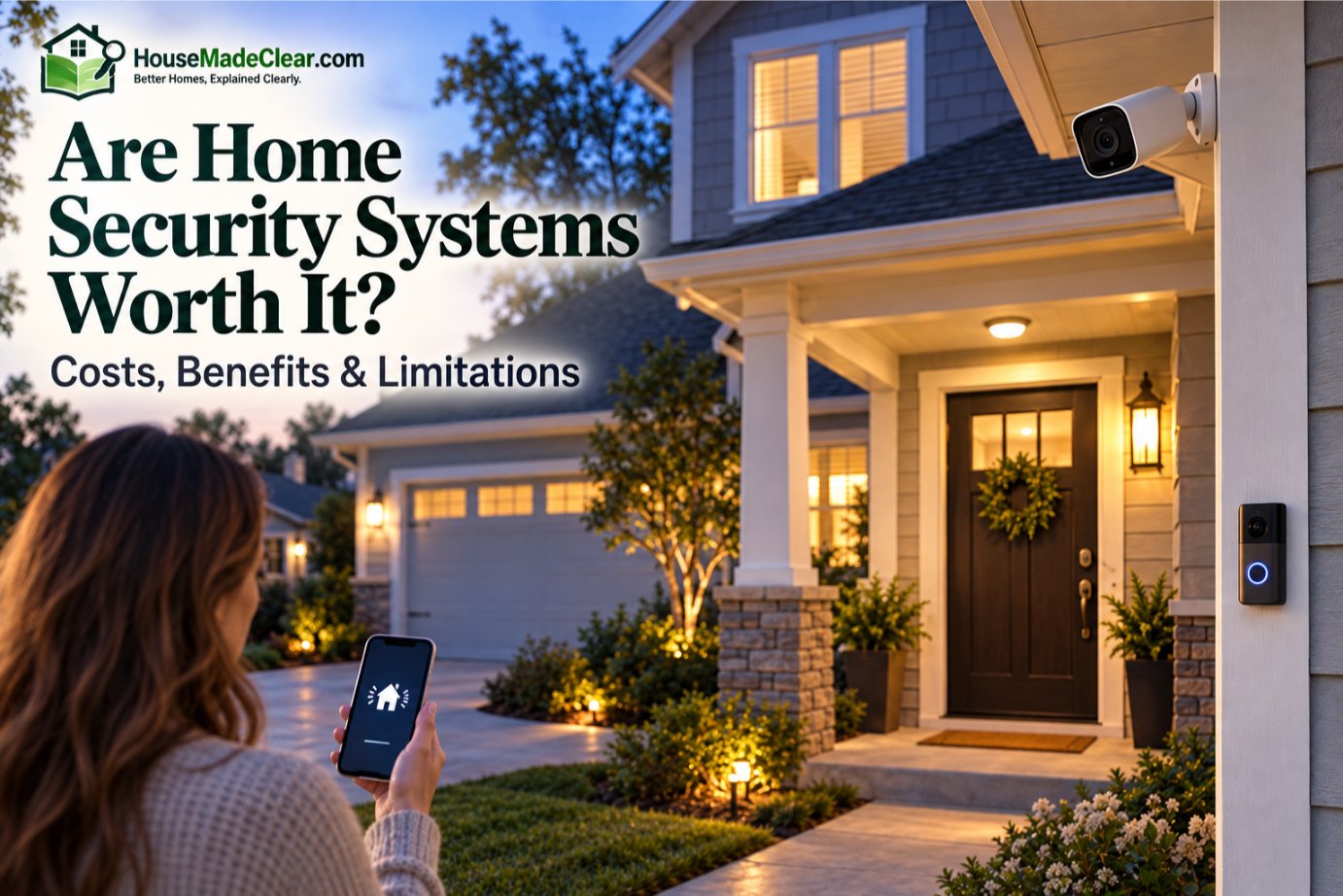
For many homeowners, a home security system can be worth it when it solves a specific security problem rather than simply adding more gadgets.
A well-planned system can help detect doors opening, identify movement inside the home, record activity around entrances, sound an alarm, send remote notifications, and—with professional monitoring—potentially initiate a response process when an alarm event occurs.
But a security system has limitations.
It cannot guarantee that:
- A burglary will never happen
- Police will arrive immediately
- Every motion event will be detected
- Every camera will capture an identifiable face
- Internet-connected equipment will always remain online
- False alarms will never occur
The best home security setup combines electronic detection with strong doors, reliable locks, sensible lighting, appropriate camera placement, and good everyday security habits.
Quick Answer
A home security system is generally worth considering if you want:
- Alerts when doors, windows, or motion sensors are triggered
- Cameras or video verification around important areas
- Remote awareness while you are away
- A siren to draw attention to an intrusion
- Professional monitoring when you cannot respond yourself
- Optional integration with smoke, carbon monoxide, water, or other sensors
It may be less worthwhile if you buy an expensive package without understanding the monitoring contract, install sensors poorly, ignore physical security weaknesses, or pay monthly for features you rarely use.
The best value usually comes from matching the system to the home’s actual vulnerabilities rather than buying the largest package available.
The Federal Trade Commission notes that home security systems can do more than warn about intruders. Depending on the system, they may also provide video surveillance, emergency notifications, remote control, and monitoring for hazards such as smoke, carbon monoxide, or water conditions. The FTC also recommends comparing installation costs, monitoring fees, contracts, warranties, backup power, and cancellation terms before signing an agreement.
Are Home Security Systems Worth It?
For many households:
yes—but only when the system is selected and configured around the home.
Think of a home security system as a collection of tools rather than a single protective barrier.
A typical system may include:
- Door and window contact sensors
- Motion sensors
- Indoor or outdoor cameras
- Video doorbell
- Siren
- Keypad
- Smart hub/control panel
- Glass-break sensor
- Smart lock integration
- Smoke or carbon monoxide sensors
- Water-leak sensors
- Professional monitoring
You do not necessarily need all of these.
A small apartment may benefit from:
- Door sensor
- Indoor motion sensor
- Video doorbell
while a detached house with several exterior access points may justify a much larger system.
What Does a Home Security System Actually Do?
At its most basic, a security system performs four functions:
1. Detect
Sensors identify an event such as:
- Door opening
- Window opening
- Motion
- Glass break
- Camera activity
2. Alert
The system may respond with:
- Siren
- Phone notification
- App alert
- Control-panel warning
3. Record or Verify
Cameras can provide visual context to determine what happened.
4. Escalate
With professional monitoring, certain alarm events can be sent to a monitoring center, which follows its response procedure.
Not every system performs all four functions.
A self-monitored camera system, for example, may:
detect + notify + record
without involving a monitoring center.
What a Security System Does Not Do
A security system does not physically strengthen your:
- Door
- Frame
- Lock
- Window
It also cannot control how quickly another party responds to an alarm.
This distinction matters.
A door sensor may tell you that a door was opened, but it does not make the door harder to force open.
That is why electronic security should complement physical improvements such as those covered in our guide to improving home security with better locks.
Benefits of a Home Security System
The value of a security system generally comes from several different benefits rather than one feature.
1. Immediate Awareness of Activity
Without sensors or cameras, you may have no idea something happened until:
- You return home
- A neighbor contacts you
- You discover damage
A connected system can provide notifications when:
- Exterior door opens
- Motion occurs
- Camera detects someone
- Alarm activates
That can be especially useful when you are:
- At work
- Traveling
- Sleeping
- Away from part of the property
2. Door and Window Detection
Contact sensors are among the simplest components of an alarm system.
A typical contact sensor has two parts:
- Sensor
- Magnet
When the protected door or window opens and the two parts separate, the system detects the change.
This makes contact sensors useful for:
- Front door
- Back door
- Patio door
- Accessible windows
Unlike a camera, they do not need to visually recognize what is happening.
They simply report that the protected opening changed state.
3. Interior Motion Detection
Motion sensors provide another layer after perimeter sensors.
If someone enters the home without triggering a protected contact—or moves through the property after entry—an interior motion sensor may detect movement.
A common strategy is to place motion sensors along likely circulation paths such as:
- Hallway
- Main living area
- Stairway
rather than trying to fill every room with sensors.
4. Camera Verification
Security cameras can help answer:
What actually caused the alert?
For example, a camera may show whether motion near the front door was:
- Delivery driver
- Family member
- Animal
- Unknown visitor
Modern motion detector cameras may also distinguish certain categories such as people and vehicles, depending on the device.
Video can make alerts more actionable, but the camera still needs a useful:
- Location
- Angle
- Field of view
- Nighttime view
Our guide to home security camera placement covers those decisions in detail.
5. Audible Alarm
A siren serves a different purpose from a silent phone notification.
It can:
- Alert occupants
- Draw attention to the event
- Inform an intruder that detection occurred
However, an alarm should not be treated as a guarantee that someone will leave or that emergency services will immediately respond.
It is one component in the overall security strategy.
6. Remote Monitoring From Your Phone
Smart security systems can let you check:
- Camera feeds
- Sensor status
- Alarm state
- Door locks
from an app.
That is convenient when you want to confirm:
- Did I lock the door?
- Did someone arrive?
- Is the alarm armed?
- What triggered that camera?
Remote access is valuable, but it also means account security matters.
Use:
- Strong unique passwords
- Multifactor authentication when offered
- Current firmware/software
- Secure home networking
The FTC recommends securing internet-connected cameras with strong passwords, software updates, encryption/security features, and protected home networks.
7. Professional Monitoring
Professional monitoring adds a third party to the response process.
When a qualifying alarm occurs, the monitoring center may attempt to:
- Contact you
- Verify the alarm
- Follow established emergency procedures
- Contact appropriate responders when warranted
The exact sequence varies by:
- Provider
- Alarm type
- Local requirements
- Verification procedures
Before subscribing, ask exactly:
What happens after my alarm goes off?
The FTC specifically recommends finding out whether the monitoring company contacts you before or after notifying authorities and what happens when it cannot reach you.
8. Security When You Are Away
Professional monitoring can be particularly useful if you:
- Travel often
- Cannot check notifications during work
- Spend long periods away
- Have a second home
Self-monitoring depends more heavily on you seeing and responding to alerts.
If your phone is:
- Off
- Without service
- On silent
- Unavailable
you may not act quickly.
9. Integration With Other Home-Safety Sensors
Some security platforms also integrate with:
- Smoke alarms
- Carbon monoxide detection
- Water-leak sensors
- Temperature sensors
- Medical-alert functions
This broadens the system from burglary detection into general household monitoring.
Whether that is worth paying for depends on:
- Existing devices
- Monitoring plan
- Reliability
- How much integration you actually want
Is a Home Security System Worth It for Burglary Protection?
It can be a valuable layer, but burglary protection should not begin with electronics alone.
Consider a house with:
- Weak exterior door
- Poor strike plate
- Unsecured sliding door
- Hidden side entrance
Adding an expensive alarm system without addressing those weaknesses leaves obvious physical vulnerabilities.
A stronger approach is:
delay + detect + document + alert.
Delay
Improve:
- Doors
- Locks
- Frames
Detect
Use:
- Contact sensors
- Motion sensors
Document
Use cameras at important locations.
Alert
Use:
- Siren
- Phone alerts
- Monitoring
This layered approach is more practical than expecting one product to provide complete protection.
Are Security Cameras Alone Enough?
Usually not if your goal is a broader home security system.
Cameras are excellent for:
- Visibility
- Verification
- Recording
but they may not tell you every time:
- Window opens
- Door is forced outside camera view
- Motion occurs elsewhere in house
Similarly, door sensors do not provide video.
Each device answers a different question.
Are Better Locks More Important Than an Alarm?
They solve different problems.
A good lock and reinforced door can make unauthorized entry more difficult.
An alarm system helps detect that an entry attempt or intrusion may be happening.
Ideally, the two work together.
One of the common home security mistakes is concentrating heavily on technology while ignoring basic physical security.
What Does a Home Security System Cost?
There is no single useful national price for a home security system because systems differ dramatically.
The total cost can include:
- Equipment
- Installation
- Monthly monitoring
- Camera storage
- Cellular backup
- Service plan
- Repairs
- Replacement batteries
- Permits or registration
- False-alarm fees
- Early termination fees
A simple self-installed system may involve primarily an equipment purchase.
A professionally installed and monitored system can involve:
upfront costs + recurring costs + contract obligations.
Home Security Costs at a Glance
| Cost Category | What to Check |
|---|---|
| Equipment | Sensors, hub, cameras, siren, keypad |
| Installation | DIY or professional |
| Monitoring | Monthly/annual recurring fee |
| Video storage | Local, cloud, or subscription |
| Cellular backup | Included or extra |
| Maintenance | Batteries, service, replacements |
| Permit/registration | Depends on locality |
| False-alarm fees | Depends on local rules |
| Contract | Month-to-month or long-term |
| Cancellation | Early termination conditions |
The FTC advises getting written estimates and confirming installation price, monitoring charges, contract duration, warranties, cancellation terms, and other promises in writing before signing.
Equipment Cost
Equipment price depends on how many devices you install.
A basic package may contain:
- Hub
- Keypad
- Several entry sensors
- One motion sensor
Adding:
- Outdoor cameras
- Doorbell
- Glass-break detectors
- Smart locks
- Environmental sensors
can increase the total substantially.
Do not compare systems only by the advertised starter-package price.
Compare the configuration you would actually install.
Installation Cost
DIY systems can reduce installation expense.
Professional installation may make more sense for:
- Hardwired equipment
- Large properties
- Complex camera wiring
- Difficult mounting
- Integrated systems
Our guide comparing DIY vs professional home security installation explains this decision in more detail.
Monthly Monitoring Cost
Professional monitoring usually adds recurring cost.
Before subscribing, determine:
- Exact monthly price
- Whether price can change
- Minimum contract term
- What monitoring covers
- Whether cameras require a higher plan
- Whether cellular backup is included
- Whether smart-home integrations cost extra
A cheap starting price is not necessarily the final long-term cost.
Do You Need Professional Monitoring?
Not everyone does.
There are three common approaches.
Self-Monitored Security
You receive the alert and decide what to do.
Good for people who:
- Frequently have phone access
- Want lower recurring costs
- Are comfortable managing the system
Potential limitation:
you are the monitoring center.
If you miss the notification, nobody else may respond unless another system feature is configured.
Professionally Monitored Security
A monitoring center receives qualifying alarm signals and follows a response process.
Good for people who:
- Want coverage when phone is unavailable
- Travel regularly
- Prefer a third-party response layer
Potential limitations include:
- Monthly fees
- Contracts
- False alarms
- Verification requirements
Hybrid Security
Some homeowners combine:
- Self-monitored cameras
- Professionally monitored alarm sensors
This can provide:
- Video flexibility
- Professional alarm response
without putting every device into one ecosystem.
Self-Monitoring vs Professional Monitoring
| Self-Monitoring | Professional Monitoring |
|---|---|
| Lower recurring cost possible | Recurring fee |
| You receive alerts | Monitoring center receives alarms |
| You decide response | Provider follows response procedure |
| Requires phone availability | Works when you cannot check phone |
| More user control | More service dependency |
| Often fewer contracts | Contract may apply |
Neither is automatically better.
The question is:
Who do you want responsible for noticing and acting on an alarm?
Are Home Alarm Systems Worth the Monthly Fee?
A monitoring fee may be worthwhile if you value:
- Continuous monitoring availability
- A response process when you are unavailable
- Cellular backup
- Integrated life-safety monitoring
It may not be worthwhile if:
- You want only camera notifications
- You are comfortable self-monitoring
- Most paid features duplicate services you already use
Compare the service, not simply the monthly number.
Are Security Systems Worth It Without Monitoring?
Yes, they can be.
An unmonitored system may still provide:
- Local alarm
- App notifications
- Video recording
- Door/window status
- Motion detection
- Smart-home automation
For some households, that is exactly what they need.
But an unmonitored system depends more heavily on:
you being available to respond.
Are DIY Home Security Systems Worth It?
DIY systems can be an excellent fit when:
- Home is relatively straightforward
- Wireless sensors are sufficient
- You are comfortable installing devices
- You want flexible equipment
- You want to avoid installation fees
But DIY installation still requires planning.
Poorly positioned sensors and cameras can reduce system effectiveness.
When Professional Installation May Be Worth It
Professional installation may provide better value when:
- Home is large
- Wiring is complex
- Multiple exterior cameras are needed
- You want hidden cable runs
- Existing alarm wiring will be reused
- You do not want to configure system yourself
Installation quality matters particularly for security cameras because simply placing one high on every corner of the house does not guarantee useful footage.
Wired vs Wireless Home Security Systems
Wireless equipment is convenient for:
- Existing homes
- Apartments
- DIY installations
Wired systems can be useful for:
- New construction
- Permanent installations
- Large camera networks
The term “wireless” can also be confusing.
A camera may use Wi-Fi for data but still require:
a power cable.
Likewise, a sensor may communicate wirelessly but rely on:
a replaceable battery.
Check each component individually.
What Happens During a Power Outage?
This varies by system.
A security panel may have:
- Backup battery
while individual devices may use:
- Batteries
- UPS-backed networking
- Separate power supplies
If your system depends on:
- Router
- Modem
- Wi-Fi access point
their power status matters too.
The FTC specifically recommends asking what happens if power goes out and whether the system includes backup battery capability.
What Happens If the Internet Goes Down?
A modern security system may depend on several communication layers:
- Local wireless network
- Internet
- Cellular connection
- Cloud service
Some systems can continue local detection during an internet outage but lose:
- Remote alerts
- Cloud recording
- App access
Others may use cellular backup for alarm communication.
Before buying, ask:
Which features continue working if my home internet fails?
Do Home Security Systems Have False Alarms?
Yes.
False alarms are a real operational problem.
They can result from:
- Incorrect arming/disarming
- Open doors
- Poor sensor placement
- Pets
- Equipment problems
- User error
The U.S. Department of Justice’s Office of Community Oriented Policing Services has documented false burglar alarms as a significant demand on police resources.
Can You Be Fined for False Alarms?
Potentially.
Policies vary by jurisdiction.
Some cities require:
- Alarm registration
- Permit
- Annual fee
and may charge for repeated false-alarm responses.
The FTC therefore recommends contacting local police and fire departments to ask whether:
- Registration is required
- A fee applies
- False-alarm fines exist
Check local requirements before activating professional monitoring.
How Can You Reduce False Alarms?
Train Everyone in the Home
Make sure regular users know:
- Entry delay
- Exit delay
- Arming modes
- Disarming procedure
Position Sensors Correctly
Avoid placing motion sensors where they are likely to react to irrelevant activity.
Configure Pet Settings
Use appropriate pet-aware settings when supported.
Replace Weak Batteries
Low or failing batteries can cause system issues.
Maintain Doors and Windows
A poorly aligned contact sensor can create inconsistent readings.
Use Camera Verification
Video may help you understand what triggered an alert.
Update Emergency Contacts
Monitoring services should have current contact information.
Will Police Automatically Come When a Security Alarm Goes Off?
Do not assume this.
The response process varies.
Factors can include:
- Monitoring provider
- Alarm verification
- Alarm type
- Local police policy
- Permit status
- Local priority rules
Ask the monitoring company exactly how alarm escalation works in your location.
This is more useful than relying on a salesperson saying:
“The police will immediately come.”
Can a Security System Stop a Burglar?
A system may contribute to:
- Detection
- Visibility
- Audible warning
- Documentation
but it cannot guarantee prevention.
A more accurate goal is to make your home:
- Harder to enter
- Easier to monitor
- More likely to generate an alert
- Better able to document important activity
That is why a security system should not be the only layer.
Do Security Systems Deter Burglars?
Visible security measures may influence how a property is perceived, but individual behavior is unpredictable.
Avoid claims such as:
“An alarm will prevent burglary.”
Instead, think in terms of:
- Deterrence
- Detection
- Delay
- Verification
No one measure guarantees the outcome.
Is a Home Security System Worth It in a Low-Crime Area?
Possibly.
Security decisions should not be based only on neighborhood crime statistics.
Other considerations include:
- How often home is empty
- Number of access points
- Property layout
- Household preferences
- Value placed on remote awareness
- Whether you travel
A person who wants alerts whenever a vacation home is entered may find a system valuable even in a relatively low-crime location.
Is a Home Security System Worth It for an Apartment?
Often, a smaller system is enough.
Useful apartment components may include:
- Door sensor
- Motion sensor
- Indoor camera
- Video doorbell where permitted
Renters should check:
- Lease rules
- Drilling restrictions
- Common-area privacy
- Door modification rules
A large professionally installed package may be unnecessary for a one-bedroom apartment.
Is a Home Security System Worth It for Renters?
Portable wireless equipment can make good sense because it can often move with you.
Prioritize devices that:
- Don’t require permanent wiring
- Can be removed easily
- Fit lease requirements
Avoid making permanent modifications without permission.
Is a Security System Worth It for a Large House?
A larger home can benefit significantly from systematic coverage because there may be more:
- Doors
- Windows
- Floors
- Exterior areas
But buying sensors for every possible point isn’t automatically necessary.
Start with:
- Main exterior doors
- Vulnerable accessible openings
- Primary circulation paths
- Important exterior approaches
Then expand if needed.
Is a Security System Worth It If You Already Have Cameras?
Possibly.
Cameras and alarm sensors serve different purposes.
Your cameras may provide excellent coverage outside but not tell you immediately when:
- Back door opens
- Basement window opens
- Interior motion occurs
Adding contact and motion sensors can provide a different type of detection.
Is a Security System Worth It If You Have a Dog?
A dog may:
- Make noise
- Alert household members
but it is not an electronic monitoring system.
A dog cannot reliably:
- Send you phone notifications
- Record video
- Identify which window opened
- Contact a monitoring service
Likewise, security technology cannot replace the other benefits or responsibilities of having a dog.
Treat them as separate considerations.
Is a Security System Worth It If You Work From Home?
It still can be.
Working from home does not mean you are monitoring:
- Front entrance
- Backyard
- Garage
every minute.
A system can also provide protection when:
- Sleeping
- Shopping
- Traveling
- Working in another part of home
However, you may place less value on professional monitoring if you are home most of the time.
Home Security System Pros and Cons
| Pros | Cons |
|---|---|
| Door/window alerts | Equipment expense |
| Motion detection | Possible false alarms |
| Remote notifications | Monitoring fees |
| Video verification | Privacy considerations |
| Audible siren | Maintenance required |
| Professional monitoring available | Contracts may apply |
| Smart-home integration | Internet/cloud dependency for some features |
| Environmental sensors possible | Complexity increases with more devices |
The system is worth it when the benefits on the left solve problems you actually have and the disadvantages on the right fit your budget and tolerance.
Privacy Risks of Smart Security Systems
Connected security devices can collect sensitive information about:
- Home activity
- Entry times
- Video
- Audio
- Occupancy patterns
Before buying, check:
- Account security
- Storage location
- Retention controls
- Sharing permissions
- Encryption features
- Software-update support
Security equipment itself should not become an unnecessary digital vulnerability.
Should Cameras Be Inside the Home?
Indoor cameras can be useful, but they deserve extra privacy consideration.
Good locations may include:
- Entry hall
- Garage
- Main common area
Avoid cameras in spaces where occupants or guests reasonably expect privacy.
You should also know:
- Who can access the camera
- Whether audio is enabled
- How recordings are stored
Home Security and Outdoor Lighting
Lighting can complement:
- Cameras
- Doors
- Paths
by improving visibility.
Motion lighting can be particularly useful where you want light when someone approaches.
But lighting should not be treated as a replacement for:
- Locks
- Sensors
- Cameras
Our guide on whether to leave a porch light on at night explains the tradeoffs between continuous and targeted lighting.
Home Security Systems vs Physical Security
A useful way to distinguish them:
Physical Security
Creates a physical barrier.
Examples:
- Lock
- Door
- Window
- Security hardware
Electronic Security
Detects, records, alerts, or controls.
Examples:
- Alarm
- Camera
- Sensor
Our guide to what is not a physical security measure for your home explains this distinction further.
A strong home-security strategy normally uses both.
What Should a Basic Home Security System Include?
For many houses, a basic starting configuration could include:
- Main-door contact sensors
- Selected accessible-window sensors
- One or more well-placed motion sensors
- Audible alarm/siren
- Camera coverage at important exterior approaches
- Reliable control hub
- Appropriate backup power/communication
Then consider additional equipment only where it solves a real problem.
What Should You Secure First?
If your budget is limited, prioritize in roughly this order:
Exterior Doors
Check:
- Lock
- Door
- Frame
Accessible Windows
Make sure they close and lock properly.
Main Entry Detection
Add door/contact sensors.
Interior Detection
Add motion detection strategically.
Exterior Visibility
Use cameras where they answer important questions.
Lighting
Improve visibility around relevant entrances.
Monitoring
Decide whether self or professional monitoring fits your needs.
This approach prevents technology spending from distracting you from basic vulnerabilities.
Signs a Security System May Be Worth It for You
Consider a system more seriously if:
- Home is frequently empty
- You travel often
- Several exterior entrances exist
- You want remote notifications
- You want video verification
- You want monitoring when unavailable
- You want environmental sensors integrated
- You already use smart-home devices
- You want a central security dashboard
Signs You May Not Need an Expensive System
A large package may be unnecessary if:
- Home is very small
- Main goal is simply seeing front door
- You do not want monitoring
- You already have adequate independent devices
- You rarely use advanced automation
- Long-term contract does not fit your plans
You might be better served by a smaller system containing only the devices that solve specific needs.
Questions to Ask Before Buying a Home Security System
Before signing anything, ask:
What Exactly Is Included?
List every:
- Sensor
- Camera
- Hub
- Siren
- Keypad
Who Owns the Equipment?
Determine whether:
- You buy it
- Lease it
- Must return it
Is There a Contract?
Check:
- Duration
- Renewal
- Cancellation
What Is the Monitoring Fee?
Ask whether it changes after a promotional period.
What Happens When the Alarm Activates?
Understand the exact process.
Does It Work During an Internet Outage?
Ask what remains operational.
Is Cellular Backup Included?
Do not assume.
How Is Video Stored?
Check:
- Local storage
- Cloud storage
- Retention period
Which Features Require a Subscription?
Some cameras reserve advanced features for paid plans.
What Happens If You Move?
Important for:
- Renters
- Short-term homeowners
The FTC specifically recommends reviewing these types of contract and service details before committing.
Beware of High-Pressure Security Sales
Do not buy a system because someone tries to scare you into acting immediately.
The FTC warns consumers about tactics such as:
- Claims about supposed burglaries nearby
- “Free” equipment tied to expensive contracts
- People pretending to represent your current alarm company
- Claims that your existing provider has gone out of business
Verify the company independently before allowing a salesperson into your home or signing a contract.
How to Decide Whether a Security System Is Worth It
Use this simple process.
Step 1: Identify the Problem
What are you trying to improve?
Examples:
- Front-door awareness
- Intrusion detection
- Remote monitoring
- Camera coverage
- Alarm response
Step 2: Inspect Physical Security
Check:
- Doors
- Locks
- Windows
- Lighting
Step 3: Identify Important Entry Points
Don’t automatically protect every location equally.
Step 4: Decide Whether You Need Cameras
If yes, define what each camera needs to see.
Step 5: Choose Self vs Professional Monitoring
Decide who should respond to alerts.
Step 6: Calculate Total Cost
Include:
- Equipment
- Installation
- Subscriptions
- Monitoring
- Maintenance
- Possible local fees
Step 7: Review Outage Behavior
Understand what happens during:
- Power loss
- Internet loss
Step 8: Check Privacy and Account Security
Understand where information is stored.
Step 9: Review Contract Terms
Especially:
- Cancellation
- Price changes
- Ownership
Step 10: Buy Only What Solves a Real Need
More equipment does not automatically mean better security.
A Practical Home Security Setup
For a typical detached home, a balanced setup might include:
Front Door
- Quality lock
- Contact sensor
- Camera/video doorbell
Back Door
- Quality lock
- Contact sensor
- Camera if needed
Interior
- Motion sensor along likely route
Driveway or Side Access
- Properly positioned outdoor camera
Alarm
- Interior siren
Monitoring
- Self or professional depending on household
This covers several different layers without installing a device on every wall.
Common Mistakes That Make Security Systems Less Worthwhile
Buying Too Much Equipment
A huge package can increase:
- Cost
- Maintenance
- Alert fatigue
Ignoring Locks and Doors
Electronic alerts do not physically reinforce an entrance.
Poor Camera Placement
A camera that cannot capture useful footage adds limited value.
Too Many Notifications
Constant alerts eventually get ignored.
Not Testing the System
A device should be tested after installation.
Ignoring Backup Power
A security setup should be understood during outages.
Not Reading the Contract
Long-term fees can exceed initial equipment cost.
Failing to Maintain Equipment
Replace batteries and check devices.
Using Weak Account Security
Connected cameras and alarm accounts should be protected.
Assuming the System Guarantees Safety
No single security measure provides a guarantee.
Are Home Security Systems Worth the Money?
The answer depends less on the advertised package and more on the value you place on:
- Detection
- Alerts
- Remote visibility
- Monitoring
- Convenience
For someone who travels frequently and wants professional alarm monitoring:
the recurring cost may be easy to justify.
For someone living in a small apartment who mainly wants to see who approaches the front door:
a small self-monitored setup may provide better value.
For someone with weak exterior doors:
spending every dollar on electronics before improving the physical entry points may be the wrong priority.
Final Answer: Are Home Security Systems Worth It?
For many homes:
Yes, a home security system can be worth it—but it works best as one layer of a broader security plan.
A good system can provide:
- Door/window detection
- Motion detection
- Camera verification
- Remote notifications
- Audible alarms
- Optional professional monitoring
- Optional environmental monitoring
But it cannot guarantee:
- Burglary prevention
- Immediate police response
- Perfect detection
- Zero false alarms
The best approach is to start with the home itself.
Make sure you have:
secure doors + appropriate locks + controlled access + useful visibility
and then add electronic systems that improve:
detection + awareness + verification + response.
Before paying for professional monitoring, calculate the complete long-term cost and understand:
- Monthly fee
- Contract term
- Cancellation policy
- Equipment ownership
- Backup power
- Internet/cellular behavior
- Alarm-response process
- Local permit and false-alarm rules
A well-planned $system that covers the right locations is more valuable than an expensive collection of devices installed without a clear purpose.
Frequently Asked Questions
Are home security systems worth it?
For many homeowners, yes. A security system can provide intrusion detection, alerts, video verification, audible alarms and optional professional monitoring. Its value depends on your home’s vulnerabilities, budget and how much you value remote awareness and monitoring.
Do home security systems actually work?
Home security systems can detect specified events, sound alarms, record video and send notifications when configured correctly. They do not guarantee that burglary or other incidents will never occur.
Is professional home security monitoring worth it?
Professional monitoring can be worthwhile if you want an alarm-response process when you are unavailable to check your phone. It adds recurring cost, so compare the provider’s procedures, contract and features carefully.
Is a security system worth it without monitoring?
Yes. Self-monitored systems can still provide door and window alerts, motion detection, cameras, sirens and app notifications. The main limitation is that you are responsible for noticing and responding to alerts.
Are DIY home security systems worth it?
DIY systems can offer good value for homes where wireless sensors and straightforward camera installations are sufficient. More complex wired or integrated systems may benefit from professional installation.
Are home security cameras enough?
Cameras provide visibility and video verification, but they do not replace door and window sensors, strong locks or other physical security measures. A layered system generally provides broader coverage.
How much does a home security system cost?
Costs vary widely based on the number of sensors and cameras, installation method, monitoring, video storage, backup communication and contract. Compare the total long-term cost rather than only the advertised starter price.
Do I need professional monitoring for a home security system?
No. Many systems can be self-monitored. Professional monitoring is an additional service for users who want a monitoring center involved when qualifying alarms occur.
Can home security systems have false alarms?
Yes. False alarms can result from user error, poor sensor placement, pets, equipment issues and other causes. Correct setup, maintenance and user training can reduce them.
Will the police automatically come if my security alarm goes off?
Not necessarily. Alarm response procedures depend on the monitoring company, verification process and local law-enforcement policies. Ask the provider and local authorities how alarm responses are handled in your area.
Do home security systems work when the internet is down?
It depends on the system. Some can continue local detection and use cellular backup, while cloud-dependent features may stop during an outage. Check the exact system architecture before purchasing.
Is a home security system worth it for renters?
It can be. Portable wireless sensors, cameras and video doorbells can provide useful coverage without permanent installation, but renters should verify lease and modification rules first.






[…] Are Home Security Systems Worth It? Costs, Benefits & Limitations Explained […]