









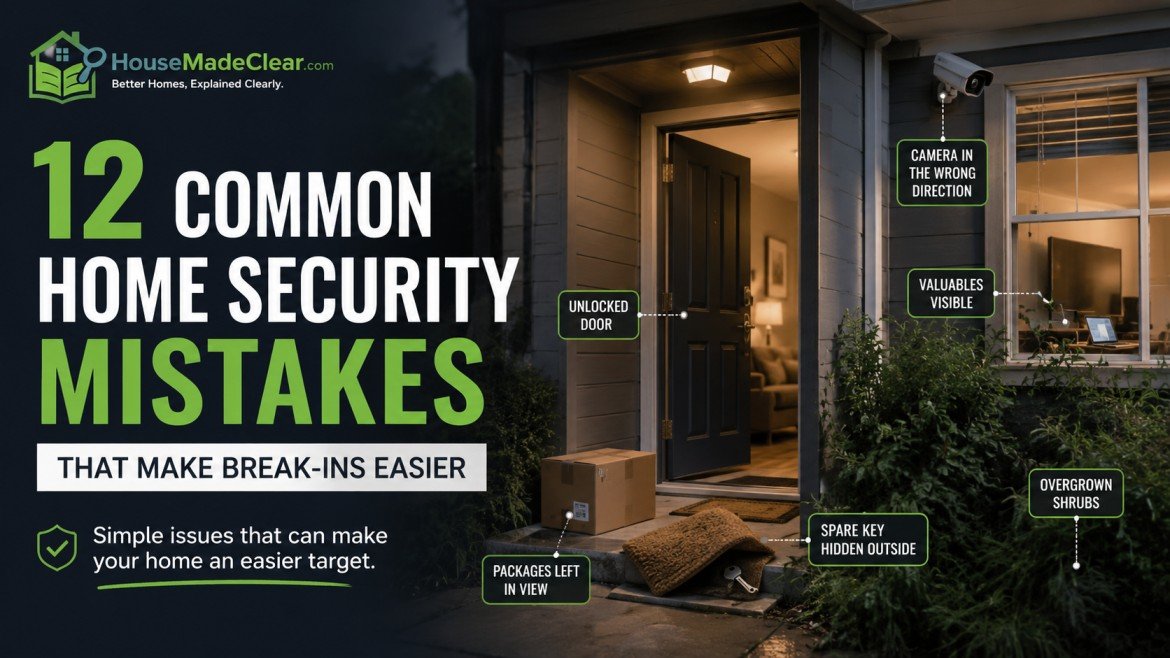
Home security mistakes aren’t always obvious. You might have an expensive deadbolt but a damaged door frame, a working camera that misses the entrance, or a smart alarm that no longer sends notifications.
These problems can leave a home less secure even when the owner has invested in security equipment.
The most important home security improvements usually start with doors, windows, access control, and daily habits—not buying more technology.
This guide covers 12 common mistakes homeowners and renters make, how to recognize them, and what to fix first.
Quick Answer
The most common home security mistakes include leaving doors or windows poorly secured, using compromised keys, hiding spare keys outside, overlooking secondary entrances, relying entirely on cameras, and failing to maintain security equipment.
Start with these five actions:
- Check that every exterior door and accessible window closes and locks correctly.
- Repair damaged frames, loose hardware, and faulty locks.
- Replace or rekey locks when keys may be compromised.
- Improve visibility around entrances with suitable lighting.
- Test existing alarms, cameras, and notifications.
Physical vulnerabilities and compromised access should take priority over optional upgrades.
Which Home Security Mistakes Should You Fix First?
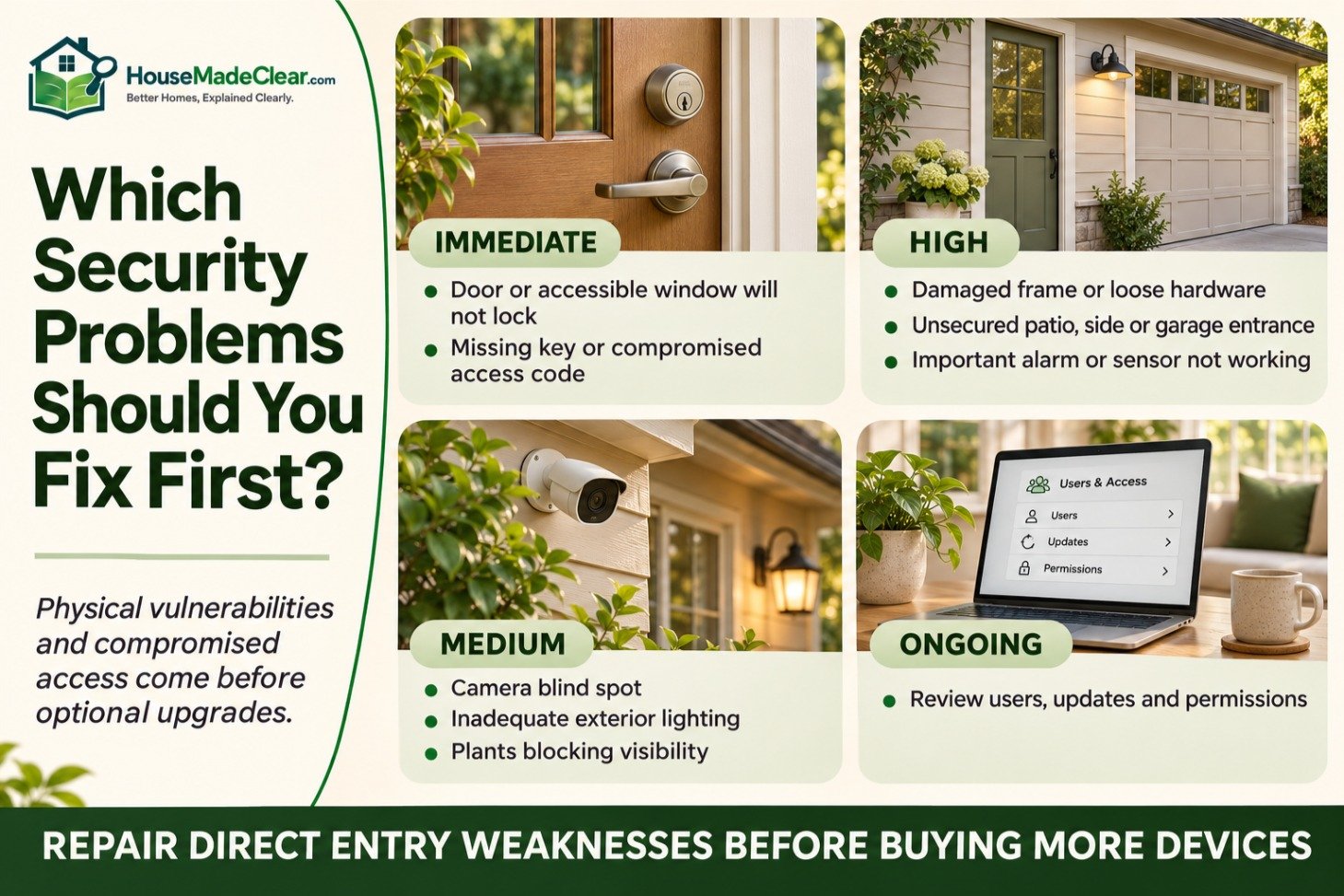
Not every security problem has the same urgency.
Use this table to prioritize repairs before spending money on new devices.
| Security Problem | Priority | Recommended Action |
|---|---|---|
| Exterior door or accessible window won’t lock | Immediate | Arrange repair or replacement |
| Missing key or compromised access code | Immediate | Revoke access or rekey as appropriate |
| Damaged door frame or loose hardware | High | Inspect and repair the entrance |
| Unsecured patio, side, or garage entrance | High | Review locks and access points |
| Alarm or important sensor not working | High | Restore operation and test |
| Camera has a blind spot | Medium | Adjust coverage |
| Exterior lighting is inadequate | Medium | Improve fixture placement |
| Overgrown plants obstruct visibility | Medium | Restore useful sightlines |
| Security accounts haven’t been reviewed | Ongoing | Check users, updates, and permissions |
Research summarized by the UK College of Policing identifies door locks, window locks, and exterior lighting as useful burglary-prevention measures, especially when combined.
The key lesson is to protect the property in layers instead of relying on one product.
1. Assuming a Strong Lock Makes the Entire Door Secure
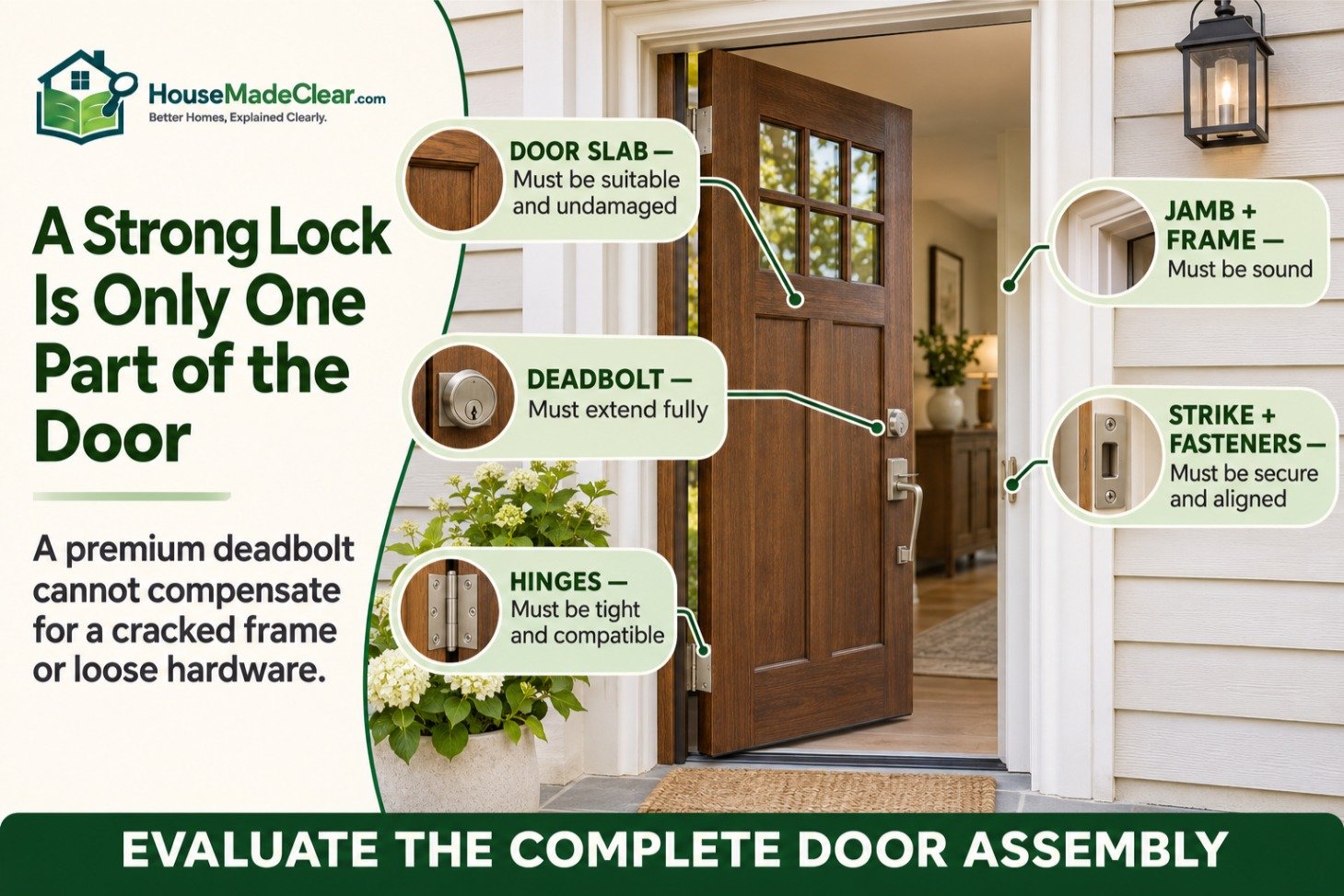
A quality deadbolt is useful, but it cannot compensate for a damaged door or weak surrounding frame.
Common warning signs include:
- A door that doesn’t close properly
- Cracks or deterioration around the frame
- Loose hinges or strike-plate hardware
- A deadbolt that doesn’t engage completely
- Excessive movement when the locked door is pushed gently
How to Fix It
Close and lock the door, then inspect the hinges, frame, and locking mechanism.
The door should close normally, and the bolt should engage without requiring you to lift or force the door.
If the frame is damaged or the locking hardware is loose, have the problem assessed before upgrading to a more expensive lock.
Our guide to reinforcing a door frame explains the components that affect entrance security.
Key point: Evaluate the complete door assembly, not just the visible lock.
2. Ignoring Worn Locks or Compromised Keys
Locks can become unreliable through wear, corrosion, poor alignment, or damage.
Keys and access credentials also need attention when people move out or no longer require access.
Signs a Lock Needs Attention
- The key frequently sticks.
- The cylinder or handle is loose.
- The deadbolt doesn’t extend fully.
- Locking requires unusual force.
- The mechanism has visible damage.
- A key is missing and cannot be accounted for.
How to Fix It
Have faulty locks inspected and repaired or replaced as appropriate.
If the existing hardware is in good condition but keys may be compromised, rekeying may be sufficient.
If the lock itself is damaged or unsuitable, replacement may be necessary.
Our guide to rekeying vs. replacing locks explains when each option makes sense.
Don’t wait for the lock to fail completely.
3. Hiding Spare Keys in Predictable Places
Keeping a spare key near the entrance may seem convenient, but an accessible outdoor key can undermine an otherwise secure door.
The problem is not whether you think the hiding place is clever. It’s that the key may be discovered, copied, or removed without your knowledge.
Safer Alternatives
Consider:
- Leaving a spare key with a trusted person
- Using an appropriately secured key safe where suitable
- Arranging a reliable emergency-access plan
- Using temporary access codes with a compatible lock
If you choose electronic access, assign individual codes and remove them when no longer needed.
Smart locks also introduce battery, compatibility, and account-security requirements.
Our smart lock vs. traditional deadbolt comparison explains those trade-offs.
Avoid treating outdoor key storage as your only emergency-access plan.
4. Securing the Front Door but Forgetting Other Entrances

The front entrance receives the most attention because it is used daily.
However, side doors, patio doors, garage entrances, and accessible windows also need appropriate security.
What to Check
Walk around the property and inspect:
- Front and rear doors
- Side and utility entrances
- Sliding patio doors
- French doors
- Ground-floor windows
- Accessible basement windows
- Doors connecting an attached garage to the house
- Gates and outbuildings
Check whether each opening closes, locks, and remains in good condition.
Don’t Overlook Sliding Doors
A sliding glass door requires hardware appropriate to its construction and operating mechanism.
If your home has a patio entrance, review our guide to securing a sliding glass door.
For double-door entrances, see how to secure French doors.
What About Renters?
Renters should report faulty doors and windows to the landlord or property manager.
Don’t modify permanent hardware or shared entrances without the necessary permission.
Our guide to securing an apartment door without drilling covers practical renter-friendly approaches.
5. Relying on Cameras Instead of Physical Security

A camera can provide visibility, notifications, and recordings.
It cannot physically strengthen a door, stop a damaged window from opening, or invalidate a compromised key.
How to Fix It
Use security equipment for different purposes:
| Security Measure | Main Purpose |
|---|---|
| Quality locks and sound doors | Physical resistance |
| Window locks | Securing accessible windows |
| Exterior lighting | Improving visibility |
| Entry and motion sensors | Detecting specified activity |
| Security cameras | Viewing or recording activity |
| Alarm sirens | Warning occupants and drawing attention |
| Monitoring services | Handling eligible alarm events |
The most useful combination depends on the home.
You don’t necessarily need all these devices, but you shouldn’t expect one camera to perform every security function.
Our guide to how home security systems work explains how detection, alarms, and monitoring fit together.
6. Installing Security Cameras in the Wrong Places
A camera may be functioning correctly while covering the wrong area.
Common problems include:
- Important entrances outside the camera’s view
- Plants or structures obstructing the image
- Excessive glare from lights
- Poor nighttime visibility
- Weak wireless connectivity
- Camera angles that don’t capture useful details
How to Fix It
Give each camera a clear purpose.
For example, an entrance camera might need to show both the doorway and the approach leading to it.
Check the image during daylight and after dark.
Review whether the camera is recording more neighboring or public space than necessary, and follow applicable privacy requirements.
For placement guidance, see where to position home security cameras.
You can also use our free Security Camera Coverage Planner to estimate viewing width and coverage based on camera specifications.
A coverage calculation is a planning aid, not proof that the camera will capture identifiable footage under every condition.
7. Using Exterior Lighting Poorly
Exterior lighting can improve visibility around entrances, paths, and gates.
But simply installing the brightest possible fixture isn’t always effective.
Poorly positioned lighting may create glare, strong shadows, or unwanted illumination across neighboring property.
Common Lighting Mistakes
- Leaving important entrances unlit
- Using fixtures that shine directly into cameras
- Allowing vegetation to block lights
- Ignoring side passages and gates
- Setting motion sensors too sensitively
- Failing to replace broken bulbs
How to Fix It
Check the property after dark.
Make sure the entrance, approach route, steps, and important access points are reasonably visible.
Choose outdoor-rated fixtures and suitable controls.
If using motion-activated lighting, adjust the sensor to minimize unnecessary activation.
Our guide to outdoor motion sensor light placement explains where these fixtures are most useful.
For deciding between continuous and automatic lighting, read should you leave your porch light on at night?.
8. Letting Landscaping Hide Doors and Windows

Privacy landscaping can improve the appearance and comfort of a property.
However, dense planting or large outdoor objects may reduce visibility around entrances.
What to Look For
- Shrubs obstructing entrance views
- Overgrown plants blocking lights or cameras
- Large objects placed beneath accessible windows
- Outdoor tools and ladders left unsecured
- Gates hidden from normal view
- Furniture interfering with entrance access
How to Fix It
Keep important entrances visible where practical without removing all privacy.
Trim plants that obstruct security equipment, secure tools and ladders, and preserve clear routes to exterior doors.
Don’t place large planters, furniture, or privacy screens where they prevent residents from seeing who is approaching.
Outdoor design and security should work together.
Our guide to setting up a comfortable summer porch explains how to arrange seating, plants, and decorative elements while keeping the entrance usable.
9. Making It Obvious That Nobody Is Home
An empty property may become noticeable through unattended deliveries, neglected maintenance, or public travel announcements.
The goal isn’t to create an elaborate illusion of occupancy. It’s to avoid unnecessary signs that the property is unattended.
Before Leaving for Several Days
- Lock doors and accessible windows.
- Arrange collection or secure delivery of mail and packages.
- Ask a trusted person to check the property when appropriate.
- Keep necessary exterior lighting operational.
- Review alarm and camera notifications.
- Confirm emergency contact information.
- Avoid publicly announcing detailed travel plans in real time.
If you use scheduled lighting, choose equipment designed for that purpose and follow its operating instructions.
Be careful not to create electrical or fire hazards while trying to make the home appear occupied.
10. Sharing Smart Security Access Carelessly

Smart locks, cameras, and alarms may provide access through mobile apps, passwords, and temporary codes.
Convenience becomes a security problem when access permissions are not managed.
Common Mistakes
- Sharing one administrator account with everyone
- Reusing passwords
- Keeping factory-default credentials
- Leaving former residents or contractors on the account
- Giving temporary users permanent access
- Disabling important security updates
- Ignoring unfamiliar login notifications
How to Fix It
Use unique passwords and multifactor authentication where supported.
Create separate user accounts or temporary codes instead of sharing the main account.
Remove access promptly when someone no longer needs it.
The Federal Trade Commission’s home security camera guidance also recommends protecting home networks, updating device software, and reviewing camera privacy settings.
Remember: Digital access should be reviewed whenever physical keys would normally be collected or replaced.
11. Forgetting to Test Security Equipment

Security equipment can stop working without an obvious warning.
A camera may lose connectivity, a sensor battery may fail, or a mobile notification may become disabled after a phone update.
Simple Home Security Maintenance Schedule
| Frequency | What to Check |
|---|---|
| Monthly | Door locks, selected sensor tests, notifications, camera feeds |
| Every 3–6 months | Batteries, lighting, camera views, software updates, access permissions |
| Annually | Complete entry-point and equipment review |
| After a major change | Keys, users, passwords, installation, and response procedures |
Follow manufacturer test instructions, especially for monitored alarms, to avoid unnecessary dispatches.
If you have pets or frequent false alarms, sensor positioning may need attention.
Our guide to home security motion sensors covers placement and common causes of false alerts.
When Should You Review the System Immediately?
Don’t wait for the next scheduled check after:
- Moving into a property
- Losing keys or a phone
- A household member moving out
- Renovation work
- Replacing a door or window
- Changing internet equipment
- Discovering possible unauthorized access
12. Buying More Security Technology Without a Plan
Adding cameras, sensors, and smart devices one at a time can create an expensive but poorly coordinated system.
You may end up with several apps, duplicate subscriptions, unnecessary alerts, and gaps around important entrances.
How to Build a Practical Security Plan
Start by answering five questions:
- What are the vulnerable entrances? Identify doors, accessible windows, gates, and garage connections.
- What needs repair? Address defective locks, damaged frames, and other physical weaknesses.
- What needs better visibility? Review lighting, landscaping, and camera coverage.
- What requires detection or monitoring? Choose sensors and alarms based on actual needs.
- Who responds and maintains the equipment? Assign responsibility for notifications, testing, and access.
Only purchase equipment that solves a problem identified during this review.
Our guide to whether you need a smart home security system helps distinguish useful connected features from unnecessary technology.
If you’re deciding how to install the equipment, see our comparison of DIY vs. professional home security installation.

Home Security Mistakes: Renters vs. Homeowners
The main security priorities are similar, but the changes you can make may differ.
| Security Improvement | Renters | Homeowners |
|---|---|---|
| Report or repair faulty locks | Report and request repair | Arrange repair |
| Change permanent hardware | Obtain required permission | Choose compatible hardware |
| Add removable sensors | Check lease and installation restrictions | Generally more flexibility |
| Upgrade exterior lighting | Check approval requirements | Follow codes and property rules |
| Install cameras | Review lease and privacy rules | Review local privacy and installation rules |
| Improve landscaping | Coordinate with property manager | Adjust planting and visibility |
| Review access permissions | Include building and household access | Include family and service providers |
For US properties, local alarm permits, rental agreements, and homeowners’ association rules may affect installations.
In the UK, certain door and lock configurations differ from common US hardware, and camera use may raise data-protection considerations when recording beyond the property boundary.
Avoid purchasing security hardware without verifying that it suits the specific property.
A 10-Minute Home Security Checklist
You can identify many obvious problems without buying anything.
| Check | What to Look For |
|---|---|
| Exterior doors | Close and lock properly |
| Door frames | No visible damage or loose hardware |
| Accessible windows | Close and lock securely |
| Spare keys | No uncontrolled outdoor access |
| Rear and side entrances | Included in security checks |
| Garage entrance | Locking hardware works |
| Exterior lighting | Important areas are visible |
| Cameras | Useful daytime and nighttime views |
| Alarms | Tests and notifications operate correctly |
| Smart accounts | No unnecessary users or default credentials |
| Emergency response | Household knows what to do |
If you discover a door that doesn’t secure properly or evidence of compromised access, address that before optional improvements.
Frequently Asked Questions
What is the biggest home security mistake?
One of the most serious mistakes is relying on cameras or expensive locks while leaving an accessible door or window poorly secured. Fix direct entry weaknesses first.
What are the cheapest ways to improve home security?
Start by consistently locking doors and windows, checking existing hardware, removing uncontrolled spare keys, trimming obstructive plants, and testing installed equipment. Some improvements cost nothing.
Are security cameras enough to protect a house?
No. Cameras can provide visibility, notifications, and recordings, but they don’t physically prevent entry. Locks, secure doors and windows, appropriate lighting, and household routines remain important.
Which entrance should I secure first?
Prioritize any entrance that is damaged, cannot lock, or has potentially compromised access. Then review other accessible doors, windows, patio entrances, and garage connections.
How can renters improve security without drilling?
Renters can request repairs, review building access, use permitted removable sensors, improve locking habits, and manage keys carefully. Check lease conditions before altering permanent hardware.
How often should home security equipment be checked?
Test important functions according to the manufacturer’s instructions, review notifications and basic operation monthly, and reassess the complete setup annually or after significant changes.
Does a smart security system prevent burglary?
A smart system may help detect activity and provide alerts, but it cannot guarantee prevention. Its effectiveness depends on physical security, equipment placement, reliable operation, and how alerts are handled.
Final Thoughts
Home security works best when the basics are reliable.
A functioning lock, sound door frame, secured window, useful exterior lighting, and consistent household routine are often more important than adding another camera or connected device.
Fix physical weaknesses first, protect access credentials, test the equipment you already own, and only then consider additional technology.
For more practical guides, explore our Home Security articles.