








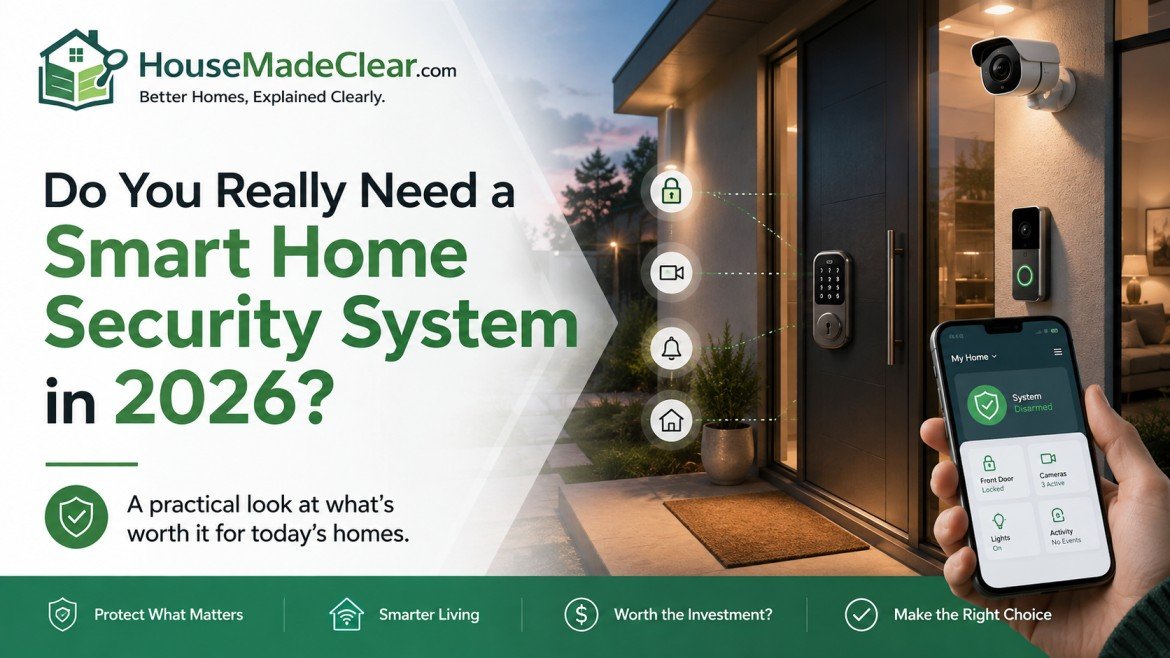
A smart home security system lets you check your property, receive alerts, and sometimes control locks or alarms from your phone. But those features don’t automatically make it the right choice for every home.
If your main concern is a weak front door, poor exterior lighting, or an unsecured window, fixing those problems may be more useful than installing another camera.
On the other hand, connected security can make a real difference when you travel frequently, need to manage access for several people, or want someone to monitor alarms while you’re away.
The decision comes down to whether smart features solve a security problem that simpler equipment cannot address as conveniently or reliably.
Quick Answer
Do you need a smart home security system? Not necessarily. A smart system is worth considering if you need remote alerts, video verification, temporary access codes, connected automation, or professional monitoring.
You may not need one if strong locks, suitable outdoor lighting, and a conventional alarm already meet your needs.
Choose smart security when:
- You want to know when an alarm activates while you’re away.
- Multiple people need separate or temporary door access.
- You manage a second home or frequently travel.
- You want compatible cameras, sensors, and locks working together.
- You need a monitoring service to review eligible alerts.
Prioritize repairing damaged doors, windows, and locks before buying connected equipment. A smart system should support physical security, not replace it.
How to Decide Whether You Need Smart Home Security
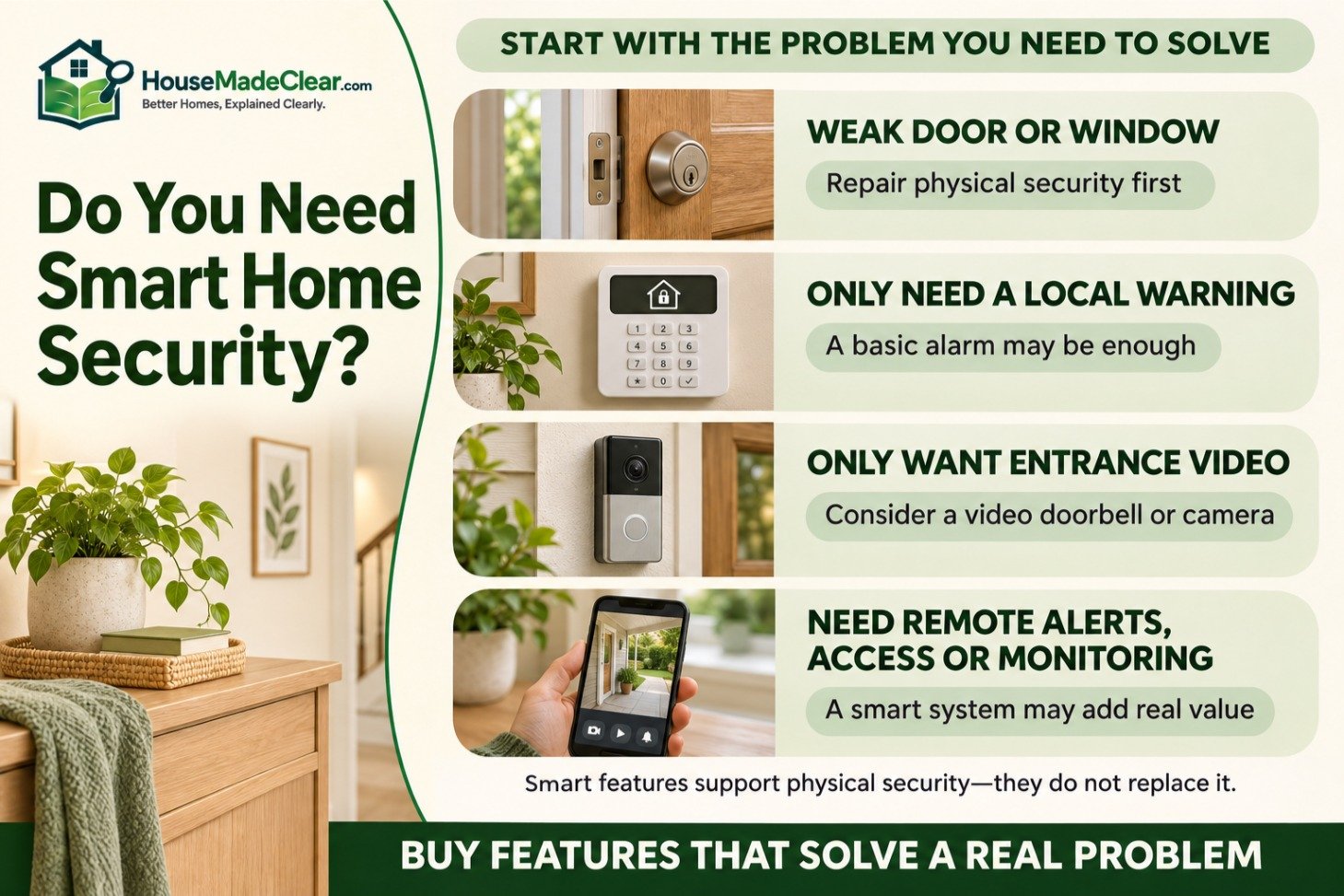
Start with the problem you want to solve.
| Your Situation | Recommended Starting Point |
|---|---|
| You want a warning if someone opens a door | Basic alarm with entry sensors |
| You want alerts while away from home | Connected alarm or smart security system |
| You want to see visitors remotely | Video doorbell or entrance camera |
| You need temporary access for family or contractors | Compatible smart lock |
| You want someone to review eligible alarms when you’re unavailable | Professionally monitored system |
| Your doors or windows are physically weak | Repair and reinforce them first |
| You want security without cloud services | Consider suitable local or offline-capable equipment |
| You only want outdoor lights to switch on automatically | Motion-sensor lighting may be enough |
| You’re renting and cannot drill | Removable security equipment, subject to permission |
| You already have effective locks and a basic alarm | Upgrade only if you’re missing a useful feature |
For a broader assessment of physical weaknesses, start with our guide to common home security mistakes.
What Is a Smart Home Security System?

A smart home security system combines security equipment with connected controls, notifications, and sometimes automation.
Depending on the product, it may include:
- Door and window contact sensors
- Motion detectors
- A siren or alarm panel
- A hub or base station
- Indoor or outdoor cameras
- A video doorbell
- Compatible smart locks
- Mobile notifications
- Local or cloud video storage
- Optional professional monitoring
Not every smart system includes cameras, and not every camera is part of a complete alarm system.
A standalone Wi-Fi camera may record activity and send notifications, but it might not include entry sensors, a siren, or a monitoring response.
Our guide to how home security systems work explains the differences between detection, alarms, camera verification, and monitoring.
Five Signs a Smart Security System May Be Worth It

1. You Want Alerts When Nobody Is Home
A connected alarm can notify you when a compatible sensor detects activity.
For example, you might receive an alert that the back door has opened while the system is armed.
That information can help you assess a situation sooner, but a phone notification doesn’t guarantee a response.
You still need to decide who will act if an alert arrives while you’re driving, sleeping, or without mobile coverage.
Best fit: Households that are frequently away and have a clear alert-response plan.
2. You Want to See What’s Happening at Your Entrance
A video doorbell or entrance camera can help you check visitors, deliveries, and selected activity around the property.
However, useful coverage depends on the camera’s location, viewing angle, lighting, and recording settings.
A camera pointed at the wrong area may provide little useful evidence.
Our guide to home security camera placement explains how to cover entrances while reducing blind spots.
Best fit: Homes with limited visibility of the front door or frequent deliveries.
3. Several People Need Different Door Access
A suitable smart lock can let you create, change, or revoke access credentials without exchanging physical keys.
This can be convenient for families, guests, caregivers, and other authorized visitors.
However, the lock must fit the existing door and provide a reliable backup access method.
A smart lock is not automatically more resistant to physical attacks than a conventional deadbolt.
See our comparison of smart locks vs. traditional deadbolts before choosing one.
Best fit: Households that regularly need to manage access for several people.
4. You Want Security Devices to Work Together
A connected system may allow compatible devices to perform useful actions.
For example:
- An entry sensor triggers an alarm.
- A camera records when a specified event occurs.
- A keypad arms or disarms selected sensors.
- A door sensor triggers a lighting routine.
- The system reminds you when a door is left open.
These functions depend on compatibility and configuration.
Automation should make security easier to manage, not create a complicated system that nobody understands.
Our guide to home security motion sensors explains how motion detection fits into a wider system.
Best fit: Homes with several entrances or owners who want coordinated detection and alerts.
5. You Need Someone to Review Alarms While You’re Away
Professional monitoring can provide a response process when you’re unable to review alerts yourself.
A monitoring service may contact you, designated contacts, or emergency services according to its procedures and the type of alarm.
However, professional monitoring does not guarantee emergency dispatch or arrival times.
Local permits, false-alarm requirements, and monitoring terms may also apply.
Best fit: Frequent travelers, owners of unoccupied properties, and households that cannot reliably self-monitor.
When You Probably Don’t Need a Smart System Yet
There are several situations where simpler improvements should come first.
Your Doors or Windows Are Weak
A camera doesn’t repair a door that won’t latch or a damaged frame.
Prioritize suitable hardware, correctly installed locks, and repairs to vulnerable entrances.
Our guide to improving home security with better locks covers practical hardware improvements.
If the door frame is damaged or poorly reinforced, see how to reinforce a door frame.
A Basic Alarm Already Meets Your Needs
If you only want a siren when doors or windows are opened, a simple alarm may be sufficient.
Remote control, multiple apps, smart locks, and video subscriptions aren’t necessary for every household.
You Don’t Want Additional Maintenance
Connected systems may need battery replacements, software updates, account management, and periodic testing.
If nobody will maintain the equipment, a simpler security setup may be more dependable.
You Don’t Need Remote Access
A home that is usually occupied and already has effective physical security may gain little value from remote notifications.
The Subscription Doesn’t Fit Your Budget
Some smart systems require recurring payments for video history, advanced alerts, cellular backup, or professional monitoring.
If those features aren’t worth the ongoing cost to you, consider a lower-cost or subscription-free alternative.
Smart Security System vs. Traditional Alarm vs. Standalone Camera

These solutions overlap, but they are not interchangeable.
| Feature | Smart Security System | Traditional Alarm | Standalone Smart Camera |
|---|---|---|---|
| Door/window detection | Common | Common | Usually not included |
| Audible siren | Common | Common | Product dependent |
| Phone notifications | Common | Product dependent | Common |
| Video recording | Optional or integrated | Not always included | Primary function |
| Remote control | Common | Product dependent | Usually available |
| Professional monitoring | Often optional | Often available | Depends on provider |
| Local operation | Product dependent | Often available | Product dependent |
| Ongoing subscription | Sometimes | Sometimes | Sometimes |
| Best use | Coordinated security and remote awareness | Straightforward intrusion detection | Visual awareness and recording |
A traditional alarm may be enough if you mainly need intrusion detection.
A single camera may be enough if you only want to see the front entrance.
A connected security system becomes more useful when multiple features must work together.
For a broader comparison of overall value, read Are Home Security Systems Worth It?.
How Much Does a Smart Home Security System Cost?
Smart security costs depend on how much equipment you install, whether you pay for monitoring, and which features require subscriptions.
A small self-monitored kit can have a very different five-year cost from a professionally installed system.
Example Five-Year Cost Comparison
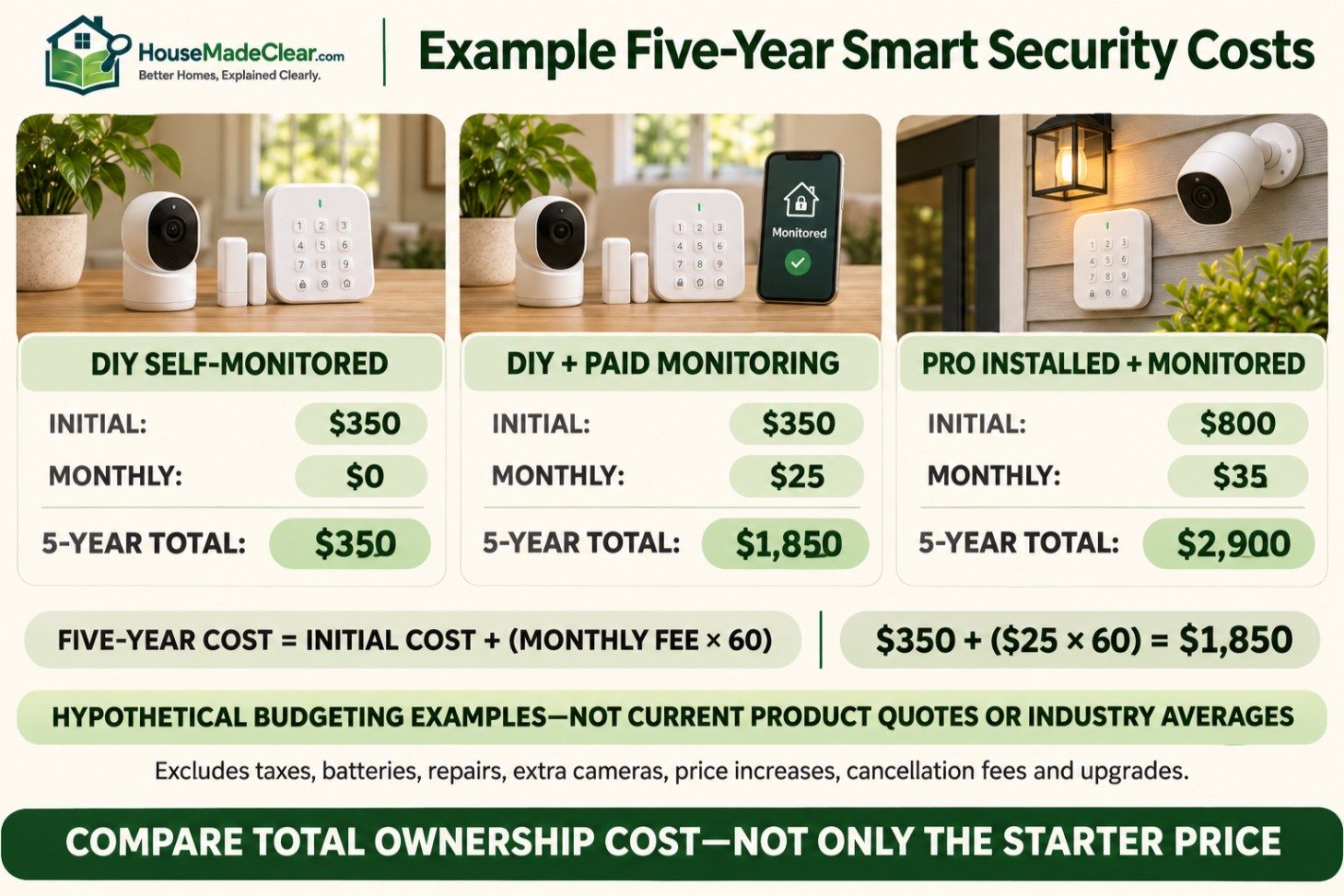
The following figures are hypothetical budgeting examples, not current product quotes or industry averages.
| System Type | Example Initial Cost | Example Monthly Fee | Five-Year Total |
|---|---|---|---|
| DIY self-monitored system | $350 | $0 | $350 |
| DIY system with paid monitoring | $350 | $25 | $1,850 |
| Professionally installed, monitored system | $800 | $35 | $2,900 |
The formula is:
Five-year cost = initial equipment and installation + (monthly subscription × 60)
For example, a $350 system with a $25 monthly subscription costs:
$350 + ($25 × 60) = $1,850 over five years
These examples exclude taxes, replacement batteries, repairs, extra cameras, price increases, cancellation fees, and equipment upgrades.
Costs to Check Before Buying
Ask whether the quoted plan includes:
- Equipment and installation
- Additional sensors
- Cloud video recordings
- Professional monitoring
- Cellular backup
- Replacement equipment
- App features and user accounts
- Cancellation or transfer charges
A system advertised with inexpensive equipment may become costly if essential features require a continuing subscription.
For a detailed comparison of installation expenses, see DIY vs. professional home security installation.
Do You Need Professional Monitoring?

Not every smart security system needs paid monitoring.
The right choice depends on whether someone can reliably respond to an alarm.
Self-Monitoring
You receive notifications and decide what to do.
Advantages: Greater control, potentially lower recurring expenses, and direct access to alerts.
Limitations: You may miss an alert, lose connectivity, or be unavailable during an incident.
Professional Monitoring
A monitoring center handles eligible alarm events under a service agreement.
Advantages: A defined process for reviewing or escalating selected alerts.
Limitations: Monthly fees, possible permits, false-alarm policies, and no guarantee of emergency-service attendance.
Which Should You Choose?
Self-monitoring can work when someone is consistently available and understands the system.
Professional monitoring becomes more useful when a home is frequently empty or residents cannot reliably respond.
Check exactly what events are monitored. Alarm monitoring, camera recording, and live video monitoring are different services.
Will a Smart Security System Work Without Wi-Fi or Internet?

Some functions can continue working during an internet outage, but others may stop.
For example, a locally connected door sensor may still trigger a siren, while phone notifications and cloud recording may become unavailable.
| Feature | May Work Without Internet? |
|---|---|
| Local siren | Yes, with a compatible functioning system |
| Door/window sensors | Often, if locally connected |
| Keypad arming | Often, depending on system |
| Smart lock keypad | Product dependent |
| Remote phone notifications | Usually require an available communication path |
| Cloud video recording | Usually requires internet |
| Local camera recording | Possible with suitable hardware |
| Professional monitoring | May continue with supported cellular backup |
Battery backup is also important. A system that works locally may still stop during a power outage if it lacks suitable backup power.
Before buying, ask whether the exact system supports local alarm operation, battery backup, and cellular communication.
Our guide to smart-home devices working without Wi-Fi explains these distinctions.
Does Every Smart Security System Need a Hub?
No.
Some connected cameras operate through Wi-Fi and a manufacturer’s app. Other alarm systems require a proprietary base station or controller to connect their sensors.
A general smart-home hub isn’t necessarily a replacement for a dedicated alarm controller.
Our guide to what a smart home hub is explains where these devices overlap and why compatibility matters.
Are Smart Home Security Systems Safe and Private?
Connected security devices can handle sensitive information, including video recordings, visitor activity, access history, and household routines.
The Federal Trade Commission’s guidance on securing home security cameras recommends strong passwords, software updates, appropriate encryption, and secure home networks.
Before choosing a system:
- Check how long the manufacturer provides security updates.
- Use unique passwords and multifactor authentication when available.
- Confirm where recordings are stored and who can access them.
- Review camera and microphone settings.
- Remove access for former residents and temporary users.
- Check whether video can be stored locally.
- Protect the router and connected accounts.
- Review what features stop working if the subscription ends.
Are Wired Cameras More Private Than Wireless Cameras?
The connection type alone doesn’t determine privacy.
Wired and wireless cameras can both use local storage or cloud services.
The security of the device, account, software, and network matters.
Our wired vs. wireless security cameras guide covers their installation, reliability, and connectivity differences.
What Happens When a Device Stops Receiving Updates?
An unsupported connected device may become more vulnerable to software problems or security weaknesses.
Cloud-dependent products may also lose features if the provider changes or discontinues a service.
Consider the manufacturer’s support policy before purchasing hardware that you expect to use for many years.
What Smart Security Setup Is Enough for a Small Home?
Start with the entrances and security problems that matter most.
Buying more cameras and sensors than you can maintain isn’t necessarily useful.
Example: Small Apartment
A practical starter setup might include:
- One compatible alarm base station
- Entry sensor for the main door
- A siren
- Optional interior motion detector
- Optional video doorbell, if permitted
- Mobile notifications, where needed
Renters should confirm lease conditions before changing locks, drilling, or placing cameras in shared areas.
For physical security improvements that don’t require major alterations, see how to secure an apartment door without drilling.
Example: Detached House
A typical house might need:
- Sensors on priority accessible doors
- Selected window protection
- A suitable motion detector
- An alarm and keypad
- An entrance camera where useful
- Optional outdoor cameras
- Backup power or communication where necessary
Select equipment based on actual entry points, visibility, and response needs.
Outdoor cameras should cover relevant areas without unnecessarily recording neighboring property.
What About Smart Lighting?
Connected lights can support useful routines, such as switching on a lamp when someone arrives.
However, a smart plug isn’t an intrusion detector or a substitute for a security alarm.
Our guide to where smart plugs are actually useful explains suitable everyday automation uses.
For entrance visibility, a dedicated motion-activated outdoor light may be more appropriate.
Smart Security Considerations for the US and UK
Although the main purchasing principles are similar, equipment compatibility and local requirements differ.
United States
Check:
- Local alarm permit requirements
- False-alarm fees
- Monitoring-service availability
- Door and lock compatibility
- Camera and audio-recording rules
- Homeowners’ association or rental restrictions
Don’t assume a security-system purchase automatically qualifies for an insurance discount. Ask your insurer whether any eligible discount applies to the exact installation.
United Kingdom
UK homes may use multipoint locking systems and euro-profile cylinders that differ from common US deadbolt installations.
Check lock compatibility before buying US-oriented smart-lock equipment.
The UK’s consumer connectable-product security regime has applied since April 29, 2024. It includes requirements concerning default passwords, vulnerability reporting, and published security-support periods. The UK government’s product-security guidance explains these obligations.
For cameras or video doorbells, take particular care when recording neighboring homes, shared spaces, or public areas. Applicable data-protection rules may affect how the equipment can be used.
Smart Security Buying Checklist
Before buying, answer these questions:
| Question | Why It Matters |
|---|---|
| What specific problem am I trying to solve? | Prevents unnecessary purchases |
| Are the doors and windows physically secure? | Technology doesn’t replace sound construction |
| Do I need alerts when I’m away? | Determines whether connected features add value |
| Who will respond to an alarm? | Helps decide whether monitoring is needed |
| Which features require a subscription? | Reveals long-term costs |
| What works without internet or power? | Identifies reliability limits |
| How long will the device receive updates? | Helps assess long-term security |
| Can the equipment be removed or transferred? | Important for renters and future moves |
| Can everyone in the household use it? | Reduces mistakes and access problems |
If the only reason for buying a system is that it looks technologically advanced, reconsider the purchase.
A simpler setup that addresses real vulnerabilities is usually more useful than a complex system with features nobody uses.
Frequently Asked Questions
Is a smart home security system necessary?
No. Many homes can be protected with suitable locks, secure doors and windows, lighting, and a basic alarm. A smart system becomes useful when remote alerts, connected access control, cameras, or monitoring address additional needs.
Is a smart security system worth the money?
It can be worth the money if you regularly use its connected features and the ongoing costs are affordable. Compare the total equipment, installation, subscription, and maintenance expenses rather than looking only at the starter-kit price.
Can I have a smart security system without a monthly subscription?
Yes, some systems offer local alarms or basic self-monitoring without a monthly fee. However, video history, advanced notifications, cellular backup, and professional monitoring may require a paid plan.
Can a smart home security system work without the internet?
Some local sensors, keypads, sirens, and smart locks can continue working without internet access. Cloud recording, remote control, and phone notifications may stop unless the system has alternative communication capabilities.
Do I need both security cameras and an alarm?
Not necessarily. Cameras provide visibility and recording, while alarms and sensors detect specified events and issue warnings. Some households benefit from both, but the right combination depends on the property’s risks.
Are smart home security systems easy to hack?
Connected devices can have cybersecurity vulnerabilities, but risk can be reduced through supported products, strong passwords, multifactor authentication, software updates, and secure home networks. No connected system is completely risk-free.
Do renters need a smart home security system?
Renters may benefit from removable entry sensors, cameras, or plug-in alarm equipment when allowed. The best approach depends on the building’s existing security and the lease conditions.
Is professional monitoring better than self-monitoring?
Professional monitoring can be useful if you frequently miss notifications or spend long periods away. Self-monitoring may be sufficient when someone can reliably review alerts and respond appropriately. Neither option guarantees that an incident will be prevented.
Final Verdict: Do You Actually Need One?
You don’t need a smart home security system simply because connected cameras, locks, and alarms are available.
Start by addressing physical security, then decide whether remote awareness, access control, automation, or professional monitoring provides a benefit you would actually use.
For many homes, a basic alarm and strong locks are enough. For others, connected features make security easier to manage when nobody is home.
The best system is the simplest one that addresses your property’s real security needs and that your household can reliably maintain.




[…] Do You Need a Smart Home Security System? Costs, Benefits, and… […]
[…] Do You Need a Smart Home Security System? Costs, Benefits, and… […]
[…] Do You Need a Smart Home Security System? Costs, Benefits, and… […]