















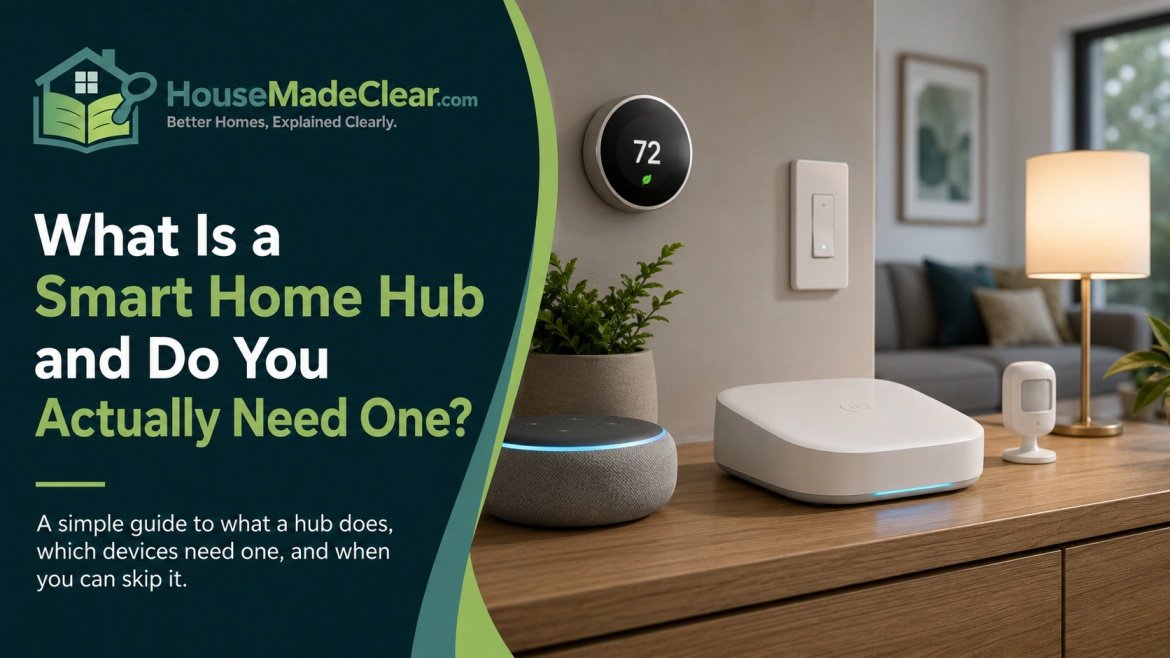
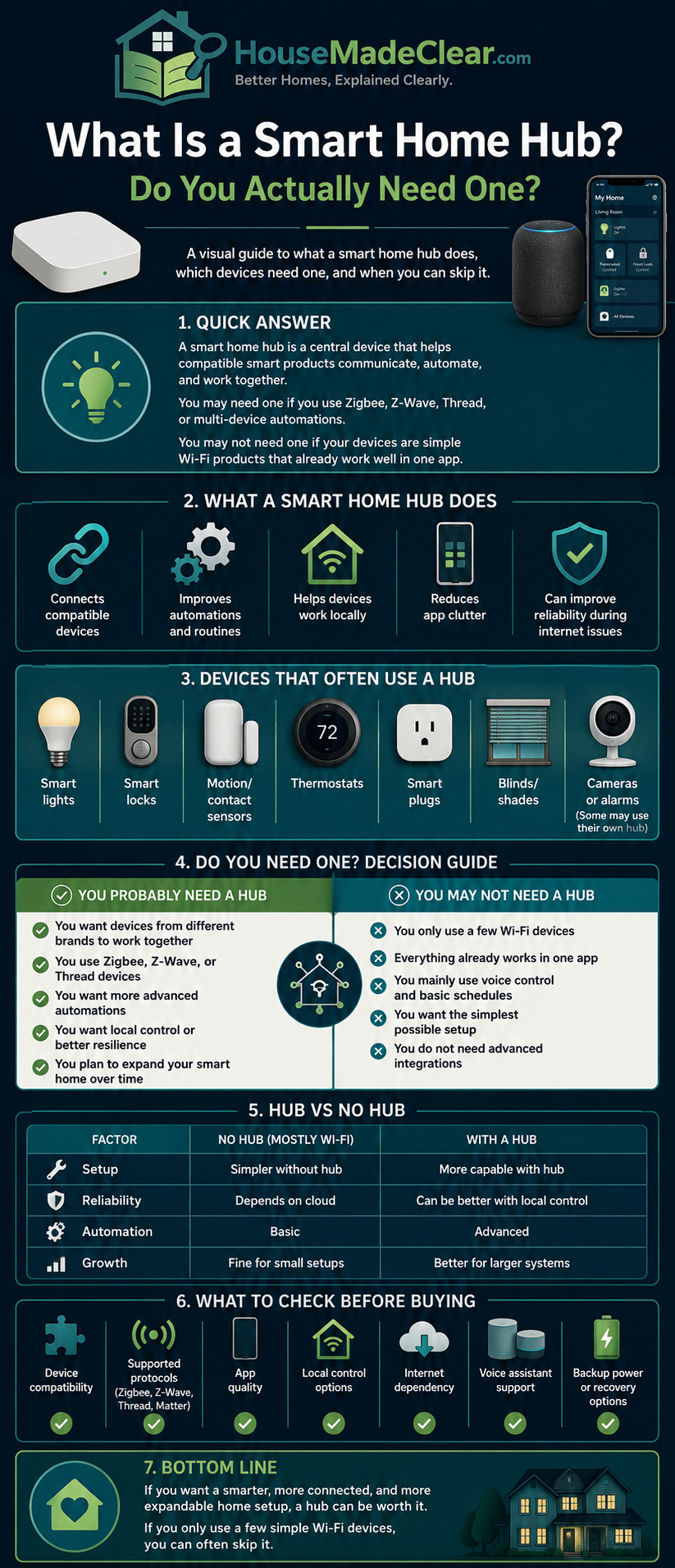
A smart home hub is a device or software platform that helps compatible smart-home products communicate, work together and run automations from a central system.
But smart-home technology has changed significantly.
A few years ago, using Zigbee or Z-Wave devices often meant buying a separate physical hub. Today, smart speakers, displays, routers and streaming devices can sometimes act as Matter controllers, Thread Border Routers or central smart-home controllers.
At the same time, many Wi-Fi smart plugs, lights, thermostats and cameras can operate without a dedicated hub at all.
So the more useful question is not simply:
“Do I need a smart home hub?”
It is:
“What do I want my smart home to do, and does my existing equipment already provide the controller I need?”
Quick Answer
You do not need a separate smart home hub for every smart-home setup.
If you only use a few Wi-Fi smart plugs, bulbs or other devices that connect directly to your router and preferred smart-home app, an additional hub may be unnecessary.
A hub or dedicated controller becomes more useful when you want to:
- Connect Zigbee or Z-Wave devices
- Create more advanced automations
- Run important routines locally
- Reduce dependence on cloud services
- Coordinate products from different brands
- Build a larger smart-home system
- Use Matter devices through a compatible Matter controller
- Connect Matter-over-Thread devices through a Thread Border Router
Matter has reduced the need for some proprietary hubs, but it has not eliminated smart-home controllers. Thread devices also do not require a traditional proprietary hub, although Matter-over-Thread devices normally need access to a Thread Border Router.
For a small smart home, start simple. Add a dedicated hub only when it solves a specific compatibility, automation or reliability problem.
What Is a Smart Home Hub?
A smart home hub acts as a central coordination point for compatible smart devices.
Depending on the system, it may:
- Connect devices using different networking technologies
- Run automations
- Allow devices from different categories to interact
- Provide one place to control multiple devices
- Process commands locally
- Connect devices to cloud services
- Enable remote access while you are away
Imagine a home with:
- Motion sensor
- Entry light
- Smart lock
- Door sensor
A compatible smart-home hub could allow you to create an automation such as:
When the front door opens after sunset, turn on the entry light.
Without central automation, each device might remain an isolated gadget controlled through its own app.
A hub helps turn separate smart products into a coordinated home system.
Does Every Smart Home Need a Hub?
No.
A basic smart-home setup containing:
- Two Wi-Fi smart plugs
- Three Wi-Fi bulbs
- One Wi-Fi thermostat
- A smart speaker
may work perfectly well without purchasing another physical hub.
Those devices might connect like this:
Device → Wi-Fi router → smart-home platform or manufacturer service
For beginners, that simplicity can be an advantage.
A separate hub becomes more useful as you start adding:
- Sensors
- Multiple device brands
- Zigbee products
- Z-Wave products
- Matter devices
- Thread devices
- More complex automations
The larger your system becomes, the more valuable centralized control can become.
What Does a Smart Home Hub Actually Do?
A smart home hub can perform several different jobs.
Not every hub does all of them.
Connect Smart Devices
Some smart-home devices do not connect directly to ordinary Wi-Fi.
Examples include many:
- Zigbee sensors
- Zigbee bulbs
- Z-Wave locks
- Z-Wave switches
A compatible hub or controller creates and manages the network those products require.
Run Automations
A hub may process rules such as:
Motion detected → hallway light turns on
or:
Front door locked → downstairs lights turn off
or:
Leak sensor detects water → sound alarm and close a compatible valve
The sophistication of these automations depends on the platform.
Coordinate Different Devices
A central smart-home platform can allow products from different categories to work together.
For example:
Door sensor → hub → smart light
The sensor and light may come from different manufacturers but still work together if the hub supports both.
Provide Local Control
Some smart-home hubs process commands inside your home rather than sending every event to a cloud server.
That can make routine automations less dependent on internet access.
If offline operation matters to you, our guide to whether smart home devices work without Wi-Fi explains how Wi-Fi, Matter, Thread, Zigbee and Z-Wave behave during different types of outages.
Provide Remote Access
A hub or controller connected to the internet may also allow you to control devices while you are away from home.
For example:
Phone outside home → internet → home controller → device
Remote access generally depends on an internet connection even when local control does not.
Smart Home Hub vs Wi-Fi Router
A smart home hub and a Wi-Fi router perform different primary jobs.
Wi-Fi Router
A router mainly provides:
- Local network connectivity
- Wi-Fi
- Internet routing
- Communication between IP devices
Smart Home Hub
A smart-home hub mainly provides:
- Smart-device coordination
- Automation
- Protocol support
- Centralized control
However, modern devices can combine both roles.
Some routers also include:
- Matter controller capability
- Thread Border Router functionality
This is one reason the traditional idea of a separate “hub box” is becoming less clear.
Can Your Router Be Your Smart Home Hub?
Sometimes.
A normal router does not automatically control:
- Zigbee
- Z-Wave
- Thread
- Matter
simply because it provides Wi-Fi.
However, manufacturers can build additional smart-home functionality into routers.
A compatible router may also function as a:
- Matter controller
- Thread Border Router
- Smart-home platform component
Always check the specifications of the exact router model.
Smart Home Hub vs Bridge
A bridge generally connects one device ecosystem or protocol with another.
For example:
Existing Zigbee products → bridge → Matter ecosystem
A hub may perform a broader range of tasks including:
- Automation
- Device management
- Remote access
- Integration
Some products function as both hub and bridge, which is why manufacturers sometimes use the words interchangeably.
Smart Home Hub vs Gateway
“Gateway” is another common term.
A gateway generally connects different networks.
For example:
Zigbee devices → gateway → Ethernet/Wi-Fi network
In practical consumer use, a gateway may perform many of the same functions people expect from a smart-home hub.
The important question is not what the manufacturer calls the product.
The important questions are:
- Which protocols does it support?
- Does it run automations?
- Does it support local control?
- Does it work with the devices you own?
Smart Home Hub vs Matter Controller
A Matter controller is responsible for commissioning and controlling Matter-compatible devices.
Matter controller functionality can be built into:
- Smart speakers
- Smart displays
- Routers
- Streaming devices
- Dedicated hubs
This means you may already own a Matter controller even if you have never purchased something specifically marketed as a “smart home hub.”
Does Matter Replace Smart Home Hubs?
Not completely.
Matter reduces some of the dependence on proprietary hubs by giving compatible devices a common interoperability standard.
But something still needs to:
- Add Matter devices to your smart home
- Control them
- Create automations
- Manage household access
- Provide remote control
That function is performed by a Matter controller.
The difference is that the controller may already be inside another device you own.
Do Matter Devices Need a Hub?
Matter devices need compatible Matter controller functionality, but they do not necessarily require a separate dedicated hub.
Your controller might already be built into a:
- Smart speaker
- Smart display
- Router
- Streaming device
Therefore:
Matter requires a controller, but not always another standalone box.
How Does Matter Work?
Matter provides a common application layer that allows compatible smart-home devices and ecosystems to communicate more consistently.
Matter can operate over IP networking technologies including:
- Wi-Fi
- Ethernet
- Thread
Bluetooth Low Energy is also commonly involved during commissioning or setup.
So Matter is not itself another wireless radio comparable to Wi-Fi.
A useful simplified explanation is:
Matter = the common smart-home language
Wi-Fi, Ethernet or Thread = the network that carries it
What Is Thread?
Thread is a low-power, IP-based mesh networking technology designed for connected devices.
It is particularly useful for products such as:
- Sensors
- Locks
- Smart plugs
- Lights
- Thermostats
Thread devices communicate with one another over their own mesh network rather than joining conventional Wi-Fi individually.
What Is a Thread Border Router?
A Thread Border Router connects the Thread network with the rest of the home’s IP network.
That means it provides a path between:
Thread mesh ↔ Wi-Fi/Ethernet/IP network
A Thread Border Router is not simply another name for a traditional proprietary smart-home hub.
Its primary networking role is to connect the Thread mesh to other IP networks.
Do Thread Devices Need a Smart Home Hub?
Not in the traditional Zigbee-style sense.
Thread does not inherently require a proprietary protocol hub.
However, if you are using Matter-over-Thread devices, you generally need:
- A compatible Matter controller
- Access to a Thread Border Router
The two functions may exist inside the same device.
For example, a compatible smart speaker or display may potentially act as both:
Matter controller + Thread Border Router
depending on the model and ecosystem.
Matter Controller vs Thread Border Router
The terms are often confused.
Matter Controller
Controls compatible Matter devices.
Thread Border Router
Connects the Thread network with other IP networks.
If you own a:
Matter-over-Wi-Fi device
you need Matter controller functionality, but you do not need Thread simply for that Wi-Fi device.
If you own a:
Matter-over-Thread device
you normally need both Matter control and Thread Border Router connectivity.
Do Zigbee Devices Need a Hub?
Most consumer Zigbee installations require some form of compatible:
- Zigbee coordinator
- Gateway
- Bridge
- Hub
Zigbee devices communicate on their own wireless mesh rather than connecting individually to your home’s Wi-Fi.
A typical setup might look like:
Zigbee motion sensor → Zigbee network → hub → automation platform
The hub can then use that sensor to trigger other compatible devices.
Why Use Zigbee Instead of Wi-Fi?
Zigbee is well suited to many low-bandwidth smart-home devices, including:
- Motion sensors
- Door sensors
- Smart bulbs
- Smart plugs
- Switches
One benefit is that dozens of small sensors and lights do not each need a direct Wi-Fi connection.
Zigbee also uses mesh networking, meaning appropriately designed powered devices can help extend the network.
Do Z-Wave Devices Need a Hub?
Z-Wave devices generally require a compatible Z-Wave controller.
Common Z-Wave products include:
- Locks
- Sensors
- Switches
- Dimmers
- Thermostats
Like Zigbee, Z-Wave uses its own wireless network rather than normal Wi-Fi for direct device communication.
If you already own a significant collection of Z-Wave products, a compatible hub may remain important even as Matter adoption grows.
Do Wi-Fi Smart Devices Need a Hub?
Usually not.
A typical Wi-Fi smart plug or bulb can connect directly to the home router.
For example:
Wi-Fi smart plug → router → app/platform
This is one reason Wi-Fi products are popular with beginners.
You can often buy one device, connect it and start using it without additional hardware.
The downside is that some Wi-Fi smart devices rely heavily on:
- Manufacturer cloud services
- Individual apps
- Internet connectivity
As you add more brands, the system can become fragmented.
Can Wi-Fi Devices Still Benefit From a Hub?
Yes.
A Wi-Fi product may not require a hub but can still benefit from a centralized smart-home platform.
That may provide:
- One control app
- Shared household access
- Cross-brand automations
- Voice control
- Matter integration
So:
No required hub does not necessarily mean no benefit from centralized control.
Do Bluetooth Smart Devices Need a Hub?
Many Bluetooth smart devices can communicate directly with a nearby phone.
For example:
Phone → Bluetooth → smart lock
No Wi-Fi connection is required for that local Bluetooth interaction.
The limitation is range.
If you want to control the device remotely while away from home, you may need another:
- Gateway
- Bridge
- Hub
that connects the Bluetooth device to the broader network.
Why Do Smart Locks Use Several Technologies?
Smart locks are a good example of how several technologies can exist inside one product.
A lock may support:
- Physical key
- Keypad
- Bluetooth
- Wi-Fi
- Thread
- Matter
Each serves a different purpose.
Bluetooth may provide nearby app control.
A keypad may provide internet-independent entry.
Thread may provide low-power network communication.
Cloud connectivity may provide remote access.
Before choosing one, compare the practical differences between a smart lock and traditional deadbolt.
And regardless of smart features, the physical lock, door and frame still matter. Our guide to improving home security with better locks explains that side of the system.
What Are the Benefits of a Smart Home Hub?
A hub is not necessary for everyone, but it can provide meaningful advantages once your smart home becomes more complex.
1. One Place to Control Multiple Devices
Without centralized control, you may end up with:
- Lighting app
- Plug app
- Lock app
- Thermostat app
- Camera app
A compatible hub or platform can bring many of those devices together.
This makes the smart home easier for the entire household to understand.
2. More Useful Automations
A hub can coordinate multiple devices in one routine.
For example:
When the front door unlocks after sunset:
- Turn on the entry light
- Turn on the hallway lamp
- Adjust the thermostat
- Disable selected away-mode routines
That is more useful than simply controlling one device from a phone.
3. Local Control
Local control can be one of the strongest reasons to choose a hub.
Consider these two automation paths.
Cloud Automation
Sensor → internet → cloud → internet → light
Local Automation
Sensor → local hub → light
The local version can potentially continue even if your internet service is temporarily unavailable.
Our detailed guide to smart-home devices working without Wi-Fi or internet covers this distinction in depth.
4. Zigbee and Z-Wave Support
Your normal Wi-Fi router does not generally communicate directly with Zigbee or Z-Wave products.
A compatible controller gives you access to those device ecosystems.
5. Better Cross-Brand Coordination
A hub or common smart-home platform can make it easier for compatible devices from different manufacturers to work together.
For example:
Brand A motion sensor → Brand B smart light
Matter is helping improve interoperability further, although manufacturer-specific advanced features can still vary.
6. Better Offline Resilience
When important automations are processed locally, some routines may continue during an internet outage.
This can be particularly valuable for:
- Lighting
- Motion sensors
- Leak sensors
- Basic security routines
7. Centralized Household Access
A well-designed system can give family members one consistent way to:
- Control rooms
- Run scenes
- Adjust devices
rather than requiring everyone to learn several separate apps.
What Are the Disadvantages of a Smart Home Hub?
A hub can also introduce additional complexity.
Additional Cost
Dedicated hub hardware costs money.
More Setup
You may need to:
- Install the hub
- Pair devices
- Organize rooms
- Configure automations
Another Device to Maintain
The hub may require:
- Power
- Network access
- Software updates
Compatibility Is Never Automatic
Not every hub works with every:
- Brand
- Protocol
- Feature
Potential Failure Point
If many routines depend entirely on one controller and that device fails, several smart functions may become unavailable.
This is why essential devices should retain sensible manual controls whenever practical.
When You Probably Do Not Need a Dedicated Smart Home Hub
You may not need another hub if your system consists of:
- A few Wi-Fi smart plugs
- Several Wi-Fi bulbs
- One thermostat
- A smart speaker
and everything already works through your preferred platform.
For example, if you only use smart plugs to automate:
- Lamps
- Holiday lights
- Fans
you may be better served by keeping the setup simple.
If you are deciding where plugs are actually worthwhile, see our guide to the best uses for smart plugs around the home.
When a Smart Home Hub Starts Making Sense
A hub becomes more valuable when you want more than simple app-based remote control.
You Want Zigbee Devices
You need appropriate Zigbee network infrastructure.
You Want Z-Wave Devices
You need a compatible Z-Wave controller.
You Want More Local Automation
A local controller can reduce reliance on cloud services for supported routines.
You Have Many Devices
Managing 20 or 30 products across separate apps can become frustrating.
You Want Cross-Brand Automations
Centralized platforms can coordinate compatible devices from several manufacturers.
You Are Adding Matter-over-Thread Devices
You need the required Matter controller and Thread Border Router capabilities somewhere in your ecosystem.
Do You Need a Hub for Smart Plugs?
It depends entirely on the plug.
Wi-Fi Smart Plug
Usually does not require a dedicated hub.
Zigbee Smart Plug
Usually requires a compatible Zigbee coordinator or hub.
Z-Wave Smart Plug
Requires compatible Z-Wave control.
Matter-over-Wi-Fi Plug
Requires a compatible Matter controller for Matter ecosystem control but not a Thread Border Router.
Matter-over-Thread Plug
Requires Matter controller functionality and Thread Border Router connectivity.
The protocol listed on the product specification matters more than the words “smart plug.”
Do You Need a Hub for Smart Bulbs?
Some smart bulbs connect directly to Wi-Fi.
Others use:
- Zigbee
- Bluetooth
- Thread
A Zigbee bulb typically needs compatible Zigbee infrastructure.
A Matter-over-Thread bulb needs appropriate Thread and Matter infrastructure.
A Wi-Fi bulb may not need additional hardware at all.
Check the connection technology before purchasing.
Do You Need a Hub for Smart Cameras?
Most consumer Wi-Fi security cameras do not need a traditional general-purpose smart-home hub.
They may connect directly to:
- Wi-Fi
- Manufacturer app
- Cloud service
However, some camera systems use a:
- Base station
- NVR
- Recording hub
for local recording or centralized camera management.
That is a somewhat different function from a Zigbee or Z-Wave home-automation hub.
Once you have chosen your camera system, correct positioning matters just as much as connectivity. See our home security camera placement guide for practical coverage advice.
Do You Need a Hub for a Smart Thermostat?
Most Wi-Fi smart thermostats do not require a separate hub for their basic operation.
They often connect directly to:
- Wi-Fi
- Manufacturer service
- Smart-home ecosystem
They may still integrate with a centralized platform for broader automations.
Can One Smart Home Hub Control Everything?
Usually not.
A universal “one box controls every device ever made” solution is difficult because compatibility depends on:
- Wireless protocol
- Device certification
- Manufacturer support
- Smart-home platform
- Available integrations
Matter improves interoperability, but it does not make every older proprietary product automatically compatible with every platform.
Advanced manufacturer-specific features may also remain available only through the original app.
Does Matter Reduce the Need for Multiple Apps?
It can help.
Matter-compatible products can expose supported functions to compatible smart-home platforms.
That may allow you to control everyday functions from a single app.
However, manufacturer apps may still be required occasionally for:
- Firmware updates
- Advanced settings
- Special features
- Diagnostics
So Matter reduces fragmentation without necessarily eliminating manufacturer apps completely.
What Is Matter Multi-Admin?
Matter’s multi-admin capability allows compatible devices to be shared with more than one supported smart-home platform.
That means the same compatible device may potentially be controlled through multiple household ecosystems.
This can be useful in homes where different family members prefer different platforms.
Can Two Smart Home Platforms Control the Same Matter Device?
Matter is designed to support multi-platform control through its multi-admin capability.
Supported device features may still differ between platforms.
But the underlying idea is that compatible Matter hardware does not necessarily need to be locked permanently to one smart-home ecosystem.
What Is Local Control?
Local control means the command or automation is processed within your home.
Consider a hallway motion sensor.
Cloud-Based System
- Sensor detects movement.
- Data travels to cloud service.
- Cloud processes automation.
- Command travels back.
- Hallway light turns on.
Locally Controlled System
- Sensor detects movement.
- Local controller processes rule.
- Hallway light turns on.
The local version reduces dependence on an external internet connection.
Is Local Control Faster?
It can be.
Removing an internet round trip can reduce latency.
But actual speed still depends on:
- Device hardware
- Wireless network
- Hub performance
- Software
- Protocol
Local control should be viewed mainly as a useful architectural feature rather than a guarantee that every automation will be instant.
Does a Smart Home Hub Work Without Internet?
Some do.
A hub designed for local operation may continue performing:
- Device communication
- Schedules
- Automations
- Local scenes
during an internet outage.
However, you may temporarily lose:
- Remote access
- Cloud voice commands
- Push notifications
- Weather integrations
- Other online services
This is why it is worth understanding the difference between:
Wi-Fi outage
internet outage
and:
hub failure
What Happens if the Hub Goes Offline?
If a required hub loses:
- Power
- Network connectivity
- Software functionality
devices dependent on it may become unavailable through the smart-home system.
However, basic controls may continue.
For example:
Smart Wall Switch
Physical switch may still operate the light.
Smart Lock
Physical key or keypad may still work.
Smart Bulb
Wall switch can still control electrical power.
A reliable smart home should avoid making essential household functions dependent on only one control method.
What Happens During a Power Outage?
A power outage is different from an internet outage.
Most:
- Routers
- Hubs
- Wi-Fi devices
- Smart bulbs
- Smart switches
depend on household electricity.
Battery-powered:
- Locks
- Sensors
may remain powered but can lose connectivity if their hub or router shuts down.
That means keeping the hub powered alone does not keep an entire smart home operational.
Should You Put a Smart Home Hub on a UPS?
For a larger smart-home system, a small uninterruptible power supply may help keep certain equipment operating during brief power interruptions.
Possible devices include:
- Modem
- Router
- Hub
But a UPS for networking equipment will not keep all mains-powered smart devices operating during a whole-home power outage.
Use backup power based on actual needs rather than treating it as mandatory.
Does a Smart Home Hub Improve Home Security?
It can support a stronger system, but a hub does not automatically make a home secure.
It can help coordinate:
- Door sensors
- Motion sensors
- Smart locks
- Lights
- Cameras
- Alarms
A hub may also provide local security automations.
For example:
Door opens after midnight → selected lights turn on
But smart-home technology should supplement—not replace—basic physical security.
If you are separating physical security from digital and administrative protections, our guide to what is not a physical security measure for your home explains the distinction.
Smart Home Hub vs Security System Hub
These systems can overlap, but they are not always interchangeable.
A dedicated security-system hub may focus on:
- Door sensors
- Window sensors
- Motion detectors
- Siren
- Monitoring
A general smart-home hub may focus on:
- Lighting
- Plugs
- Thermostat
- Shades
- Locks
- Automations
Some platforms support both categories.
If you need a professionally monitored alarm system, verify that the platform is designed and supported for that purpose rather than assuming any general automation hub can replace it.
Smart Home Hub vs Smart Speaker
A smart speaker primarily provides:
- Voice assistant
- Audio
- Smart-home commands
However, some modern smart speakers also contain:
- Matter controller capability
- Thread Border Router functionality
That allows them to perform part of the role traditionally associated with smart-home hubs.
Not every smart speaker includes the same hardware, so always check the specific model.
Smart Home Hub vs Smart Display
Smart displays can similarly combine several roles.
Depending on the model, one device may provide:
- Touchscreen home controls
- Voice assistant
- Matter controller
- Thread Border Router
- Media functions
This is one reason many homeowners may already own smart-home hub infrastructure without having purchased a product specifically called a hub.
Smart Home Hub vs Thread Border Router
| Feature | Smart Home Hub | Thread Border Router |
|---|---|---|
| Main purpose | Device coordination and automation | Connect Thread mesh to IP network |
| Runs automations | Often | Not necessarily |
| Supports Zigbee | Maybe | Not inherently |
| Supports Z-Wave | Maybe | Not inherently |
| Supports Thread | Maybe | Yes |
| Matter controller | Maybe | Separate capability |
| Connects Thread network | If functionality included | Yes |
One physical device can provide several of these capabilities.
Smart Home Hub vs Matter Controller vs Thread Border Router
It helps to separate the three roles.
Smart Home Hub
Coordinates smart devices and automations.
Matter Controller
Adds and controls Matter-compatible devices.
Thread Border Router
Connects Thread devices to the broader IP network.
A modern smart speaker, router or dedicated hub might perform all three.
That is why looking only for the word “hub” on a product page is no longer enough.
Which Smart-Home Technologies Need What?
| Technology | Typical Requirement |
|---|---|
| Wi-Fi smart device | Wi-Fi router |
| Bluetooth smart device | Nearby Bluetooth controller |
| Zigbee | Compatible Zigbee coordinator/hub |
| Z-Wave | Compatible Z-Wave controller |
| Matter over Wi-Fi | Matter controller + Wi-Fi network |
| Matter over Thread | Matter controller + Thread Border Router |
| Thread | Thread networking infrastructure |
The exact requirements can vary by device, so always check the manufacturer documentation.
Is a Smart Home Hub Worth It for Beginners?
It can be—but beginners do not need to start with one.
If your goal is:
“I want one lamp to turn on automatically at night.”
a simple smart plug may be enough.
If your goal becomes:
“When someone enters the hallway after sunset, turn on the light for three minutes unless the house is in sleep mode.”
a more capable automation platform becomes much more valuable.
A Simple Beginner Smart-Home Setup
A practical starting point could include:
- Two smart plugs
- Several smart bulbs or switches
- Smart speaker or controller
- One or two sensors
Use the system for a while.
Then ask:
- Are the automations reliable?
- Am I using too many apps?
- Do I want more sensors?
- Do I care about offline operation?
- Do I want Zigbee devices?
- Do I want Z-Wave?
- Am I adding Matter-over-Thread products?
Those answers will tell you whether additional hub hardware solves a real problem.
When Should You Add a Smart Home Hub?
A good rule is:
Add a hub when you can clearly explain what problem it solves.
Good reasons include:
You Want Zigbee Devices
Add compatible Zigbee control.
You Want Z-Wave Products
Use a compatible Z-Wave controller.
You Want Important Automations to Run Locally
Choose a system that supports local processing.
You Have Too Many Separate Apps
Centralize compatible devices.
You Want More Advanced Automations
Move beyond simple device-by-device control.
You Are Adding Matter-over-Thread Devices
Make sure the required Matter controller and Thread Border Router capabilities are available.
When Should You Avoid Adding Another Hub?
Avoid unnecessary hardware if:
- Your current system already works well
- The new hub adds no protocol you need
- It duplicates your existing controller
- You only have a few devices
- It makes the smart home harder for other household members to use
Smart-home complexity should provide a benefit.
It should not become a hobby you are forced to maintain simply to turn the lights on.
Can You Have Multiple Smart Home Hubs?
Yes.
A home could contain:
- Matter controller
- Multiple Thread Border Routers
- Zigbee bridge
- Security-system hub
- Z-Wave controller
at the same time.
This is not inherently a problem.
However, too many overlapping systems can make:
- Troubleshooting
- Device organization
- Automation management
more difficult.
Whenever possible, give each component a clear role.
Can You Have More Than One Thread Border Router?
Yes.
Thread is designed to support multiple Border Routers.
This can improve network resilience and coverage when the ecosystem is configured correctly.
Unlike many traditional proprietary hubs, a Thread Border Router is not necessarily one central coordinator that every Thread device depends on exclusively.
Does a Smart Home Hub Reduce Wi-Fi Congestion?
Potentially, it can reduce the number of smart devices directly connected to Wi-Fi if you move low-bandwidth products onto:
- Zigbee
- Z-Wave
- Thread
But that does not automatically mean your Wi-Fi becomes faster.
Wi-Fi performance depends on many factors, including:
- Router quality
- Signal strength
- Interference
- Channel utilization
- Client behavior
- Network design
Choose a hub for compatibility, automation and local control—not because of a guarantee that it will solve every Wi-Fi problem.
Is Zigbee Better Than Wi-Fi?
Neither technology is better for every device.
Zigbee Works Well For
- Sensors
- Smart bulbs
- Switches
- Low-bandwidth devices
- Mesh networks
Wi-Fi Works Well For
- Security cameras
- Video doorbells
- Smart displays
- Speakers
- Higher-bandwidth devices
A well-designed smart home can use both.
Is Thread Better Than Zigbee?
Again, not universally.
Thread provides:
- IP-based networking
- Low-power mesh
- Strong Matter integration
Zigbee offers:
- Large existing device ecosystem
- Mature products
- Established hub systems
If your existing Zigbee system works reliably, there is no need to replace everything simply because Thread and Matter are newer.
Should You Replace Your Zigbee Hub With Matter?
Not automatically.
If your current system:
- Works
- Supports your devices
- Provides local automation
- Remains actively supported
there may be little reason to replace it immediately.
Some compatible bridges can also expose existing device ecosystems to Matter platforms.
A gradual transition is often more practical than replacing functioning hardware.
What Should You Look for in a Smart Home Hub?
Before buying one, evaluate these areas.
Supported Protocols
Does it support what you need?
- Zigbee
- Z-Wave
- Matter
- Thread
Local Automation
Can important routines run without internet access?
Matter Support
Does it function as a Matter controller?
Thread Support
Does it include a Thread Border Router?
Compatibility
Does it work with your existing devices?
Automation Capability
Can it handle the routines you actually want?
Remote Access
Can you control it away from home?
Security Updates
Is the platform actively maintained?
Backup and Recovery
Can your setup be restored if the controller fails?
Household Usability
Can other people in your home operate the lights, locks and thermostat without needing to understand the underlying network?
That final point matters more than many technical specifications.
Do Not Buy Based Only on “Works With” Logos
Compatibility logos are useful, but they do not tell you everything.
A device may expose only:
- On/off
- Temperature
- Basic sensor state
to your main smart-home platform while its manufacturer app provides additional features.
Before buying, check whether the functions you care about are actually available through your chosen platform.
Questions to Ask Before Buying a Smart Home Hub
Before spending money, ask:
- Which protocols does it support?
- Is it a Matter controller?
- Does it have a Thread Border Router?
- Does it support Zigbee?
- Does it support Z-Wave?
- Are automations processed locally?
- What stops working without internet?
- Does remote access cost extra?
- Can several household members use it?
- Is the platform actively updated?
- Can devices still be controlled manually?
- Does it work with the brands I already own?
- Can I restore the system if the hub fails?
- What problem am I actually solving by adding it?
If you cannot answer the last question, you may not need another hub yet.
Common Smart Home Hub Mistakes
1. Buying the Hub Before Choosing Devices
You may later discover it does not support the protocol you need.
Better approach: Choose your ecosystem and important devices first.
2. Assuming Matter Means No Controller
Matter still requires compatible controller infrastructure.
Better approach: Check whether you already own a Matter controller.
3. Confusing Matter With Thread
Matter and Thread perform different jobs.
Matter = application interoperability
Thread = networking
4. Assuming Every Hub Supports Zigbee
It does not.
Check the specifications.
5. Assuming Every Matter Controller Is a Thread Border Router
They are separate functions.
A device may control:
Matter-over-Wi-Fi
without providing Thread connectivity.
6. Assuming a Hub Guarantees Offline Operation
Some hubs still rely extensively on cloud services.
Verify local-control capabilities.
7. Adding Too Many Platforms
More integrations can create more maintenance.
8. Removing Normal Physical Controls
A smart house should still make sense to:
- Guests
- Children
- Family members
9. Ignoring Smart-Home Security
A hub is another connected device.
Keep:
- Accounts secure
- Software updated
- Network protected
10. Buying Technology Without a Use Case
The best smart-home product is one that solves an everyday problem.
Smart Home Hub Decision Table
| Your Situation | Need a Dedicated Hub? |
|---|---|
| Two Wi-Fi smart plugs | Probably not |
| A few Wi-Fi bulbs | Probably not |
| Mostly Matter-over-Wi-Fi devices | Maybe not if controller already exists |
| Matter-over-Thread devices | Need Matter controller + Thread Border Router |
| Zigbee devices | Usually need compatible Zigbee infrastructure |
| Z-Wave devices | Need compatible Z-Wave controller |
| Advanced local automations | Often worthwhile |
| Many brands and devices | Centralized control becomes useful |
| Strong offline requirement | Local controller is valuable |
| Voice control for one lamp | Probably unnecessary |
Example: Small Smart Home Without a Dedicated Hub
Imagine a home with:
- Two Matter-over-Wi-Fi plugs
- Wi-Fi thermostat
- Compatible smart speaker acting as Matter controller
The homeowner may already have everything needed.
Buying another dedicated hub may provide little benefit.
Example: When a Hub Becomes Valuable
Now consider a home with:
- 12 door/window sensors
- 8 smart bulbs
- 5 smart plugs
- Smart lock
- Motion sensors
- Leak sensors
The homeowner wants:
If the leak sensor detects water, sound an alarm and close a compatible water valve.
They also want:
When motion is detected in the hallway after sunset, turn the lights on automatically.
Centralized local automation becomes much more useful in this situation.
Example: Matter and Thread Setup
Suppose your home has:
- Matter-over-Thread door sensor
- Matter-over-Thread lock
- Matter-over-Wi-Fi plug
You will need a:
Matter controller
for the Matter devices.
You will also need a:
Thread Border Router
for the two Thread products.
The Wi-Fi Matter plug does not need Thread connectivity.
If one device in your home provides both Matter controller and Thread Border Router functionality, you may not need to buy another traditional hub.
Smart Home Hub Checklist for Beginners
Before deciding, check what you already own.
Device Protocols
Are your devices:
- Wi-Fi?
- Zigbee?
- Z-Wave?
- Thread?
- Matter?
Existing Equipment
Do you already own a:
- Compatible smart speaker
- Smart display
- Router
- Streaming device
- Existing hub
that provides the controller functionality you need?
Your Goals
Do you want:
- Simple remote control?
- Local automation?
- Sensors?
- Complex routines?
- Better offline operation?
Your Preferred Complexity
Do you want:
easy setup
or:
maximum customization?
Both are valid.
The right choice depends on how you actually use your home.
Do You Actually Need a Smart Home Hub?
For many beginners:
No—not yet.
Start with a few compatible smart devices and learn which functions you genuinely use.
A hub becomes more valuable when you begin wanting:
- Zigbee
- Z-Wave
- Local automations
- Many sensors
- Multiple brands
- Better offline operation
For Matter products, remember:
Matter requires compatible controller functionality.
For Matter-over-Thread products:
you also need Thread Border Router connectivity.
Neither requirement necessarily means purchasing a separate standalone hub because those capabilities may already be built into another device.
Quick Decision Guide
You probably do not need another dedicated hub if:
- You only have a few Wi-Fi smart devices
- Your current platform already controls everything
- You only use simple routines
- You do not need Zigbee or Z-Wave
You should consider a hub or stronger controller if:
- You want Zigbee devices
- You want Z-Wave devices
- You want advanced local automation
- You have many smart-home products
- You want multiple brands working together
- You want less dependence on cloud services
For Matter:
Make sure you have compatible Matter controller functionality.For Matter over Thread:
Make sure you also have a Thread Border Router.
Final Thoughts
The definition of a smart home hub is changing.
Traditionally, a hub meant:
A separate central box that smart devices connect to.
Today, that functionality can be distributed across:
- Router
- Smart speaker
- Smart display
- Streaming device
- Dedicated automation controller
Matter has accelerated this shift because compatible smart-home devices can communicate through a common application standard while Matter controllers are increasingly built into products homeowners already own.
Thread changes the architecture further by creating an IP-based low-power mesh that connects to the rest of the home network through Thread Border Routers rather than traditional proprietary protocol hubs.
So instead of asking:
“Should every smart home have a hub?”
ask:
“What devices am I using, how do they communicate, and what controller do those devices actually require?”
If you only own several Wi-Fi devices, the answer may be:
You do not need another hub.
If your smart home includes:
- Sensors
- Zigbee
- Z-Wave
- Matter
- Thread
- Local automations
centralized control becomes much more valuable.
The best smart home is not the one with the most hubs or connected gadgets.
It is the one that is:
easy to control, compatible, reliable and useful in everyday life.
Frequently Asked Questions
What is a smart home hub?
A smart home hub is a device or platform that connects and coordinates compatible smart-home products. Depending on the system, it may provide protocol support, local automation, centralized control and remote access.
Do I need a smart home hub?
Not necessarily. A few Wi-Fi or compatible Matter devices may work through your existing router and smart-home platform. A hub becomes more useful for Zigbee, Z-Wave, local automation, larger installations and cross-device routines.
Do Wi-Fi smart devices need a hub?
Most Wi-Fi smart devices do not require a separate dedicated hub because they connect directly to the home’s Wi-Fi network. They may still benefit from integration with a centralized smart-home platform.
Do Matter devices need a hub?
Matter devices need compatible Matter controller functionality, but the controller may already be built into a smart speaker, display, router, streaming device or dedicated hub.
Do Matter-over-Thread devices need a hub?
Matter-over-Thread devices need a Matter controller and access to a Thread Border Router. These functions can sometimes be built into the same physical device, so a separate traditional hub is not always necessary.
What is the difference between a smart home hub and a Thread Border Router?
A smart-home hub generally coordinates devices and automations. A Thread Border Router connects a Thread mesh with other IP networks such as Wi-Fi or Ethernet. Some products provide both functions.
Do Zigbee devices need a hub?
Most consumer Zigbee installations require a compatible Zigbee coordinator, gateway or hub to create and manage the Zigbee network and integrate those devices with the wider smart-home system.
Do Z-Wave devices need a hub?
Z-Wave devices generally require a compatible Z-Wave controller. The controller manages the Z-Wave network and can integrate devices with automations and other smart-home services.
Can a smart home hub work without internet?
Some hubs can continue local device control, schedules and automations without internet access. Remote access, cloud services, online notifications and certain voice features may stop until connectivity returns.
Is a Wi-Fi router the same as a smart home hub?
No. A router primarily provides networking and internet connectivity, while a smart-home hub coordinates compatible smart devices and automations. Some modern routers also include Matter controller or Thread Border Router functionality.
Is Matter replacing smart home hubs?
Matter reduces dependence on some proprietary hubs by providing a common smart-home interoperability standard, but compatible controllers are still required. Controller functionality is increasingly built into products homeowners may already own.
Is a smart home hub worth buying?
A hub can be worthwhile if you want local automation, Zigbee or Z-Wave support, many connected devices or better integration across brands. For a small Wi-Fi-only setup, another dedicated hub may add unnecessary complexity.