

















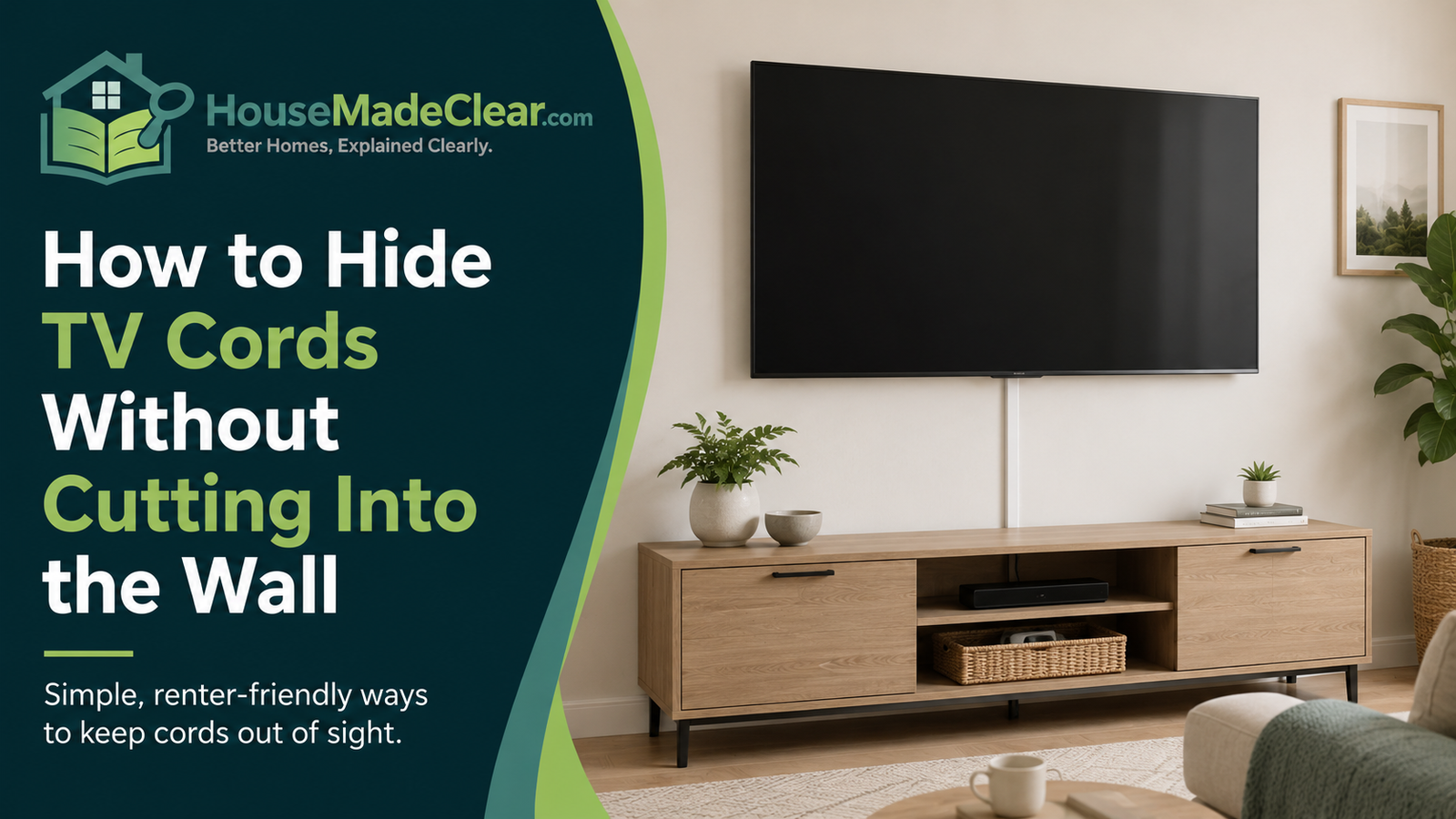
A wall-mounted TV can make a living room look cleaner—until several black cables hang from the screen to the outlet, streaming box, game console and soundbar.
Fortunately, you do not necessarily need to open the drywall to improve the setup.
For many homes, TV cables can be concealed using surface-mounted cable raceways, cord covers, cable sleeves, furniture, baseboard routing and better equipment placement. These options are particularly useful for renters or homeowners who do not want to patch and repaint walls.
The important distinction is between simply making cables less visible and hiding electrical cords in a way that creates a safety problem.
Quick answer:
The simplest way to hide TV cords without cutting the wall is usually a paintable surface-mounted cable raceway running vertically from the TV toward the outlet or media cabinet. Group low-voltage cables neatly, keep power cords accessible, and never hide extension cords or ordinary flexible power cords under rugs, through walls or where furniture can crush them. The U.S. Consumer Product Safety Commission advises keeping cords out of walking paths and away from rugs or furniture that can damage them.
Start by Identifying Every Cable
Before buying a cord cover, look behind the TV and identify what you actually need to conceal.
A television setup may include:
- TV power cord
- HDMI cables
- Ethernet cable
- Coaxial cable
- Optical audio cable
- Soundbar power cord
- Streaming-device cable
- Game-console cables
- Antenna cable
- USB power cable
Do not bundle everything automatically.
First determine:
- Where each cable begins
- Where it ends
- Whether it carries power or only data/audio/video
- Whether the device can be relocated
- Whether the cable is longer than necessary
Reducing the number of visible cables is usually easier than trying to hide a large bundle afterward.
The Easiest Solution: Use a Surface Cable Raceway
For most wall-mounted TVs, a surface-mounted cable raceway is the cleanest no-wall-cutting option.
A raceway is a narrow channel attached to the wall. Cables sit inside it, and a removable cover hides them.
It can run:
- Vertically below the TV
- Horizontally toward an outlet
- Along a baseboard
- Behind a media console
Why raceways work well
They can:
- Conceal several cables
- Create a straight visual line
- Protect cables from casual contact
- Be removed later
- Often be painted to match the wall
That makes them useful for:
- Apartments
- Rental homes
- Recently painted walls
- Temporary TV installations
- Homeowners who do not want electrical work
Choose a Raceway Large Enough for the Cable Bundle
One common mistake is buying the narrowest possible cord cover because it looks less noticeable.
Then the cables barely fit inside.
Before ordering, measure or estimate the combined thickness of:
- Power cord
- HDMI cables
- Ethernet
- Audio cables
Leave enough room so cables are not sharply bent or crushed into the channel.
It is often better to have a slightly wider raceway that closes properly than a narrow one bulging away from the wall.
Where Should the Raceway Run?
The most visually discreet route is usually the shortest clean line from the TV toward:
- Media cabinet
- Outlet
- Console
- Cable box
For a TV centered over a low cabinet, this often means a straight vertical raceway from behind the TV to behind the furniture.
The media unit then hides the bottom section.
Avoid unnecessary zigzags
Multiple horizontal and vertical changes make the cable cover more noticeable.
Where possible, use:
- One vertical run
- One short horizontal run near the baseboard
rather than creating a complicated pattern across the wall.
Paint the Raceway to Match the Wall
Many surface cord covers are designed to be paintable.
Matching the wall color can make the raceway considerably less noticeable.
For the best appearance:
- Install the empty raceway first.
- Confirm alignment.
- Prepare the surface according to the manufacturer.
- Paint the cover.
- Allow it to dry.
- Insert cables and close the channel.
Follow the particular product’s instructions because materials and paint compatibility vary.
Use a Cord Cover That Matches the Baseboard
Another option is routing cables down from the television and then horizontally near the baseboard.
This works particularly well when the electrical outlet is not directly beneath the TV.
A low horizontal cable route usually attracts less attention than one running across the middle of a wall.
Possible approaches include:
- Baseboard-style raceway
- Narrow cord channel
- Raceway painted to match trim
Keep cords away from areas where they can be crushed by furniture or stepped on. The CPSC warns that furniture or rugs resting on cords can damage insulation or internal wire strands, creating fire or shock risks.
Hide the Bottom of the Cables Behind a Media Console
You may not need to conceal the entire cable route.
A media console can hide:
- Power strip
- Streaming box
- Game console
- Router
- Extra cable length
- Bottom portion of raceway
This allows only the short section between the TV and cabinet to remain visible.
Position the console intentionally
If you are buying a console specifically for cable concealment, check:
- Width compared with TV
- Height
- Cable openings
- Ventilation
- Access to outlets
- Device depth
Do not push furniture tightly against electrical cords or plugs.
Use Furniture Before Adding More Cable Products
Sometimes the simplest solution is changing furniture position.
For example:
- Move media console directly beneath TV
- Place streaming equipment inside the console
- Relocate game console closer to the TV
- Move the router if network design allows
This can reduce the length and number of visible cords.
Cable planning works best when considered with the entire living-room arrangement. House Made Clear’s guide to planning a functional living room layout explains how TV position, furniture, walking routes and fixed features should be mapped before adding smaller accessories.
Furniture placement also depends on its physical footprint. If a new sofa will face the media wall, verify its width, depth and required walking space using the standard sofa and couch dimensions guide before finalizing the television and cable locations.
Use a Cable Sleeve for Cords Behind Furniture
A cable sleeve groups several cords into one bundle.
This can make the area behind a:
- TV stand
- Desk
- Cabinet
- Console
look much cleaner.
Cable sleeves are particularly useful when the cords themselves are mostly hidden but appear messy when viewed from the side.
They are less useful for a long exposed run down a wall, where a rigid raceway usually looks cleaner.
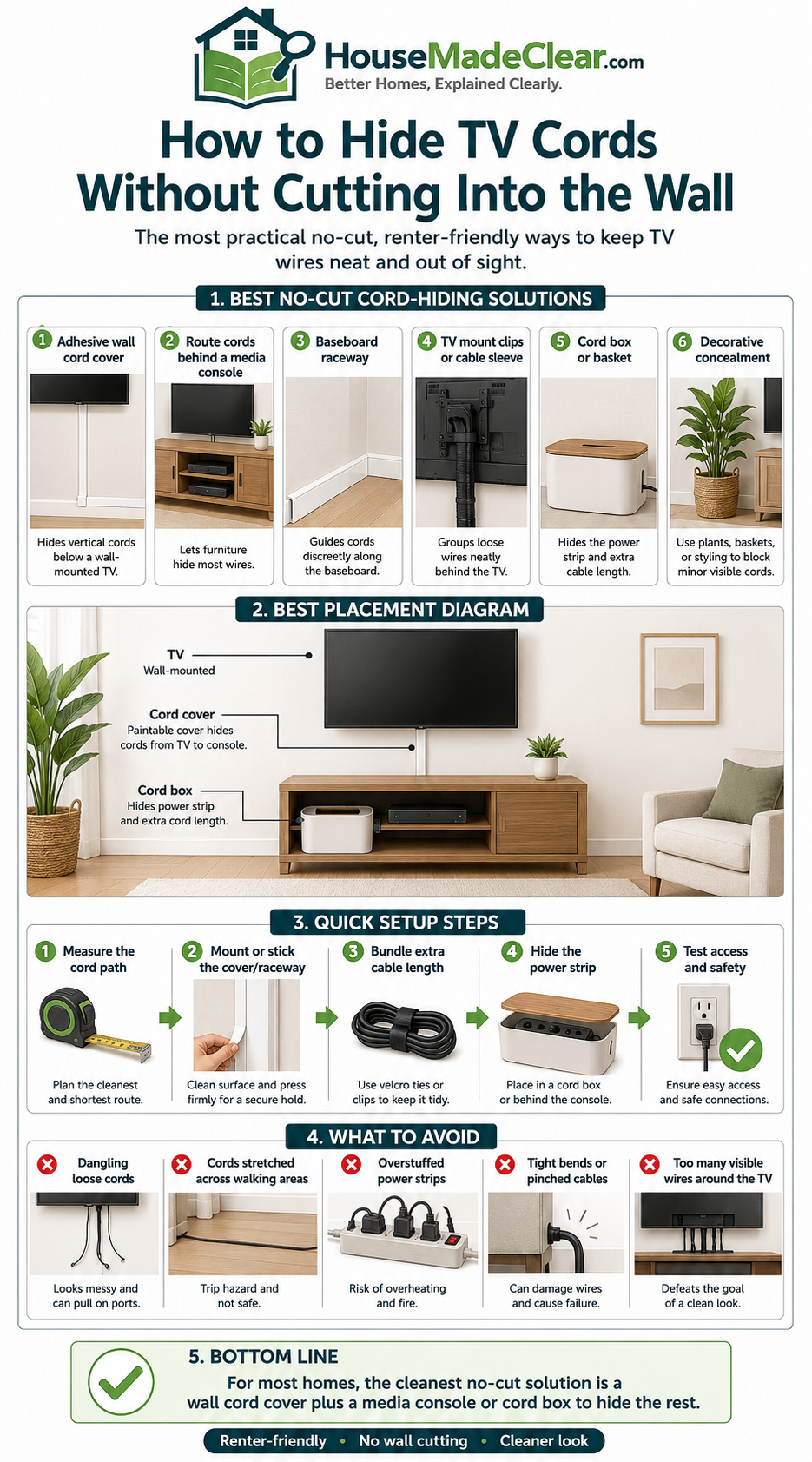
Use Reusable Cable Ties Behind the TV
The back of the television often contains more excess cable than the visible wall.
Use appropriate reusable ties to organize:
- HDMI cables
- Ethernet cable
- Audio cable
- USB cables
Create separate groups where helpful.
Do not coil cords excessively tightly
Cables should not be:
- Crushed
- Sharply folded
- Tightly kinked
- Pulled against connectors
Allow enough slack for:
- TV movement
- Device removal
- Connector access
If your wall mount swings or tilts, test the full range of movement before fixing cable lengths.
Use Shorter HDMI Cables
Sometimes the “cable management problem” is simply too much cable.
A six-foot HDMI cable may be unnecessary when the streaming device sits directly behind the TV.
Shorter cables can reduce:
- Loose coils
- Bulky bundles
- Cable sleeves
- Visible loops
Choose a cable long enough to avoid tension but not dramatically longer than the actual route.
Mount Small Streaming Devices Behind the TV
Many compact streaming devices can remain out of sight behind or beside the television if the manufacturer permits that installation.
This may eliminate visible:
- HDMI cable
- Device power cable
- Streaming box
Before attaching anything, check:
- Ventilation requirements
- Remote-control operation
- Wi-Fi reception
- Manufacturer mounting guidance
Do not block the television’s ventilation openings.
Hide the Soundbar Cable Separately
A soundbar mounted below a television often adds another visible power or audio cable.
Instead of forcing all cables into one awkward path, consider:
- Short raceway from TV to soundbar
- Combined vertical raceway to media console
- Equipment positioned directly below the television
Keep the final installation visually aligned.
A small centered cable cover often looks cleaner than several cords running diagonally.
Run Low-Voltage Cables Along the Baseboard
HDMI, Ethernet, coaxial and similar signal cables can sometimes be routed along a surface near the baseboard using appropriate cable-management products.
This can be useful when:
- Router is across the room
- Cable outlet is not behind the television
- Console sits on a different wall
Use a dedicated surface cable channel rather than allowing loose cords to cross walking areas.
Do Not Run Cords Across the Floor
A television cable crossing the floor creates both an appearance problem and a trip hazard.
CPSC guidance recommends moving cords out of foot-traffic paths. Repeated walking over cords can also damage them and increase electrical risk.
If a route across open floor space cannot be avoided, reconsider:
- TV position
- Outlet location
- Equipment position
before accepting a permanent loose-cord arrangement.
Do Not Put Power Cords Under Rugs
This is especially important.
A rug may seem like the easiest way to hide a TV power cord or extension cord.
Do not treat it as a permanent cable-management method.
CPSC guidance states that cords should not be covered by rugs or have furniture resting on them because pressure and traffic can damage them.
NFPA guidance also warns against routing flexible cords through walls, ceilings, floors or beneath floor coverings.
A visible but correctly routed cord is preferable to an unsafe hidden one.
Do Not Staple Electrical Cords to the Wall
Never use ordinary staples, nails or similar fasteners through a power cord to make it follow a baseboard.
This can damage the protective insulation.
UL guidance similarly warns against fastening electrical cords to walls with staples or pins because this can damage the protective covering and expose wiring.
Use a cable-management product designed for the particular cord and installation instead.
Do Not Run Ordinary TV Power Cords Inside the Wall
This deserves special attention because many homeowners want a completely cord-free mounted-TV appearance.
A standard TV power cord or extension cord should not simply be pushed through holes in drywall.
NFPA states that flexible cords should not be run through walls, ceilings or floors or used as a substitute for permanent wiring.
If you eventually want hidden in-wall power, that becomes a different project involving:
- Proper receptacle location
- Approved wiring methods
- Appropriate listed equipment
- Local electrical requirements
For the article’s goal—hiding cords without cutting the wall—surface raceways are the simpler approach.
Extension Cords Are Not a Permanent TV-Wiring Solution
If the nearest outlet is far from the television, it may be tempting to run an extension cord around the room indefinitely.
Extension cords are intended for temporary use rather than as substitutes for permanent household wiring. ESFI and NFPA both warn against using them as permanent wiring solutions.
UL also notes that extension cords introduce additional points where cords can become kinked, pinched or damaged.
If the TV permanently needs power where no suitable receptacle exists, consult a qualified electrician about the appropriate permanent solution.
What About Power Strips and Surge Protectors?
A media console may contain several powered devices:
- TV
- Soundbar
- Streaming device
- Game console
- Router
A suitable power strip or surge protector can centralize those connections, but it still needs to be used correctly.
Do not:
- Cover it with a rug
- Trap its cord under furniture
- Daisy-chain power strips
- Overload it
- Hide it where heat cannot dissipate
UL specifically warns against throwing rugs over power-strip cords because repeated traffic can damage the conductors and trap heat.
Follow the power strip manufacturer’s ratings and instructions.
Hide the Power Strip Inside the Media Area—Not Sealed Away
A power strip can often be placed:
- Behind the media console
- In a ventilated cable-management compartment
- On an accessible rear panel
Keep it accessible enough to:
- Inspect
- Disconnect devices
- Replace damaged equipment
Do not seal powered equipment into a tightly enclosed decorative box unless the product is designed for that use.
How to Hide TV Cords in a Rental Apartment
Renters usually need reversible solutions.
Good options include:
- Removable surface raceway
- Freestanding media console
- Cable sleeve
- Reusable ties
- Furniture repositioning
- Baseboard cable channel
Before using adhesive products, check:
- Lease conditions
- Wall finish
- Manufacturer removal instructions
Some “removable” adhesives can still damage:
- Weak paint
- Wallpaper
- Textured walls
Test discreetly where appropriate.
Can You Hide TV Cords Without Mounting the TV?
Yes.
A television on a media console is often easier to cable-manage than a wall-mounted TV.
You can:
- Route cables through rear cabinet openings
- Use clips behind furniture
- Group cords with sleeves
- Mount a power strip at the back of compatible furniture
- Use shorter cables
If a clean appearance is the main objective, wall mounting is not automatically necessary.
A well-scaled console can produce a clean setup while keeping wiring accessible.
Use the Media Console as Part of the Design
Cable concealment should not be considered separately from the visual composition of the wall.
Check:
- TV width
- Console width
- Wall width
- Artwork
- Speakers
- Windows
- Curtains
The television area often looks cluttered because too many unrelated objects compete around it, not just because cords are visible.
House Made Clear’s article on affordable ways to update a living room discusses simplifying media areas, reducing visual clutter and improving a room before replacing major furniture.
Hide Cables Behind Decorative Panels Carefully
Some homeowners place a decorative panel or slatted feature wall behind the television.
This can visually conceal surface wiring, but it is a larger project than a basic raceway.
If you use a decorative panel:
- Keep electrical connections accessible
- Do not trap cords tightly
- Maintain required ventilation
- Follow product and electrical requirements
Do not use decoration as a way to conceal unsafe wiring.
Can You Use a Fabric Cord Cover?
Fabric sleeves can improve the look of grouped cords behind furniture.
They are best suited to:
- Low-voltage cable bundles
- Desk cables
- Areas not exposed to foot traffic
They usually look less finished on a visible living-room wall than a rigid raceway.
For a wall-mounted television, a paintable channel generally creates a cleaner result.
Hide Cables Around a Fireplace Carefully
Televisions mounted above fireplaces require additional planning.
Heat, wall construction, power availability and mounting conditions can differ substantially from a normal drywall installation.
Do not route cords:
- Against hot surfaces
- Near openings
- Through fireplace structures
without knowing the construction and equipment requirements.
If the installation involves a functioning fireplace, follow both the fireplace and television manufacturers’ clearance requirements and use qualified professionals where appropriate.
What If the Outlet Is Beside the TV Instead of Below It?
You have several surface options:
L-shaped raceway route
Run vertically down from the television and horizontally toward the outlet.
Horizontal raceway behind TV
Route the cable toward the outlet while keeping most of the channel hidden behind the screen.
Furniture concealment
Use a media console or tall cabinet to hide the lower section.
Choose the shortest route that:
- Keeps cables accessible
- Avoids foot traffic
- Does not crush cords
- Looks intentional
How to Hide TV Cords on a Brick Wall
Surface-mounted cable channels can also work on brick or masonry, but installation methods differ.
You may need:
- Appropriate fasteners
- Masonry drilling
- Compatible adhesive
Do not assume an adhesive intended for painted drywall will adhere safely to textured masonry.
If drilling is required, verify what is behind or within the wall and use appropriate installation methods.
For renters, freestanding furniture and surface cable sleeves may be preferable to drilling masonry.
How to Hide TV Cords on a Concrete Wall
Concrete presents similar challenges.
A surface-mounted raceway remains one of the simplest approaches because it avoids cutting a chase into concrete.
Possible solutions include:
- Adhesive raceway compatible with the surface
- Mechanically fastened raceway
- Furniture concealment
Fixed electrical alterations should be handled appropriately for the construction and local requirements.
How to Hide TV Cords With No Media Console
A minimalist setup without furniture beneath the television requires particularly clean cable management.
Consider:
- Single vertical paintable raceway
- Compact device mounted behind TV
- Shorter HDMI cables
- Minimal number of connected devices
If multiple game consoles, a router and other equipment are required, a completely furniture-free setup may become impractical.
Do not sacrifice accessibility and ventilation purely for a floating appearance.
Hide Cables Behind a Floating Shelf
A floating shelf beneath the TV can hold:
- Streaming box
- Small console
- Router
- Soundbar
A short raceway can connect the TV to the shelf.
Another channel can then continue toward the outlet if required.
Check the shelf’s:
- Weight rating
- Wall attachment
- Depth
- Ventilation
- Cable openings
What About Wireless HDMI?
Wireless video systems can reduce the need for a long HDMI cable in certain installations.
However, they still require:
- Power
- Transmitter
- Receiver
- Compatible equipment
They can also introduce:
- Cost
- Compatibility issues
- Latency
- Wireless interference
For a typical living-room television, a well-routed cable is often simpler and more reliable than replacing every connection with wireless hardware.
Wi-Fi Does Not Eliminate the Power Cord
Smart TVs and Wi-Fi streaming reduce data cables, but every TV still needs power.
This is why even a wireless-looking setup needs a plan for the electrical connection.
Start with the outlet location before deciding where the TV should be mounted.
Plan Cable Management Before Mounting a New TV
If the television is not installed yet, cable management is much easier.
Before drilling for the mount, mark:
- TV center
- TV bottom edge
- Outlet
- Cable outlets
- Media console
- Soundbar
- Raceways
- Device locations
Then ask:
Where will every visible cable go?
Do this before the TV reaches the wall.
Test the TV Position With Painter’s Tape
Use tape to mark the screen dimensions and proposed raceway.
View the arrangement from:
- Sofa
- Entryway
- Dining area
This helps you evaluate:
- TV height
- Visual balance
- Cable route
- Console position
The same pre-planning principle used in House Made Clear’s functional living-room layout guide can prevent unnecessary drilling and furniture changes later.
Cable Management in a Home Office TV or Monitor Setup
The same principles apply to monitors and secondary screens used in a home office.
Keep:
- Power cords out of chair-wheel paths
- Cables away from walkways
- Excess cable contained behind the desk
House Made Clear’s functional home-office guide includes a dedicated cable-management section because loose cords can interfere with chair movement and workspace organization.
Common TV Cord-Hiding Mistakes
1. Putting the Cord Under a Rug
Why it is a problem:
Foot traffic and covering can damage electrical cords and create fire or shock risks.
Better approach:
Use wall or baseboard cable routing.
2. Running a Standard Power Cord Through the Wall
Why it is a problem:
Ordinary flexible cords are not intended to substitute for permanent in-wall wiring.
Better approach:
Keep it surface-mounted or install proper electrical infrastructure.
3. Stapling the Cord to the Baseboard
Why it is a problem:
Fasteners can damage insulation.
Better approach:
Use a purpose-designed cord channel.
4. Hiding Cords Behind Heavy Furniture
Why it is a problem:
Furniture can pinch and crush cords.
Better approach:
Leave sufficient clearance.
5. Buying a Raceway That Is Too Small
Why it fails:
The cover will not close properly.
Better approach:
Measure the full cable bundle.
6. Using Cables Much Longer Than Necessary
Why it fails:
Large coils create clutter behind the TV.
Better approach:
Use appropriately sized cables.
7. Hiding the Power Strip Where It Cannot Be Reached
Why it fails:
Inspection and disconnection become difficult.
Better approach:
Keep electrical connections accessible.
8. Ignoring Ventilation
Why it fails:
Streaming boxes and game consoles may overheat when sealed into tight spaces.
Better approach:
Follow equipment ventilation requirements.
9. Mounting the TV Before Planning Cable Routes
Why it fails:
The best cable path may no longer align with the television.
Better approach:
Plan TV and cabling together.
10. Trying to Make Every Cable Invisible
Why it fails:
You may create an unsafe or difficult-to-maintain installation.
Better approach:
Aim for neat, controlled and accessible rather than invisible at any cost.
Step-by-Step: Hide TV Cords Without Cutting the Wall
Step 1: Unplug and Identify Everything
Label:
- TV
- Soundbar
- HDMI
- Console
- Router
- Streaming device
Step 2: Remove Unnecessary Cables
Disconnect old or unused equipment.
Step 3: Decide Where Equipment Will Live
Choose:
- Media console
- Floating shelf
- Behind TV
Step 4: Determine the Shortest Safe Cable Route
Avoid:
- Walkways
- Rugs
- Pinch points
Step 5: Measure the Cable Bundle
Use this to choose an appropriately sized raceway.
Step 6: Mark the Raceway With Tape
Check the line from across the room.
Step 7: Install According to Product Instructions
Use the correct adhesive or fasteners for the wall surface.
Step 8: Route Cables Without Tight Bends
Do not force cables into the channel.
Step 9: Organize Excess Cable Behind Furniture
Use reusable ties or an appropriate sleeve.
Step 10: Keep Electrical Connections Accessible
Do not permanently seal plugs or power strips.
Step 11: Check TV Movement
If the mount moves, make sure cables have enough slack.
Step 12: Inspect the Final Setup
Confirm no cord is:
- Pinched
- Stretched
- Under a rug
- In a walkway
- Crushed behind furniture
Quick Comparison of Cord-Hiding Options
| Method | Best For | Wall Cutting? | Rental Friendly? |
|---|---|---|---|
| Paintable raceway | Visible wall run | No | Usually |
| Baseboard raceway | Outlet away from TV | No | Often |
| Cable sleeve | Behind furniture | No | Yes |
| Media console | Devices and excess cable | No | Yes |
| Floating shelf | Small equipment | Minor mounting | Depends |
| Shorter cables | Reducing excess cable | No | Yes |
| In-wall wiring | Completely concealed permanent setup | Yes | Usually no |
For a no-cutting project, paintable surface raceway + furniture concealment is usually the most straightforward combination.
TV Cable Management Checklist
Before considering the setup complete, check:
- Unused cables removed
- TV power cord undamaged
- No cord runs under a rug
- No cord crosses a main walkway
- No cord is pinched behind furniture
- Power cords are not stapled
- Standard flexible cords are not run through walls
- Raceway is large enough
- HDMI cables are not sharply bent
- Media devices have ventilation
- Power strip remains accessible
- TV mount can move without pulling cables
- Cable route looks straight
- Excess cable is neatly contained
- Outlet and plugs remain accessible
When Should You Call an Electrician?
A surface cable-management project usually does not require electrical alteration.
However, consult a qualified electrician when you want to:
- Add a receptacle behind the television
- Relocate an existing outlet
- Install permanent wiring
- Create an in-wall power solution
- Address damaged outlets or cords
- Change fixed electrical circuits
NFPA guidance makes a clear distinction between flexible cords and approved permanent wiring methods; extension and flexible cords should not replace required permanent wiring.
House Made Clear provides general home-improvement information rather than property-specific electrical instructions. Review our Disclaimer and follow applicable local requirements for fixed electrical work.
Final Thoughts
You do not need to cut into the wall to make TV cables look organized.
For most living rooms, start with:
- A paintable surface raceway
- A media console
- Shorter cables
- Reusable cable ties
- Baseboard routing where necessary
The result may not be completely invisible, but it can look clean and intentional while keeping the wiring accessible.
The main rule is simple:
Do not sacrifice electrical safety just to make a cable disappear.
Keep electrical cords out of walking routes, away from rugs and crushing furniture, and do not run ordinary extension or flexible power cords through walls as substitutes for proper permanent wiring.
If the television area still feels cluttered after the cords are organized, the problem may be the room layout rather than the wiring. House Made Clear’s guides to planning a functional living room layout and affordable ways to update a living room can help you review the TV wall, furniture scale, storage and overall arrangement together.
Frequently Asked Questions
What is the easiest way to hide TV cords without cutting the wall?
A paintable surface-mounted cable raceway is usually the simplest solution. It creates a straight channel between the television and outlet or media console while keeping the cables accessible.
Can I hide a TV power cord inside a wall?
Do not simply run an ordinary TV power cord or extension cord through drywall. Flexible cords are not intended to replace permanent in-wall wiring. If you want permanently concealed power, consult a qualified electrician about an appropriate installation.
Can I put a TV cord under a rug?
No. CPSC guidance recommends keeping electrical cords out from under rugs and away from furniture that can crush or damage them.
Can I staple TV cables to the wall?
Do not staple or nail through electrical power cords. Fasteners can damage the protective insulation. Use a purpose-designed cable raceway or suitable cable-management product instead.
How can renters hide TV cords?
Renters can use removable surface raceways, cable sleeves, reusable ties, media furniture and baseboard cable channels. Check the lease and test adhesive products because removal can damage some wall finishes.
How do I hide TV cords when the outlet is not directly below the TV?
Run a surface raceway vertically from the television and then horizontally along the baseboard toward the outlet, or use furniture to hide part of the route. Avoid running a loose power cord across the floor.
Can I hide TV cords behind furniture?
Yes, but make sure the furniture does not pinch, crush or tightly trap electrical cords. CPSC warns that furniture resting on cords can damage them.
Is a cable sleeve or raceway better for a wall-mounted TV?
A rigid paintable raceway usually looks cleaner on an exposed wall. Cable sleeves are better for grouping cords behind a TV stand, desk or other furniture.
How do I hide cords from a wall-mounted TV and soundbar?
Use a larger vertical raceway that accommodates both the television and soundbar cables, or use a short separate channel between the TV and soundbar before routing both toward the media console.
Do I need an electrician to hide TV cords?
Not for ordinary surface cable management. An electrician is appropriate if you want to add or relocate an electrical outlet, install permanent concealed wiring or make other changes to fixed electrical systems.