












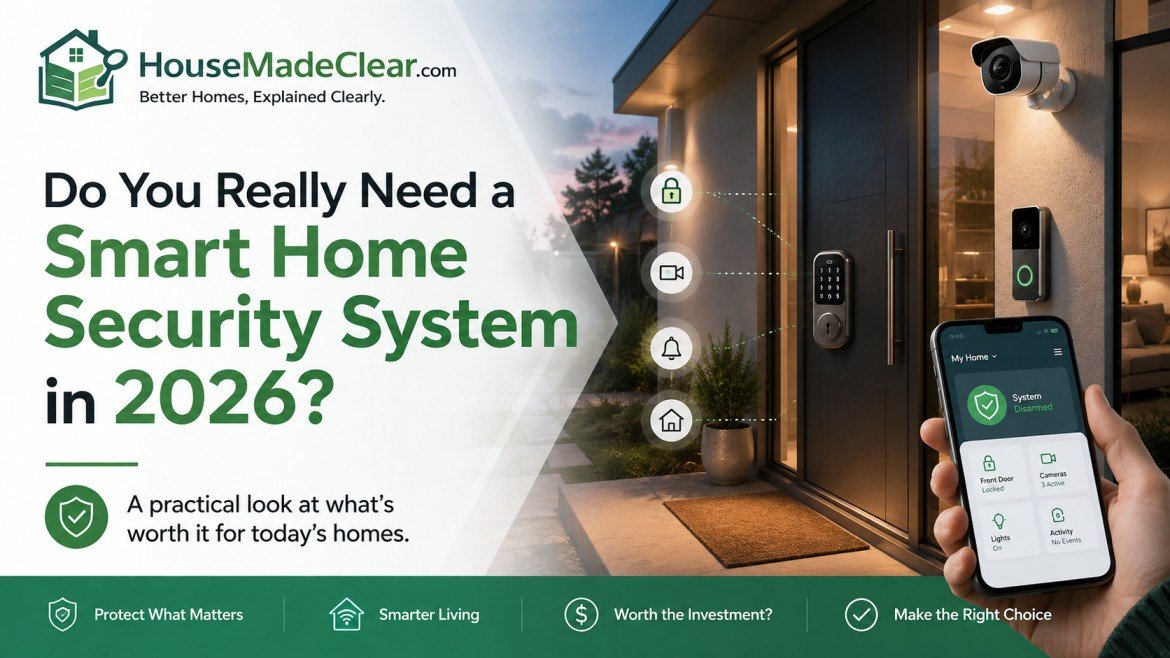
A smart home security system can send alerts, show live camera views, manage temporary access codes and connect several security devices through one application. Those features can be useful, but they do not make every home safer automatically.
A connected system cannot repair a damaged door frame, strengthen an unsecured window or correct poor household habits. It also introduces responsibilities that a conventional lock or basic alarm may not require, including software updates, account security, privacy settings, battery maintenance and dependence on continued manufacturer support.
The right question is not:
“Is smart home security better?”
It is:
“Which security problem would connected technology solve in this home?”
A smart system may be worthwhile for a household that travels frequently, manages access for several people or needs alerts when nobody is home. A simpler alarm, better locks and improved exterior lighting may be enough for someone who does not need remote access or connected automation.
Quick answer:
You may benefit from a smart home security system when remote alerts, video verification, temporary access, automation or professional monitoring solve a specific household problem. You probably do not need one yet when the property has weak doors or windows, the household will not maintain connected devices, or a simpler security measure already meets the need.
Before buying equipment, review the physical weaknesses covered in HouseMadeClear’s guide to common home security mistakes and How to Improve Home Security With Better Locks.
What Is a Smart Home Security System?
A smart home security system combines sensors, alarms, cameras or access-control devices with connected software.
A system may include:
- A central hub or base station
- Door and window sensors
- Motion detectors
- Indoor or outdoor cameras
- A video doorbell
- Smart locks
- Keypads
- Sirens
- Smoke or carbon monoxide detectors
- Water-leak sensors
- Mobile applications
- Local or cloud video storage
- Cellular backup
- Professional monitoring
Not every system includes all these components.
A single Wi-Fi camera is a connected security device, but it is not necessarily a complete security system. A complete system usually combines physical detection, alerts and a clear response process.
Connected Does Not Always Mean Internet-Dependent
Smart security products can communicate in different ways.
These may include:
- Wi-Fi
- Bluetooth
- Zigbee
- Z-Wave
- Thread
- Cellular communication
- Proprietary radio protocols
- A local hub or bridge
Some functions may operate locally when the internet fails. Others may rely on cloud services.
For example, a keypad might continue to unlock a smart lock during an internet outage while remote access stops. A local siren may still sound even though mobile notifications cannot be delivered.
The exact behaviour depends on the product and system design. Buyers should confirm which features work without:
- Internet access
- Wi-Fi
- Cloud services
- A subscription
- A connected phone
- A functioning hub
What Can a Smart Security System Actually Do?
A properly configured smart security system may help a household:
- Receive alerts when doors or windows open
- View selected camera feeds remotely
- Record eligible motion or alarm events
- Create temporary access codes
- Remove digital access without recovering a key
- Check whether compatible doors are locked
- Activate sirens or selected lights
- Review device battery status
- See basic access or event history
- Integrate selected devices into household routines
- Use professional monitoring where available
These features primarily improve awareness, access management and response.
They do not guarantee prevention.
A camera may record an incident without stopping it. A mobile alert may arrive when nobody is able to respond. A smart lock may provide useful access controls while the surrounding door frame remains weak.
What a Smart Security System Cannot Do
A smart system cannot:
- Repair a damaged door or window
- Strengthen a weak door frame
- Guarantee that an intruder will be deterred
- Guarantee police or emergency-service attendance
- Eliminate false alarms
- Prevent every software vulnerability
- Guarantee internet or cellular availability
- Ensure that household members respond correctly
- Make incompatible devices work together
- Guarantee an insurance discount
- Guarantee that a cloud service will remain available indefinitely
Technology should support a physical security plan, not replace one.
A useful order of work is:
- Identify vulnerable entry points.
- Repair physical defects.
- Improve locks, lighting and visibility.
- Decide where detection or alerts would help.
- Add connected devices only where they solve a defined problem.
- Establish who will respond when the system activates.
Seven Signs You May Benefit From a Smart Security System
1. You Need Better Visibility at the Entrance
A video doorbell or entrance camera can help when:
- Deliveries are frequently missed
- The entrance is not visible from inside
- Several people use the door
- Visitors arrive while nobody is home
- Package theft is a concern
- A resident needs to check who is outside before opening the door
The camera should be positioned to capture the relevant approach area without recording more neighbouring or public space than reasonably necessary.
Video should not be treated as a substitute for:
- A secure door
- A suitable lock
- Good exterior lighting
- A working intercom
- Safe visitor-verification habits
2. Several People Need Different Types of Access
A household may need to provide access to:
- Family members
- Cleaners
- Contractors
- Carers
- Dog walkers
- Guests
- Short-term tenants
A suitable smart lock may allow separate or temporary credentials to be created and revoked.
That can be more manageable than lending one physical key to several people.
However, a smart lock is not automatically stronger than a traditional lock. Physical resistance still depends on the lock mechanism, door, frame and installation.
HouseMadeClear’s smart lock vs traditional deadbolt comparison explains these differences in detail.
3. You Travel Frequently or Own a Second Property
Remote alerts may be useful for:
- Frequent travellers
- Second-home owners
- Landlords
- Families checking an unoccupied property
- People who spend extended periods away
A system may report:
- Door openings
- Motion
- Alarm activation
- Camera events
- Low batteries
- Device disconnection
- Water leaks
- Smoke or carbon monoxide alerts, where supported
Remote awareness is only useful when the household has a response plan.
That may involve:
- A trusted local contact
- Professional monitoring
- A property manager
- A maintenance provider
- Emergency services where appropriate
4. Your Property Has Several Entrances or Separate Areas
A larger or more complex property may contain:
- Front and rear doors
- Side entrances
- Garage access
- Basement windows
- Garden offices
- Detached garages
- Sheds
- Outbuildings
- Multiple floors
A connected system can bring several detection points into one interface.
That does not mean every opening requires a sensor or camera. Equipment should be selected according to:
- Accessibility
- Likely approach routes
- Existing physical security
- Visibility
- Household use
- Local conditions
A property audit should come before shopping.
5. You Need Alerts When Nobody Is Home
A basic audible alarm may attract attention locally, but it may not tell the owner what happened.
A connected system may send alerts to a phone or monitoring service.
This can be useful when:
- The property is empty during the day
- Residents work away from home
- Nobody nearby is likely to hear a siren
- Immediate awareness matters
- The household needs to distinguish between different sensor events
The limitation is obvious: a mobile notification is only useful when someone sees it and responds appropriately.
6. Household Members Frequently Forget Security Routines
Some connected systems can help with repetitive tasks such as:
- Reminding users that a door is unlocked
- Automatically locking a compatible lock
- Showing whether the alarm is armed
- Sending a warning when a sensor is open
- Activating selected routines when residents leave
Automation can reduce some human errors.
It can also create false confidence.
Household members should still understand:
- How to lock doors manually
- How to disable an alarm safely
- How to enter during an app failure
- What to do when a battery dies
- Which alerts require immediate action
7. You Want Several Devices to Work Together
A connected system may allow interactions such as:
- A door sensor triggering camera recording
- An alarm activating selected lights
- A smart lock changing status when the system is armed
- A video doorbell sending an alert to household devices
- A household routine arming sensors when residents leave
Integration is useful only when it remains understandable and reliable.
Too many automations can create:
- Conflicting routines
- False alerts
- Notification overload
- Several applications
- Difficult troubleshooting
- Unclear household permissions
Start with a small number of useful actions.
Seven Signs You Probably Do Not Need a Smart System Yet
1. Your Doors or Windows Are Physically Defective
Connected equipment should not be the first purchase when:
- An external door does not close properly
- A lock does not engage
- A frame is cracked
- A window cannot be secured
- Hinges are loose
- A sliding door lifts from its track
- An entrance has obvious structural weakness
Repair the physical problem first.
A camera watching a defective door does not make the door secure.
2. You Only Need a Basic Audible Alarm
Some households need:
- A siren
- Door contacts
- Motion detection
- A straightforward keypad
They may not need:
- Remote video
- Cloud storage
- Smart locks
- Automation
- Several user accounts
- Professional monitoring
A simple alarm may be less expensive and easier to maintain.
3. You Will Not Maintain the System
Connected security devices may require:
- Battery replacement
- Application updates
- Firmware updates
- Password management
- User-permission reviews
- Camera cleaning
- Storage management
- Periodic testing
The FTC advises users to enable available device-security features and keep device firmware and associated applications updated.
A neglected smart system may be less dependable than a simpler system that is used consistently.
4. Your Internet or Mobile Coverage Is Poor
Poor connectivity can affect:
- Remote alerts
- Camera streaming
- Cloud recording
- Remote locking
- Voice-assistant control
- Application updates
- Professional monitoring, depending on the communication path
An offline-capable alarm may still work effectively.
Before buying, verify:
- Local operation
- Cellular backup
- Hub requirements
- Signal coverage
- Behaviour during an outage
- Whether existing access credentials continue to function
5. You Do Not Want Recurring Charges
Some systems operate without subscriptions. Others restrict important features unless the user pays for:
- Cloud storage
- Professional monitoring
- Cellular backup
- Extended event history
- Video recognition
- Multiple-camera recording
- Premium notifications
- Extended warranties
The equipment price may represent only the first part of the cost.
Use this calculation:
Five-year cost = equipment + installation + monitoring + storage + cellular backup + maintenance + replacement devices + contract-related costs
The detailed DIY vs professional home security installation guide explains how to build a five-year comparison.
6. Your Rental Agreement Restricts Installation
Renters may face restrictions on:
- Drilling
- Exterior cameras
- Replacing locks
- Modifying fire doors
- Changing shared entrances
- Altering electrical wiring
- Recording communal corridors
- Removing landlord-owned equipment
A removable system may be appropriate, but permission should be obtained where required.
7. You Are Buying Devices Without a Defined Problem
Buying a camera, smart lock and alarm because they can connect is not a security plan.
Before buying anything, complete this sentence:
“This device will help solve ______.”
Possible answers include:
- I cannot see visitors from inside.
- Household members need temporary access.
- I frequently miss alarm events.
- The garage is detached from the house.
- I need a notification when an external door opens.
“Making the home smarter” is too vague.
Smart Home Security Pros and Cons
| Potential advantage | Potential drawback |
|---|---|
| Remote alerts | Notification overload |
| Live camera views | Privacy concerns |
| Temporary access codes | Account-security risk |
| Activity history | Cloud or app dependence |
| Professional monitoring option | Monthly fees |
| Expandable equipment | Compatibility problems |
| Device-status alerts | Ongoing maintenance |
| Automation | Confusing or failed routines |
| Cellular backup on some plans | Often limited to premium plans |
| Keyless access | Battery and backup-access concerns |
A feature becomes an advantage only when the household needs it and maintains it.
Smart Security System vs Traditional Alarm
| Factor | Smart security system | Traditional alarm system |
|---|---|---|
| Mobile alerts | Common | Not always available |
| Remote control | Often available | Usually limited |
| Video integration | Common | May require a separate system |
| Internet use | Common | May not be required |
| Cybersecurity exposure | Higher | Generally lower |
| Professional monitoring | Optional or included | Available on many systems |
| Subscription | Common but not universal | Depends on provider |
| Smart-lock integration | Often available | Usually limited |
| Maintenance | Hardware, accounts and software | Primarily hardware |
| Simplicity | Usually lower | Usually higher |
| Local operation | Product-dependent | Often straightforward |
A traditional alarm may be the better option for someone who wants a reliable siren and sensors without remote access.
A smart system may be better where access management, remote awareness or integrated devices provide clear value. Also read about Wi-Fi Smart Plug vs Matter Smart Plug.
DIY, Professional or Hybrid Installation?
The method of installation affects cost, reliability and system design.
DIY Installation May Suit
- Apartments
- Rental homes
- Small houses
- Simple wireless systems
- Users comfortable with applications
- Devices using adhesive or basic mounting
- Households avoiding installation fees
DIY users must still test:
- Sensor alignment
- Camera coverage
- Wi-Fi signal
- Notifications
- Alarm volume
- Backup access
- Battery alerts
Professional Installation May Suit
- Larger properties
- Wired alarms
- Multi-camera systems
- Complex entrances
- Fire-rated doors
- Poor network coverage
- Properties requiring compliance documentation
- Households needing training
- Systems connected to professional monitoring
Professional installation is only valuable when the installer provides useful design, configuration and testing—not merely basic physical fitting.
A Hybrid Installation May Be Best
A household may install:
- Entry sensors
- A hub
- Indoor cameras
- Keypads
while hiring a professional for:
- Smart locks
- Wired doorbells
- Outdoor cameras
- Cable routing
- Door repairs
- Network upgrades
This can reduce cost without taking unnecessary risks.
Self-Monitoring vs Professional Monitoring
Monitoring and installation are separate choices.
A DIY system can have professional monitoring. A professionally installed system can sometimes be self-monitored.
Self-Monitoring
The resident receives alerts and decides what to do.
Advantages
- Lower recurring cost
- Direct control
- Fewer contract obligations
- Ability to review events personally
Limitations
- Alerts may be missed
- The resident must evaluate each event
- Nobody automatically responds
- Phone or internet problems may interrupt alerts
- Frequent false alerts may lead to warnings being ignored
Self-monitoring is not truly free when it requires significant time, attention and availability.
Professional Monitoring
A monitoring centre reviews eligible alarm events according to the service agreement.
Advantages
- Someone may review eligible events when residents are unavailable
- Cellular backup may be included
- Alarm verification may be available
- It can support frequent travellers or second-home owners
Limitations
- Recurring fees
- Possible minimum contract terms
- Cancellation restrictions
- Police attendance is not guaranteed
- False-alarm policies may apply
- Features vary between providers
Do not assume that “professionally monitored” means emergency services will automatically attend every event.
What Does a Smart Home Security System Cost?
There is no useful universal price because systems can range from a few sensors to a professionally installed whole-home setup.
The correct budget should include:
- Hub or control panel
- Sensors
- Cameras
- Smart locks
- Sirens
- Installation
- Monitoring
- Cloud storage
- Cellular backup
- Batteries
- Maintenance
- Replacement devices
- Subscription increases
- Moving or cancellation costs
Common Hidden Costs
Look for:
- Extra entry sensors
- Additional user accounts
- More camera storage
- Longer recording history
- Cellular communication
- Premium alerts
- Replacement mounts
- Range extenders
- Larger memory cards
- Professional setup
- Extended warranty
- Emergency call-outs
- Equipment financing
Compare complete systems with equivalent coverage.
Privacy and Cybersecurity Risks
Smart security systems can process some of the most sensitive household information.
Depending on the system, this may include:
- Video
- Audio
- Access times
- Visitor activity
- Household routines
- User identities
- Device identifiers
- Lock status
- Account information
- Approximate location
- Alarm history
NIST advises buyers to plan before purchasing, use strong authentication, review privacy settings and consider whether a product will continue receiving security updates.
Minimum Smart-Security Checklist
- Use a unique password for every important account.
- Enable multifactor authentication where available.
- Replace default credentials.
- Update devices and applications.
- Remove former residents and service providers.
- Review connected integrations.
- Disable features that are not needed.
- Protect the connected phone.
- Secure the router.
- Review camera and microphone settings.
- Check video-retention settings.
- Confirm the manufacturer’s support period.
- Test backup access.
- Factory-reset devices before transfer or disposal.
The FTC also recommends securing the home network, updating camera software and enabling available security features.
Consider a Separate Network
Some routers allow connected security devices to be placed on a separate guest or Internet of Things network.
This can reduce unnecessary access between device groups, although correct configuration depends on the router and household setup.
Do not create a second network unless you understand how devices, hubs and applications need to communicate.
What Happens When Support Ends?
A connected device may become harder to protect when the manufacturer stops releasing updates.
Potential consequences include:
- Unpatched vulnerabilities
- Application incompatibility
- Removed cloud features
- Failed integrations
- Greater account risk
- Loss of remote functions
NIST notes that unsupported connected products may eventually need to be retired or replaced.
Manufacturer support should be treated as part of the purchase decision.
US Considerations
US buyers should check:
- Local alarm permits or registration
- Monitoring-contract terms
- Equipment ownership
- Financing or leasing
- Camera and audio-recording rules
- Homeowners’ association restrictions
- Rental conditions
- Product certification
- Cancellation charges
- Whether equipment works after monitoring ends
Laws affecting camera and audio recording can vary by state. Do not assume that one national guide covers every local requirement.
Insurance discounts are also not guaranteed. Confirm any possible discount directly with the insurer before buying equipment for that purpose.
UK Considerations
Product-Security Requirements
From 29 April 2024, UK consumer-connectable-product rules introduced baseline cybersecurity requirements for smart devices. NCSC guidance tells buyers to check how long a specific device will receive security updates, and notes that manufacturers must disclose the product-support end date.
Before buying, check:
- The published support period
- How security issues are reported
- Whether default passwords are prohibited
- Whether updates are automatic
- What happens after support ends
Domestic CCTV and Video Doorbells
UK guidance states that data-protection law can apply when domestic CCTV or video doorbells capture people beyond the property boundary, including neighbouring property, shared spaces or public areas.
Users should consider:
- What the camera captures
- Whether audio recording is necessary
- Whether privacy zones are available
- How long footage is retained
- Who can access recordings
- Whether signs or notices are appropriate
- How requests from recorded individuals will be handled
A camera should cover what is reasonably needed to protect the property—not the widest possible area.
Door Compatibility
Many UK homes use:
- Euro-profile cylinders
- Multipoint locking systems
- uPVC doors
- Composite doors
- Handle-operated mechanisms
A smart deadbolt designed for a typical US door may not fit.
Identify the complete lock mechanism before buying. You may also read about what does a smart plug actually do? and
Renter-Friendly Smart Home Security
Renters often need security improvements that can be removed without damage.
Potential options include:
- Adhesive entry sensors
- Freestanding indoor cameras
- Plug-in hubs
- Wireless sirens
- Removable motion sensors
- Interior retrofit locks, where compatible and approved
- Battery doorbells, where permitted
Apartment residents should also consider:
- Main-building access
- Shared corridors
- Intercom systems
- Package areas
- Parking
- Storage rooms
- Fire doors
- Communal entrances
A private apartment alarm cannot correct poor control over a shared entrance.
Ask Before Making Permanent Changes
Permission may be required before:
- Drilling
- Installing exterior cameras
- Replacing locks
- Modifying fire doors
- Changing shared hardware
- Altering electrical wiring
- Recording communal areas
Use written permission where possible.
A Sensible Beginner System
A beginner system should be small enough to understand and maintain.
Example for a Small Apartment
A practical starting point might include:
- One compatible hub or base station
- Sensors for the main accessible entrances
- One motion detector
- One siren
- Optional entrance camera or video doorbell
- Separate household user accounts
- A clear response routine
Do not add integrations that solve no specific problem.
Example for a Typical House
A typical house may need:
- A hub
- Sensors for priority accessible doors and windows
- Selected motion detection
- An entrance camera or video doorbell
- One outdoor camera covering a meaningful approach route
- A suitable siren
- Backup communication where required
- Monitoring based on the household’s response needs
The exact number of devices should follow a property audit.
More equipment does not automatically create better coverage.
Ten Questions to Ask Before Buying
1. What Problem Am I Solving?
Write down the actual need.
2. Are the Doors and Windows Physically Secure?
Repair defects first.
3. Do I Need Remote Alerts?
Some households do not.
4. Do I Need Temporary Access?
This can justify a smart lock.
5. Who Will Respond to Alerts?
Decide before installation.
6. Which Features Require a Subscription?
Check storage, monitoring and cellular backup.
7. What Works Without Internet Access?
Confirm local operation.
8. How Long Will the Product Receive Updates?
Avoid unsupported products.
9. Is It Compatible With the Property?
Check doors, wiring, Wi-Fi and rental restrictions.
10. Can It Be Removed or Replaced Later?
Consider moving, cancellation and platform failure.
Who Is Most Likely to Benefit?
A smart security system may be suitable for:
- Frequent travellers
- Second-home owners
- Families managing several users
- Households needing temporary access
- Properties with multiple entrances
- Residents who value remote status
- Users prepared to maintain connected devices
- Renters needing removable security, where permitted
- Households that may benefit from professional monitoring
Who Should Avoid One for Now?
It may not be the priority for:
- Homes with defective doors or windows
- Buyers without a defined security problem
- Households unwilling to maintain software
- Users strongly opposed to cloud processing
- Buyers unable to afford recurring charges
- Renters prohibited from installing equipment
- Properties with poor connectivity, unless local operation is confirmed
- Households that would be better served by a simple alarm
Final Verdict
You do not need a smart home security system simply because connected products are widely available.
You may need one when its alerts, access controls, monitoring or automation solve a real problem better than a simpler alternative.
Physical security should come first.
Repair defective entrances. Use suitable locks. Improve lighting and visibility. Establish consistent household routines. Then decide whether connected detection, remote access or monitoring adds meaningful protection.
A smart security system is worthwhile when:
- The household understands it
- The devices are compatible
- Accounts are protected
- Updates are maintained
- Recurring costs are affordable
- Alerts have a response plan
- The system supports physical security rather than replacing it
The best system is not the one with the most features.
It is the simplest system that reliably addresses the property’s actual risks.
This article follows the whole-home design and security approach behind HouseMadeClear. Learn more about Charu’s professional contribution on the Meet Charu page, explore additional home security guidance, and review the Home Made Clear Disclaimer before making substantial financial, electrical, structural or security decisions.
Frequently Asked Questions
Is a smart home security system worth it?
A smart home security system may be worthwhile when remote alerts, temporary access, video verification, automation or professional monitoring solve a real household problem. It may not be worthwhile when a simpler alarm and stronger physical security already meet the need.
Can a smart security system work without a subscription?
Some systems provide basic alarms, local control or limited notifications without a subscription. Cloud storage, cellular backup, professional monitoring and premium features may require recurring payment. The exact limitations depend on the provider.
Does a smart security system work when the internet goes down?
Some local sensors, sirens, keypads and locks may continue working during an internet outage. Remote control, cloud recording and mobile notifications may stop. Systems with cellular backup may retain selected communication functions.
Is professional monitoring necessary?
Professional monitoring is not necessary for every household. It may be useful for frequent travellers, second homes or users who may miss alerts. Self-monitoring may be sufficient when residents can reliably review and respond to events.
Are smart security systems safe from hackers?
No internet-connected device is completely risk-free. Risk can be reduced by choosing supported products, using unique passwords, enabling multifactor authentication, updating software, securing the router and removing unused accounts or integrations.
Can renters install a smart security system?
Renters can often use removable sensors, plug-in hubs and freestanding cameras. They should check the lease and obtain permission before drilling, changing locks, installing exterior cameras or modifying fire doors and shared entrances.
How much equipment does a small home need?
The number of devices depends on accessible entrances, layout and household needs. A small home may begin with a hub, selected entry sensors, a motion detector and a siren, adding a camera only where visibility or verification is needed.
Should I buy cameras before an alarm?
Not necessarily. Cameras provide visibility and recordings, while sensors and alarms provide detection and warnings. Doors, windows and other physical weaknesses should be corrected before either system is treated as the main security solution.