













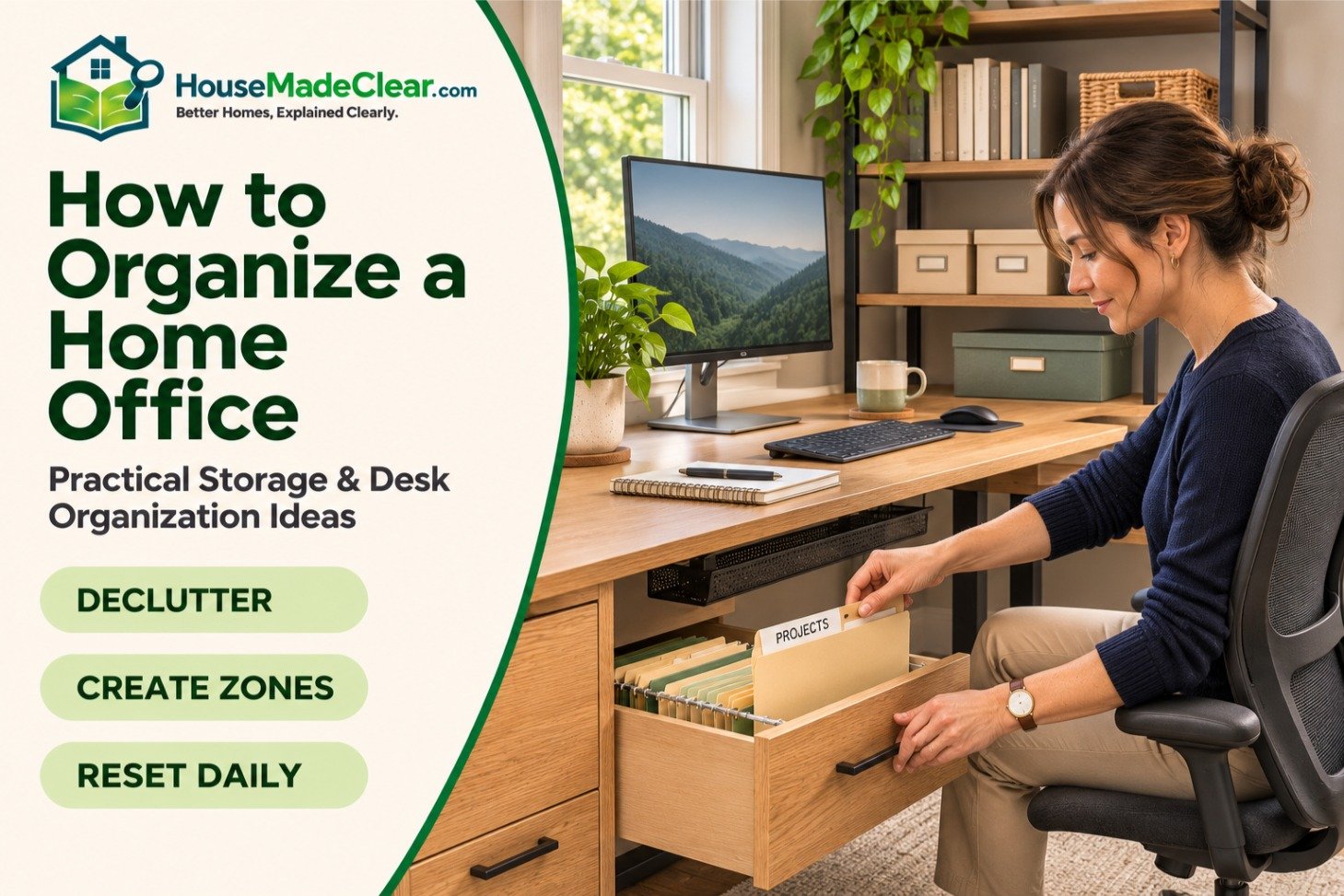
An organized home office isn’t about having an empty desk or buying matching storage boxes. It’s about being able to find what you need, work comfortably, and finish the day without leaving paperwork and supplies scattered everywhere.
Whether you have a dedicated office, a small desk in your bedroom, or a corner of the living room, a few practical changes can make the space easier to use.
The key is to organize around how you actually work, not how an office looks in photographs.
This guide explains how to organize your home office step by step, including desk organization, paperwork, storage, cables, and solutions for small spaces.
Quick Answer
To organize a home office, start by removing everything you don’t use regularly. Keep your computer, keyboard, mouse, and current work within easy reach. Store occasional supplies in drawers or shelves, organize paperwork into clearly labeled categories, and manage cables so they don’t obstruct your workspace.
The most effective system has three storage zones:
- Daily-use items: On your desk or within arm’s reach.
- Occasional-use items: In nearby drawers, shelves, or cabinets.
- Archive items: In labeled storage away from your main work area.
Finish with a five-minute daily reset to prevent clutter from returning.
1. Start by Decluttering Your Home Office
Before buying organizers, remove unnecessary items.
Take everything off the desk except essential equipment. Then empty one drawer or storage area at a time.
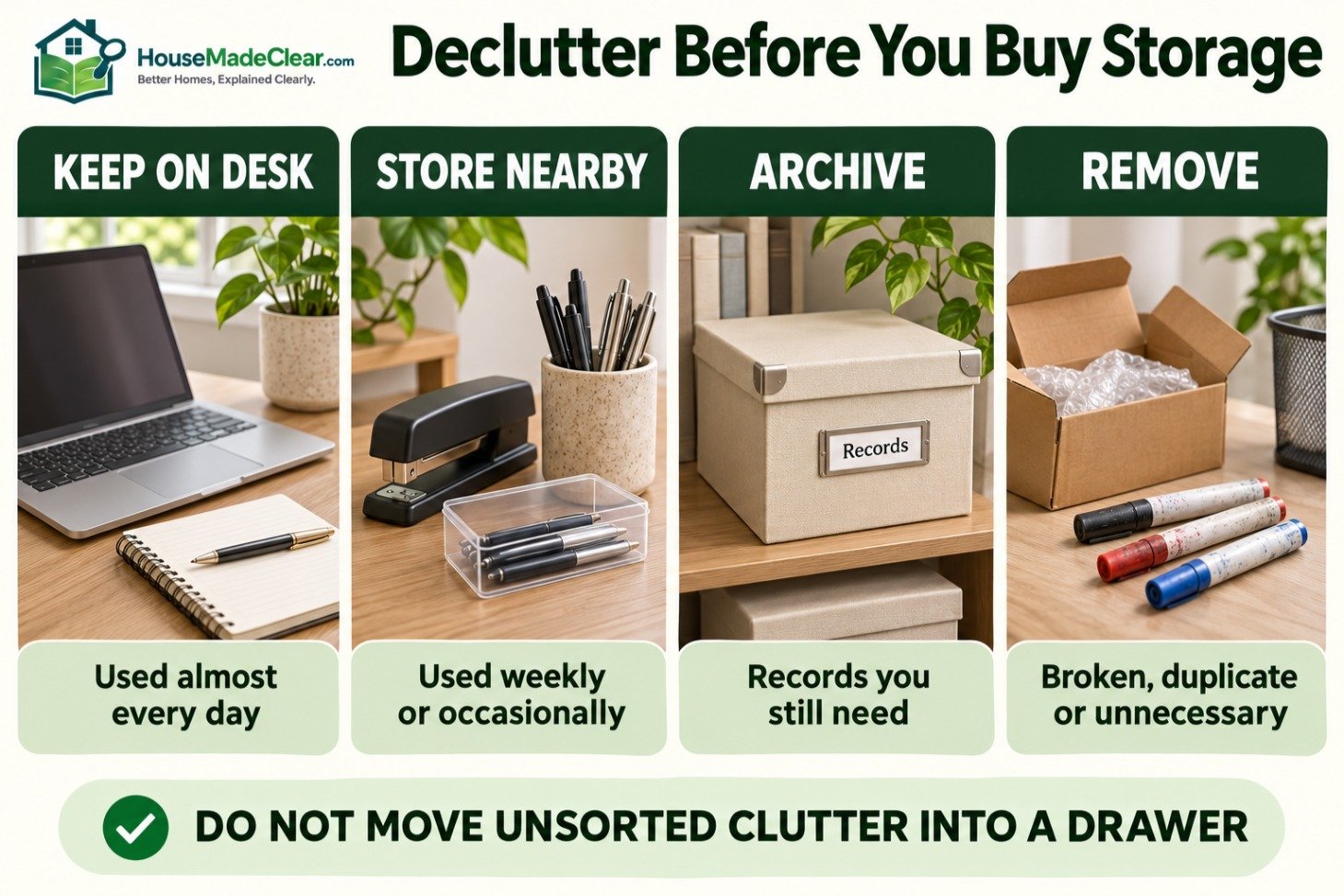
Sort your belongings into four groups:
| Category | What to Do | Examples |
|---|---|---|
| Keep on desk | Used almost every day | Laptop, monitor, keyboard, notebook |
| Store nearby | Used weekly or occasionally | Stapler, spare pens, printer paper |
| Archive | Needed for records but not daily work | Tax documents, contracts, older files |
| Remove | Broken, duplicate, or unnecessary items | Dried markers, old packaging, unused accessories |
Avoid moving clutter from the desk into a drawer without sorting it. That only hides the problem.
What Should You Remove First?
Start with items that require little decision-making:
- Empty packaging
- Old coffee cups
- Broken stationery
- Duplicate charging cables
- Unused promotional items
- Expired notes and reminders
- Equipment you no longer use
For important documents, check retention requirements before discarding anything.

2. Divide Your Home Office Into Functional Zones
An efficient home office benefits from designated places for different activities.
You don’t need separate rooms or expensive furniture. Even a small desk can have clear zones.
The Three-Zone Organization System
| Zone | Purpose | Best Location |
|---|---|---|
| Primary work zone | Computer work, writing, daily tasks | Main desk surface |
| Support zone | Supplies, current paperwork, charging | Drawer, nearby shelf, side cabinet |
| Storage zone | Archived documents, extra supplies, equipment | File cabinet or closed shelving |
For example, if you work primarily on a computer, your keyboard, mouse, and monitor belong in the primary zone. A stapler or spare notebook can remain in a drawer. Previous years’ records don’t need to occupy the desk.
If you’re still deciding where the desk should go, our guide to designing a functional home office covers furniture placement, lighting, and room layout in detail.
3. Organize Your Desk Without Overcrowding It
Your desk should hold the equipment and materials needed for your current work—not everything you own.
What Should Stay on Your Desk?
For a typical computer-based home office, keep:
- Monitor or laptop
- Keyboard and mouse
- One notebook or planner
- A pen
- Water bottle
- Task light, if needed
- Current project materials
Everything else should have a designated storage location.
Use the Primary Reach Zone
Place frequently used items where you can reach them without repeatedly stretching or twisting.
The OSHA computer workstation guidance recommends keeping frequently used equipment within the primary work area and preserving sufficient space for comfortable computer use.
For a right-handed user, that might mean placing a notebook to the left of the keyboard and a mouse to the right. Left-handed users may prefer the opposite arrangement.
The goal is to minimize unnecessary movement while maintaining a comfortable working posture.

Use a Monitor Arm When Appropriate
A monitor arm can free up desk space previously occupied by a monitor stand.
However, it must be compatible with your desk and display.
Keep the screen at a comfortable viewing height and distance. Our ideal monitor height guide explains how to position a display without creating unnecessary neck strain.
Don’t Fill Every Inch of the Desk
Leave enough clear space to write, review papers, or temporarily place materials for your current task.
If your desk feels crowded even after decluttering, check whether the work surface is appropriately sized.
Our guide to standard desk dimensions compares common widths and depths for laptop, single-monitor, and larger workstations.
4. Create a Simple Paperwork Filing System
Paperwork becomes difficult to manage when every document is placed in the same tray or drawer.
Instead, separate documents according to what you need to do with them.
Use Four Filing Categories
| Category | Purpose | Examples |
|---|---|---|
| Action required | Needs your attention | Unpaid invoices, forms to sign |
| Current projects | Used for ongoing work | Project notes, active contracts |
| Reference | Useful but not urgent | Manuals, procedures, instructions |
| Archive | Completed records | Previous projects, older tax records |
Avoid using a single miscellaneous folder for everything.
If you regularly work with paper documents, label folders clearly and store them vertically so individual files are easy to identify.
Where Should You Keep Important Documents?
Store sensitive records in a secure location, preferably a lockable cabinet where appropriate.
Don’t leave financial statements, identification documents, or client information in open trays.
The Federal Trade Commission’s document-retention and shredding guidance explains which records to retain and why documents containing personal information should be securely destroyed when no longer needed.
Retention periods vary by document, jurisdiction, and individual circumstances. Don’t discard legally required records just to reduce clutter.

5. Choose Storage Based on What You Actually Own
Different materials need different storage solutions.
A shallow desk drawer works for stationery but isn’t practical for hundreds of paper folders. Open shelves can hold books and equipment, while closed cabinets conceal visual clutter.
Best Home Office Storage Options
| Storage Option | Best For | Main Advantage |
|---|---|---|
| Drawer organizers | Pens, cables, small accessories | Keeps small items separated |
| Two-drawer file cabinet | Important paper documents | Dedicated filing space |
| Wall shelves | Books, reference materials | Uses vertical space |
| Closed cabinet | Extra supplies and equipment | Reduces visible clutter |
| Rolling cart | Frequently moved supplies | Flexible placement |
| Desk-mounted organizer | Small everyday items | Saves some work-surface space |
| Storage boxes | Seasonal or archived items | Keeps infrequent items together |

When Is a File Cabinet Worth Buying?
A file cabinet is useful when you regularly need physical contracts, invoices, receipts, or other records.
For a small home office, a compact two-drawer model may be sufficient.
Before buying, check the available floor area and the space needed to open the drawers. Our standard file cabinet dimensions guide compares vertical, lateral, and mobile filing cabinets.
Secure tall cabinets against tipping where required by the manufacturer. Never overload drawers or leave several heavy drawers open simultaneously.
6. Organize Cables and Charging Accessories
Tangled cables make a workspace look untidy and can interfere with cleaning or chair movement.
Begin by identifying every cable and removing unnecessary connections.
Practical Cable Management Ideas
- Use reusable hook-and-loop ties to group compatible cables.
- Attach a cable tray beneath the desk if the desk allows it.
- Label similar charging cables.
- Keep chargers in one designated location.
- Use adhesive cable clips to guide cords along suitable surfaces.
- Position power strips according to their instructions, away from spills and foot traffic.
What Should You Avoid?
Don’t run electrical cords beneath rugs or through areas where chair wheels may damage them.
Avoid tightly bundling power cords in ways that could trap heat.
Never overload power strips or use extension cords as a permanent substitute for appropriate electrical outlets.
If you’re using an adjustable standing desk, leave sufficient cable slack for the full range of movement.

7. Use Vertical Storage in a Small Home Office
When floor space is limited, look upward before buying another cabinet.
Wall shelves, pegboards, and suitable wall-mounted organizers can store supplies without consuming much floor area.
Small Home Office Storage Ideas
| Problem | Practical Solution |
|---|---|
| No room for a large cabinet | Compact vertical filing cabinet |
| Desk covered in accessories | Drawer dividers and a small shelf |
| Too many books | Wall-mounted shelves |
| Limited floor space | Pegboard or wall organizer |
| No dedicated office | Portable storage cart or closed box |
| Cables visible everywhere | Under-desk cable management |
Don’t place heavy objects on unsuitable shelves or mount storage without the correct hardware for the wall and load.
Keep the Chair Area Clear
Avoid storing boxes behind your office chair.
The chair needs room to move backward, and you should be able to stand without stepping around supplies.
See our guide to space needed behind a desk chair for practical clearance measurements and layout examples.
For exceptionally small rooms, our home office size guide explains how much space a desk, chair, storage, and circulation typically require.
Not everyone has a dedicated office.
When your workspace shares a room with another activity, the most effective approach is to keep work materials contained.
Bedroom Office
Use a small drawer unit or closed cabinet for paperwork and supplies.
Avoid spreading work materials across the bed, dresser, or bedside table.
A compact desk with integrated storage may be more practical than separate office furniture.
Living Room Office
Choose storage that can be closed when work finishes.
A cabinet, rolling cart, or dedicated storage box can keep equipment accessible without leaving the living room looking like a permanent workstation.
If two people use the same space:
- Give each person clearly labeled storage.
- Separate personal and shared equipment.
- Agree on where common supplies belong.
- Keep confidential documents secure.
- Establish a simple routine for clearing shared surfaces.
The goal is to prevent one person’s paperwork and accessories from taking over the other’s workspace.
9. Organize Digital Files Alongside Physical Paperwork
A tidy physical office isn’t very useful if you spend twenty minutes searching for a document on your computer.
Use a simple digital filing structure that matches the way you work.
Example Folder Structure
| Main Folder | Subfolders |
|---|---|
| Work | Clients, Active Projects, Completed Projects |
| Finance | Invoices, Receipts, Taxes |
| Personal | Household, Insurance, Important Records |
| Reference | Templates, Manuals, Guides |
Use consistent file names.
For example:
2026-11-client-name-invoice.pdf
is more informative than:
final-new-2.pdf
Keep Digital Storage Secure
Use appropriate account security, access controls, and backups.
For sensitive client or business data, follow applicable workplace policies and retention requirements.
Don’t keep the only copy of an important document on an unprotected computer.
Reduce Desktop Clutter
Create a temporary folder for current downloads and sort it regularly.
Archive completed projects rather than leaving every document on your desktop.
10. Improve Lighting Without Adding Desk Clutter
Poor lighting can make paperwork difficult to read and create screen glare.
Instead of placing several lamps and accessories across the desk, choose a lighting arrangement that supports your work.
Useful approaches include:
- Positioning a task lamp beside the main work area
- Using an adjustable lamp for paperwork
- Preventing bright reflections on the monitor
- Keeping tall storage away from windows
- Using lighter surfaces where appropriate
If your office is naturally dim, our guide to making a dark room brighter covers practical lighting and furniture adjustments without adding new windows.
11. Build a Daily and Weekly Organization Routine
An organized workspace only stays organized when the system is easy to maintain.
You don’t need a complicated schedule.
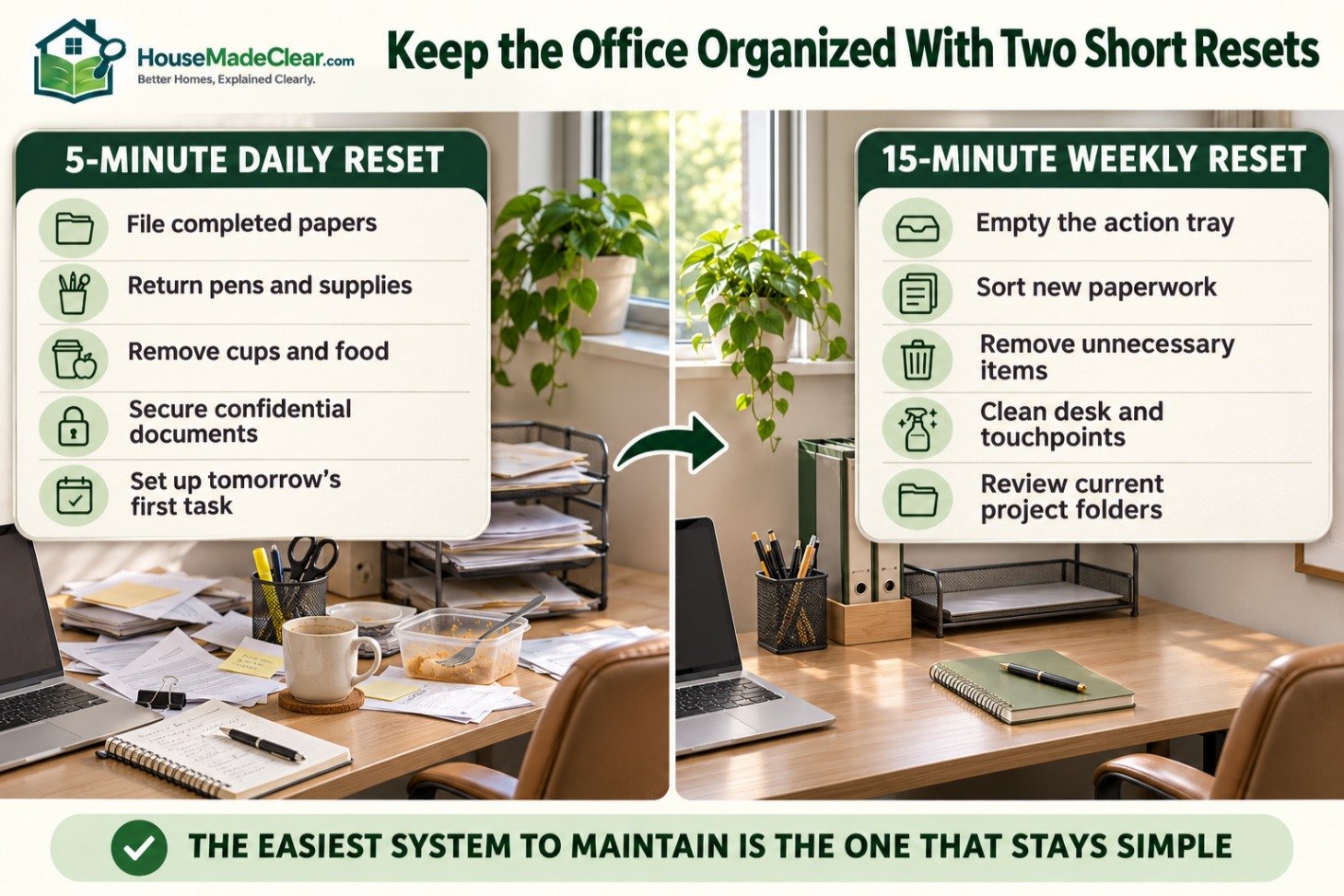
Five-Minute Daily Reset
At the end of each workday:
- Put away completed paperwork.
- Return pens and accessories to their storage locations.
- Clear cups and food containers.
- Close or store confidential documents.
- Prepare the desk for the next day’s first task.
Fifteen-Minute Weekly Reset
Once a week:
- Empty the action-required tray.
- Sort new paperwork.
- Remove unnecessary items.
- Clean the desk and frequently touched surfaces.
- Review current project folders.
- Check that cables and chargers remain organized.
The more complicated the routine, the less likely you are to maintain it.
Common Home Office Organization Mistakes
Buying Storage Before Decluttering
Extra containers won’t solve the problem if you keep everything.
Remove unused items before choosing storage.
Keeping Every Supply on the Desk
A desk covered in stationery, folders, and accessories leaves little room for actual work.
Keep daily essentials nearby and move occasional-use supplies into storage.
Using Too Many Different Organizers
A different system in every drawer creates unnecessary complexity.
Use consistent categories and labels.
Ignoring Ergonomics
Storage shouldn’t force you to stretch repeatedly, twist toward your monitor, or move your chair around boxes.
Organization should make the workspace easier to use physically.
Filing Everything Without Reviewing It
A full filing cabinet isn’t necessarily an organized one.
Review documents periodically and securely dispose of records you no longer need to retain.
How to Organize a Home Office in One Afternoon
If your workspace is cluttered, use this practical action plan.
| Task | Suggested Time |
|---|---|
| Remove trash and unnecessary objects | 15 minutes |
| Sort desk contents | 20 minutes |
| Organize drawers and supplies | 20 minutes |
| Separate and label paperwork | 30 minutes |
| Arrange equipment and cables | 20 minutes |
| Set up storage zones | 20 minutes |
| Final cleaning and adjustments | 15 minutes |
| Total | About 2 hours 20 minutes |
These are planning estimates for a typical small workspace. A large paper backlog or extensive equipment setup may take longer.
The objective isn’t to finish a perfect office makeover. It’s to create a practical system that is easy to maintain.
Home Office Organization Checklist
Use this checklist after reorganizing your workspace.
| Check | Target |
|---|---|
| Desk surface | Only current work and daily essentials |
| Keyboard and mouse | Comfortable, accessible position |
| Monitor | Clear viewing position |
| Paperwork | Labeled and separated |
| Daily supplies | Within easy reach |
| Occasional supplies | Stored nearby |
| Archived documents | Stored securely |
| Cables | Managed and clear of movement areas |
| Chair clearance | Free of boxes and obstacles |
| Lighting | Suitable for screen and paper work |
| Digital files | Consistent folder structure |
| Maintenance routine | Easy to complete regularly |
Frequently Asked Questions
What is the best way to organize a home office?
Start by removing unnecessary items, then divide the workspace into daily-use, occasional-use, and archive storage zones. Keep frequently used equipment accessible, organize documents into labeled categories, and maintain a short daily cleanup routine.
How do I organize a small home office?
Use compact furniture, wall storage, drawer dividers, and a limited number of desktop accessories. Keep the chair’s movement area clear and choose storage based on how often items are used.
What should I keep on my home office desk?
Keep your computer equipment, a notebook or planner, one pen, and current work materials. Store extra stationery, older documents, and infrequently used accessories elsewhere.
How do I organize home office paperwork?
Use clearly labeled categories such as action required, current projects, reference, and archive. Keep sensitive documents secure and follow applicable retention requirements before shredding records.
How can I organize my home office without buying anything?
Remove unused items, repurpose existing drawers and containers, label folders, reorganize cables, and keep only daily essentials on your desk. Many improvements come from reducing clutter rather than purchasing storage products.
Where should a printer go in a home office?
Place the printer on a stable surface near an appropriate power outlet, with enough ventilation and access for paper loading and maintenance. If you rarely print, it doesn’t need to occupy your main desk.
How do I keep my home office organized?
Create a simple five-minute end-of-day reset and review paperwork, supplies, and digital files weekly. Give every regularly used item a consistent storage location.
Final Thoughts
A well-organized home office makes everyday work easier by reducing clutter, unnecessary reaching, and time spent searching for documents.
Start with the desk, separate items by how often you use them, and organize paperwork into clear categories. Add storage only where it solves a real problem.
The best home office organization system isn’t the most decorative or expensive one. It’s the one you can maintain while doing your normal work.






[…] How to Organize a Home Office: Practical Storage and Desk Organization… […]
[…] How to Organize a Home Office: Practical Storage and Desk Organization… […]
[…] How to Organize a Home Office: Practical Storage and Desk Organization… […]
[…] How to Organize a Home Office: Practical Storage and Desk Organization… […]
[…] How to Organize a Home Office: Practical Storage and Desk Organization… […]